Question
Touchgfx text vertical locations are different between canvas and simulator
TouchGFX Designer version: 4.13.0
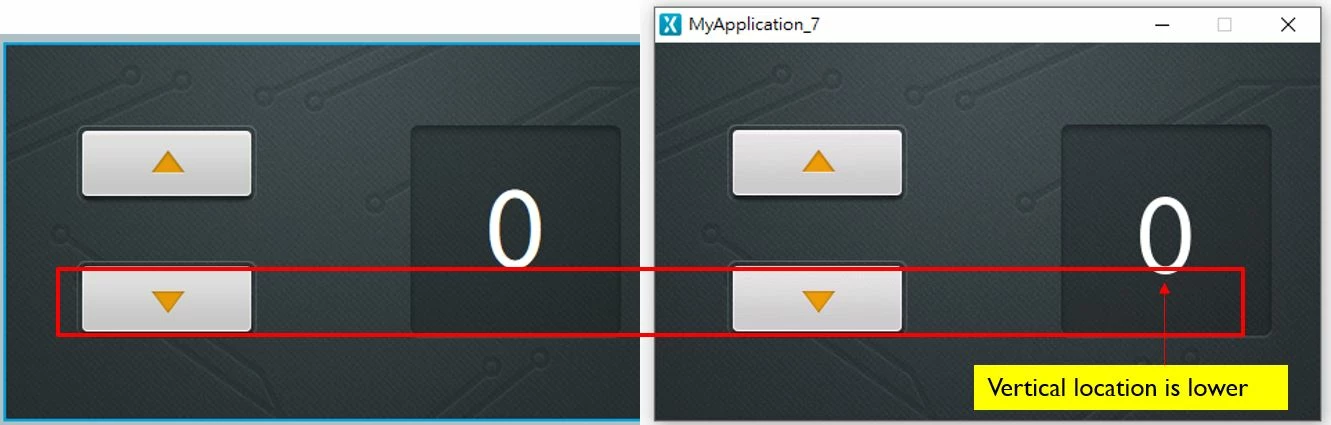
I follow my customer's coordinate to design the UI, and UI in the Touchgfx Design canvas looks the same as the image in Zeplin. but if I run the simulator, the text vertical location is lower.
As image below, the text vertical locations are different between canvas and simulator. When I download the code to my custom PCBA, the text vertical location on display is the same as the simulator, instead of canvas.
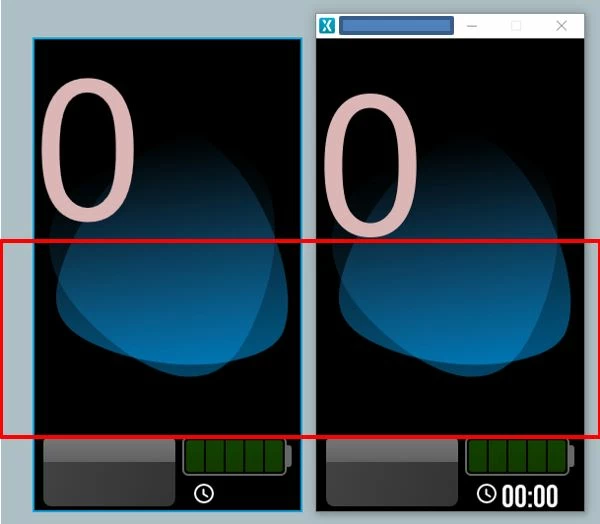 I also try the sample code which is shown below. The vertical location is still lower. Is there any way to make them the same?