Associate III
July 1, 2026
Solved

TouchGFX Project - Folder Structure Understanding

  • July 1, 2026
  • 1 reply
  • 39 views

Hello,

When I right-click - create a new .c source file in a new STM32CubeIDE TouchGFX project, the file gets created in the STM32CubeIDE/Appli/Application/User/Core directory.  However, all the project source files are under Appli/Core/Src and headers in Appli/Core/Inc.  

Is this normal and ok?  Why have the separate source file locations?

Thank you
 

Best answer by Osman SOYKURT

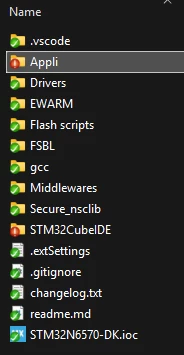
When you create new files from STM32CubeIDE, those are placed in the TouchGFXProject/STM32CubeIDE/ folder . You can also create files outside of the IDE, and import them afterwards to you STM32CubeIDE project by copying the file or linking to the original file, just as we do in our TBSs for example:


1 reply

Osman SOYKURT
ST Technical Moderator
July 2, 2026

Hello ​@Cococarbine ,

I don’t really understand the issue, or how to replicate the issue.
On my side, when I right click on any folder of my project in my tree view in STM32CubeIDE, I can indeed create a source file, and it ends up in the correct place in my project when checking the system explorer.*


ST Software Developer | TouchGFX
Associate III
July 2, 2026

Hi Osman,

No issue, I was just not sure the difference between the source files in the project’s TouchGFXProject/Appli/Core/Src folder containing main.c


versus the TouchGFXProject/STM32CubeIDE/Appli/Application/User/Core folder where all my new .c source files get created.


Osman SOYKURT
Osman SOYKURTBest answer
ST Technical Moderator
July 15, 2026

When you create new files from STM32CubeIDE, those are placed in the TouchGFXProject/STM32CubeIDE/ folder . You can also create files outside of the IDE, and import them afterwards to you STM32CubeIDE project by copying the file or linking to the original file, just as we do in our TBSs for example:


ST Software Developer | TouchGFX