


TFran.7
Associate
March 12, 2021
Question

TouchGfx produces hard fault when performing HAL:tick() for the frist time

  • March 12, 2021
  • 3 replies
  • 1946 views

I have set up TouchGfx with CubeMx and TouchGfx Designer, then copied the necessary and generated files into an existing project based on ThreadX RTOS. The display driver is already tested and the initialization code is already transferred to the display (MX_TouchGFX_Init() finishes). But when calling the MX_TouchGFX_Process(), a hard fault appears:
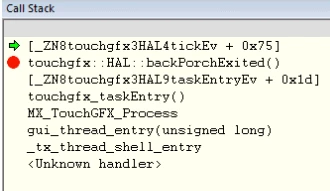
0693W000008wiOUQAY.pngBecause no source code is provided, I can’t figure out why it crashes:
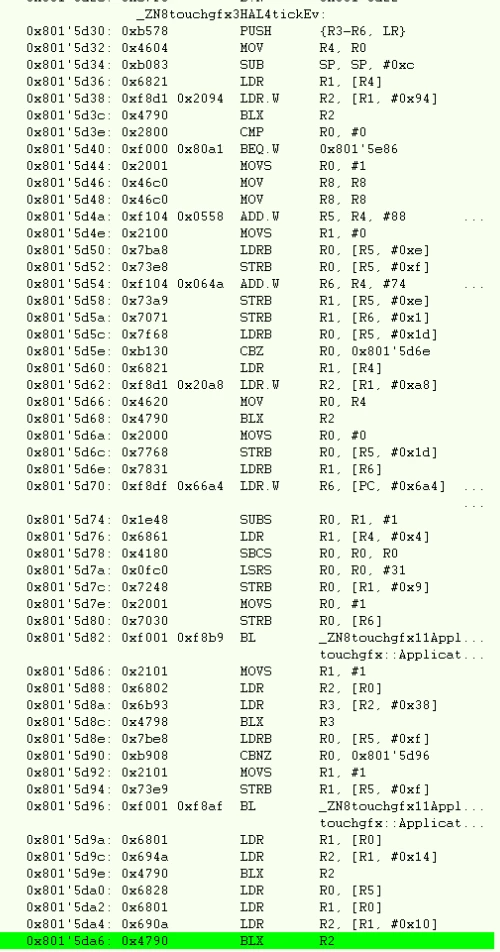
0693W000008wiOyQAI.pnghow can I figure out, what has happend?

I’m wondering, if thre is any error handling within the TouchGfx Assembly code for such cases.

This topic has been closed for replies.

3 replies

TFran.7
TFran.7Author
Associate
March 12, 2021

solved:

void TouchGFXHAL::initialize()

{

  // Please note, HAL::initialize() must be called to initialize the framework.

  TouchGFXGeneratedHAL::initialize();

}

Romain DIELEMAN
ST Employee
March 12, 2021

Hi,

I am intrigued, isnt this line supposed to be already generated by CubeMX ? I am surprised you had to set it yourself. Could you give me a bit more info on what you did so I can try to replicate it ? For example what MCU are you using ? Did you start a project from scratch from TouchGFX Designer, CubeMX or CubeIDE ? Did you use an application template for one of the ST kit available from TouchGFX Designer (or used one as source of inspiration for your project configuration) ?

/Romain

TFran.7
TFran.7Author
Associate
March 15, 2021

The code was actually generated by TouchGfx Designer. I migrated it to a standalone project and included the display drivers. Now, it works to my satisfaction.

Another thing is the update of the workspace project file. It is done by the TouchGfx Designer via the CubeMx project file. Is there a way to update IAR project files (or its ipcf file) directly?