Solved
TouchGFX: Only show part of an image
Hello,
I have a .png image that I'm using in the TouchGFX GUI (utilizing the STM32H725AGI6), which I have fully integrated with the display and working.
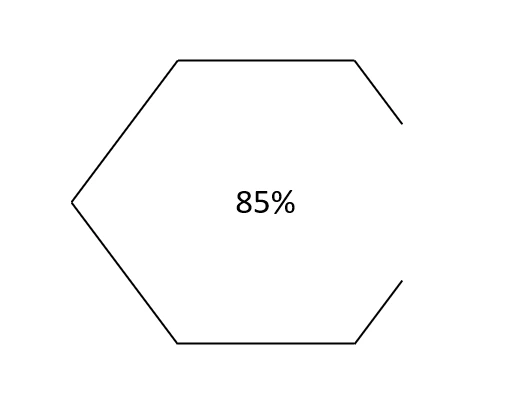
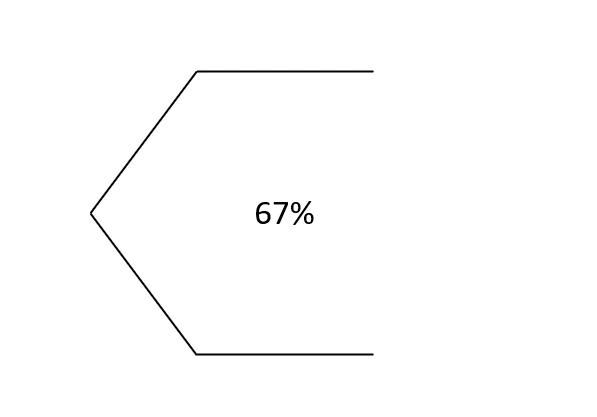
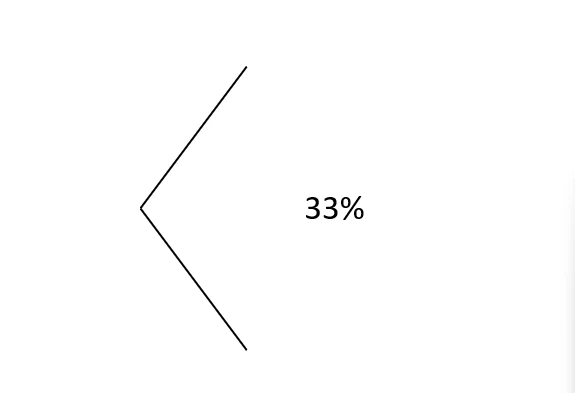
That image is going to dynamically change based on a specific value received from the code (0-100%). When it's 100%, the entire image is showing. When the value is 50%, the left half of the image is revealed and the right half will not be shown. When the value is 0%, the image is not showing.
I was previously using a black box that was on a layer higher than the image and had it slowly cover it, but now I have a real background image and not a black box, so that is no longer feasible.
Is there a way to dynamically define how much of the image is drawn? Something similar to the image below.