PFlor.2
Senior II
November 25, 2024
Solved

TouchGFX not running on STM32H563 with SPI LCD interface and FreeRTOS

  • November 25, 2024
  • 1 reply
  • 1262 views

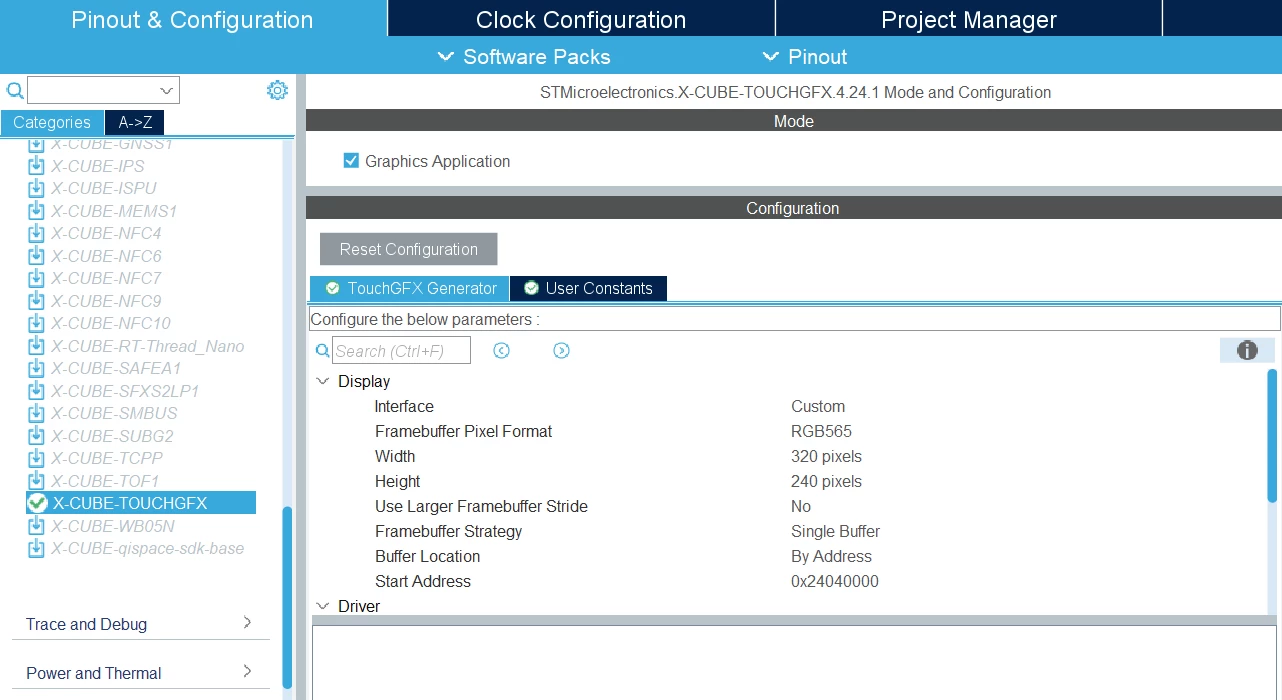
I’m not sure why TouchGFX doesn’t seem to be running in a new H563 project when I’ve done this on the H743 on a previous project.  The last project did use LTDC instead of SPI for the display interface so maybe that has something to do with it.  I have confirmed the SPI drivers for the LCD by painting an entire screen from a buffer of color pixels.

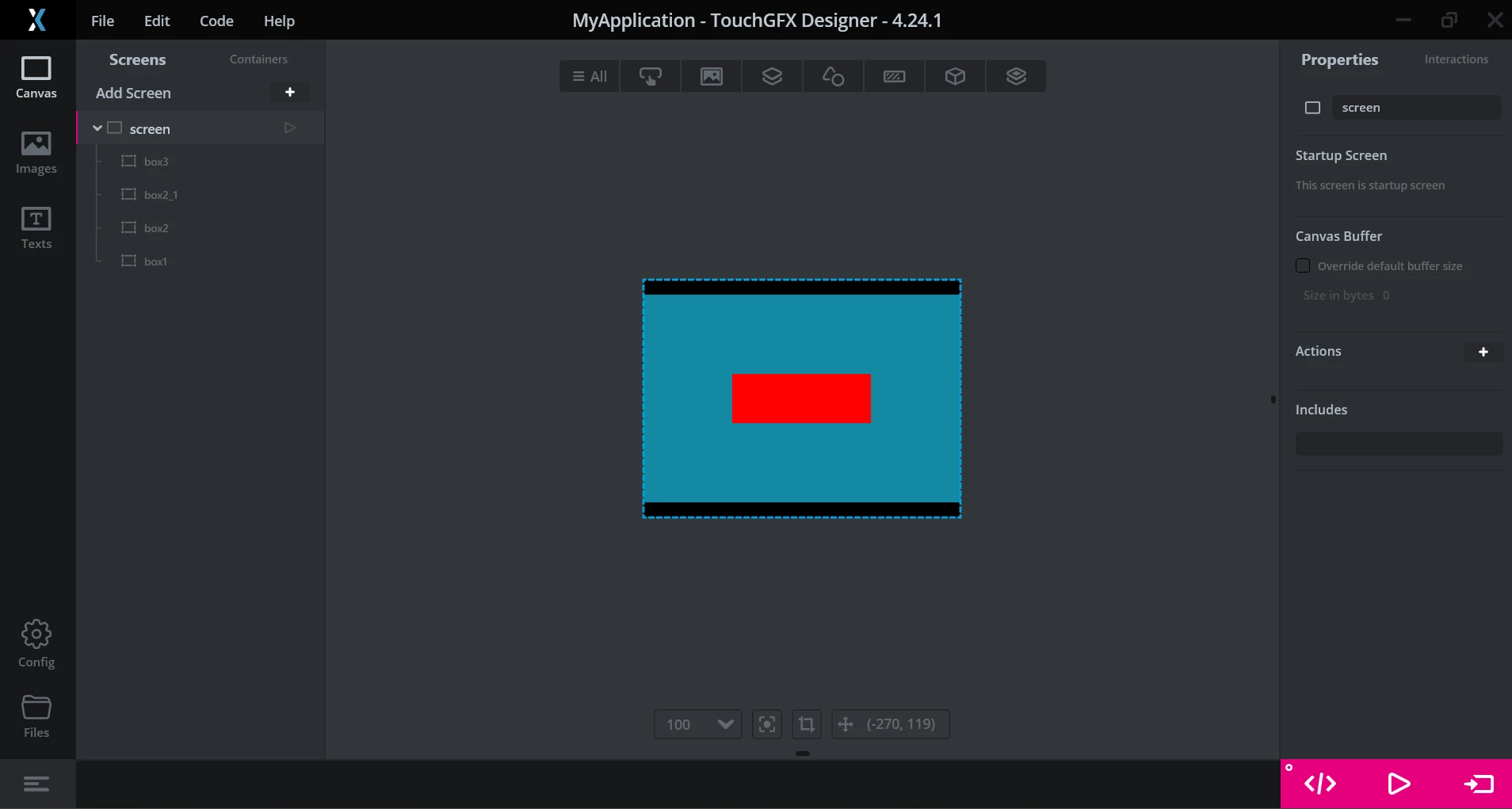
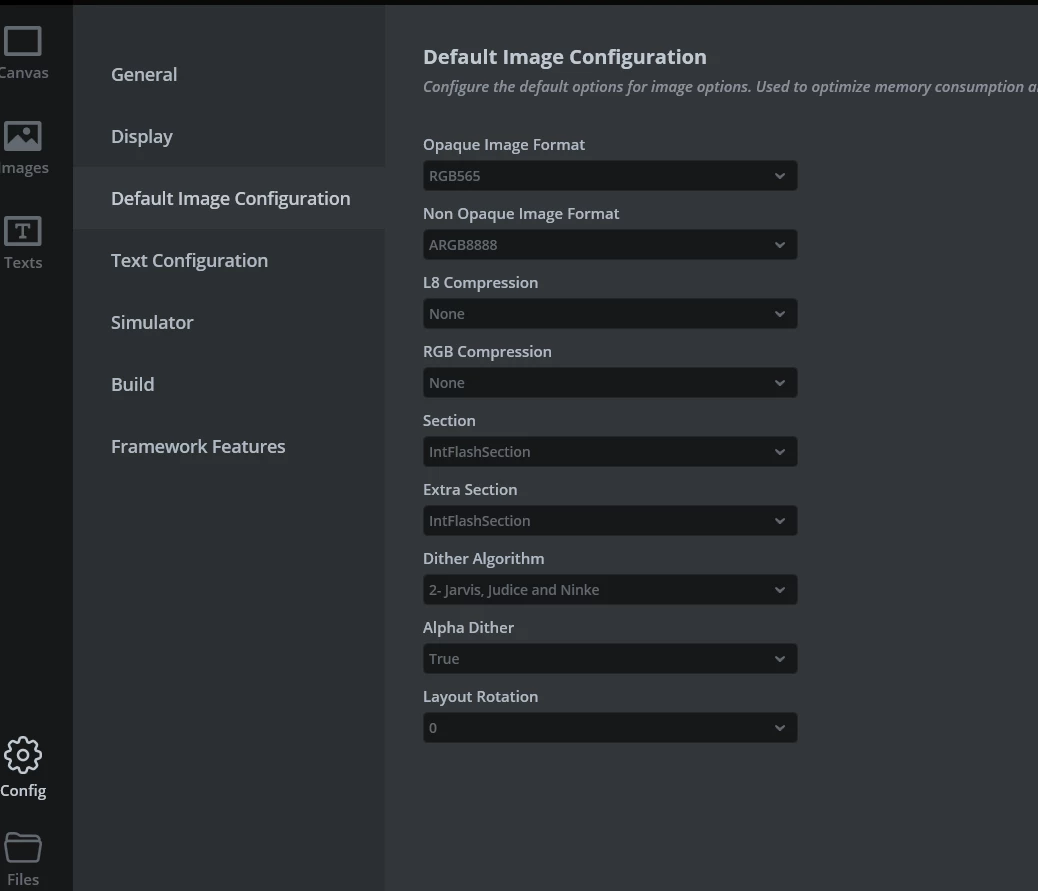
Right now I just have a single simple screen created in TouchGFX with internal memory set for assets.
PFlor2_0-1732574243284.png

PFlor2_1-1732574274237.png

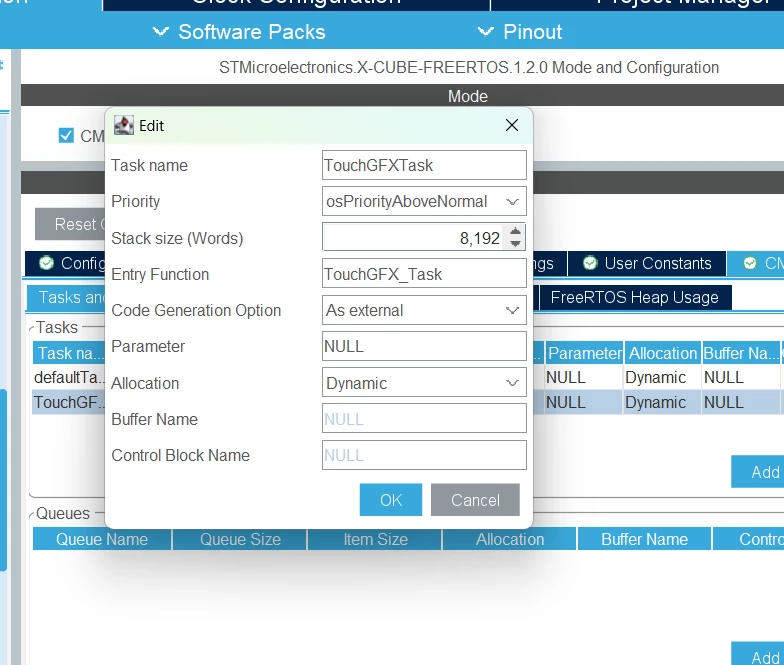
I setup the ToughGfxTask as described in the TouchGFX documentation for FreeRTOS…

Real Time Operating System | TouchGFX Documentation
PFlor2_2-1732574309529.png

PFlor2_3-1732574337286.png

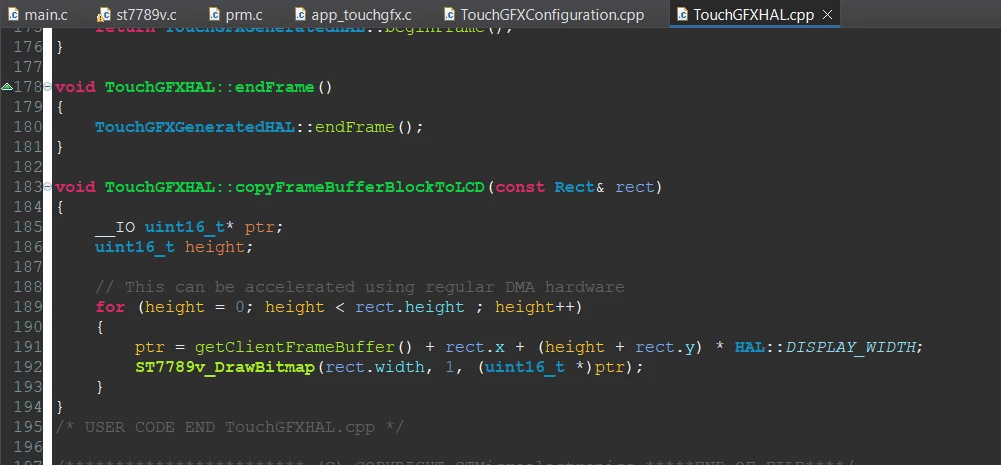
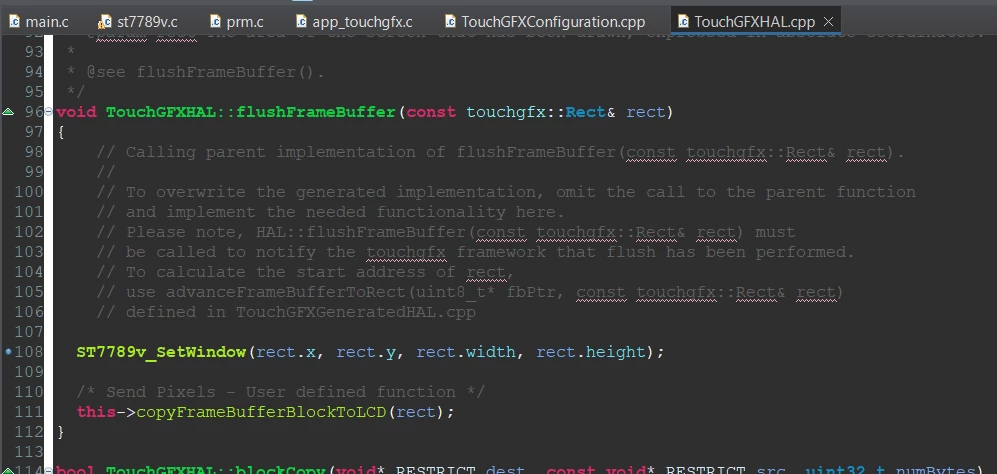
I then setup the SPI display interface to TouchGFX as described in documentation…

FMC and SPI Display Interface | TouchGFX Documentation
PFlor2_4-1732574377456.png

PFlor2_5-1732574410949.png

Where can I set a breakpoint to see if the TouchGFXTask is running?  I never reach a breakpoint in this flushFrameBuffer().

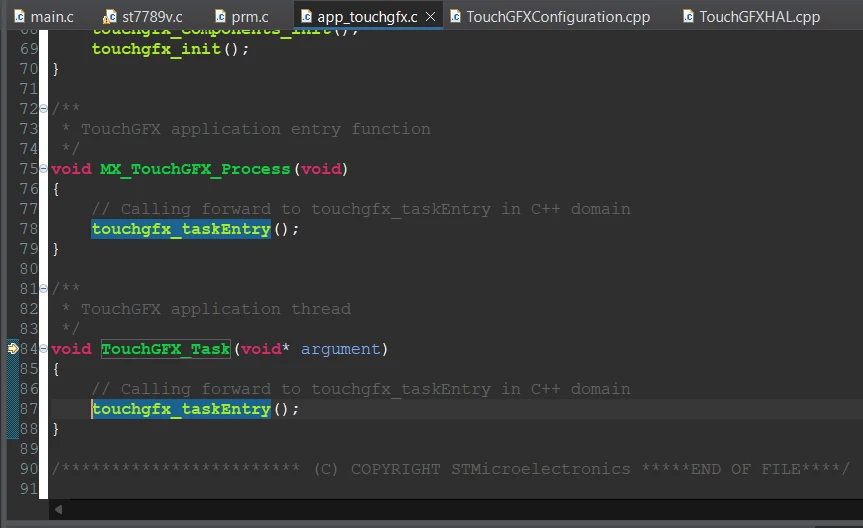
I see the TouchGFXTask startup function TouchGFX_Task() does execute…
PFlor2_6-1732574453519.png

Since I’m using the internal flash for TouchGFX there’s nothing need in the linker script STM32H563RGTX_FLASH.ld yet right?  My understanding is I just need to map external flash once I have that setup, just using internal to get things running initially before getting the QuadSPI for the external flash implemented.


This topic has been closed for replies.
Best answer by PFlor.2

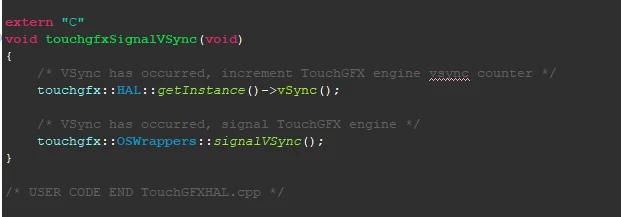
All examples I had seen for SPI display interface to TouchGFX used a partial frame buffer.  When using single/double framebuffer configuration it is still necessary to use a task or timer to trigger a signalVSync() function for TouchGFX to send screen data to the application/LCD driver.

PFlor2_0-1733498947922.png

In my particular case, I created a task to call the function above every 100ms.  Based on my framebuffer size and SPI baudrate (15MBits/s) I was able to take it down to every 82ms (screen size 320x240):

320 x 240 x 2 x 8 = 1228800 / 15000000MBits/s = 0.08192s = 81.92ms

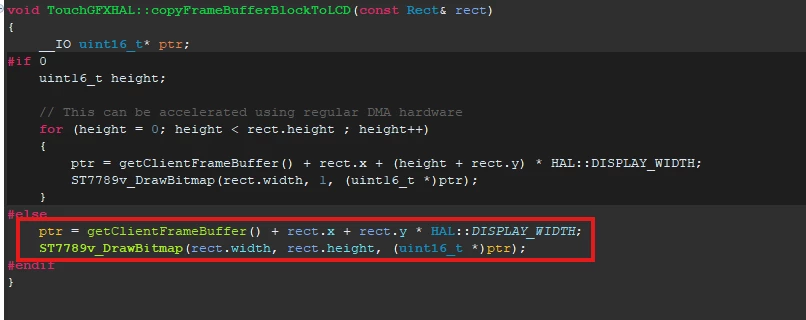
Also, for my SPI driver the loop to write framebuffer data 1 line at a time did not work well and was better suited to send entire buffer to driver at once....

PFlor2_1-1733499381532.png


1 reply

PFlor.2
PFlor.2AuthorBest answer
Senior II
December 6, 2024

All examples I had seen for SPI display interface to TouchGFX used a partial frame buffer.  When using single/double framebuffer configuration it is still necessary to use a task or timer to trigger a signalVSync() function for TouchGFX to send screen data to the application/LCD driver.

PFlor2_0-1733498947922.png

In my particular case, I created a task to call the function above every 100ms.  Based on my framebuffer size and SPI baudrate (15MBits/s) I was able to take it down to every 82ms (screen size 320x240):

320 x 240 x 2 x 8 = 1228800 / 15000000MBits/s = 0.08192s = 81.92ms

Also, for my SPI driver the loop to write framebuffer data 1 line at a time did not work well and was better suited to send entire buffer to driver at once....

PFlor2_1-1733499381532.png