Jon Enz
Associate III
January 11, 2021
Solved

TouchGFX Image Mangling

  • January 11, 2021
  • 9 replies
  • 4983 views

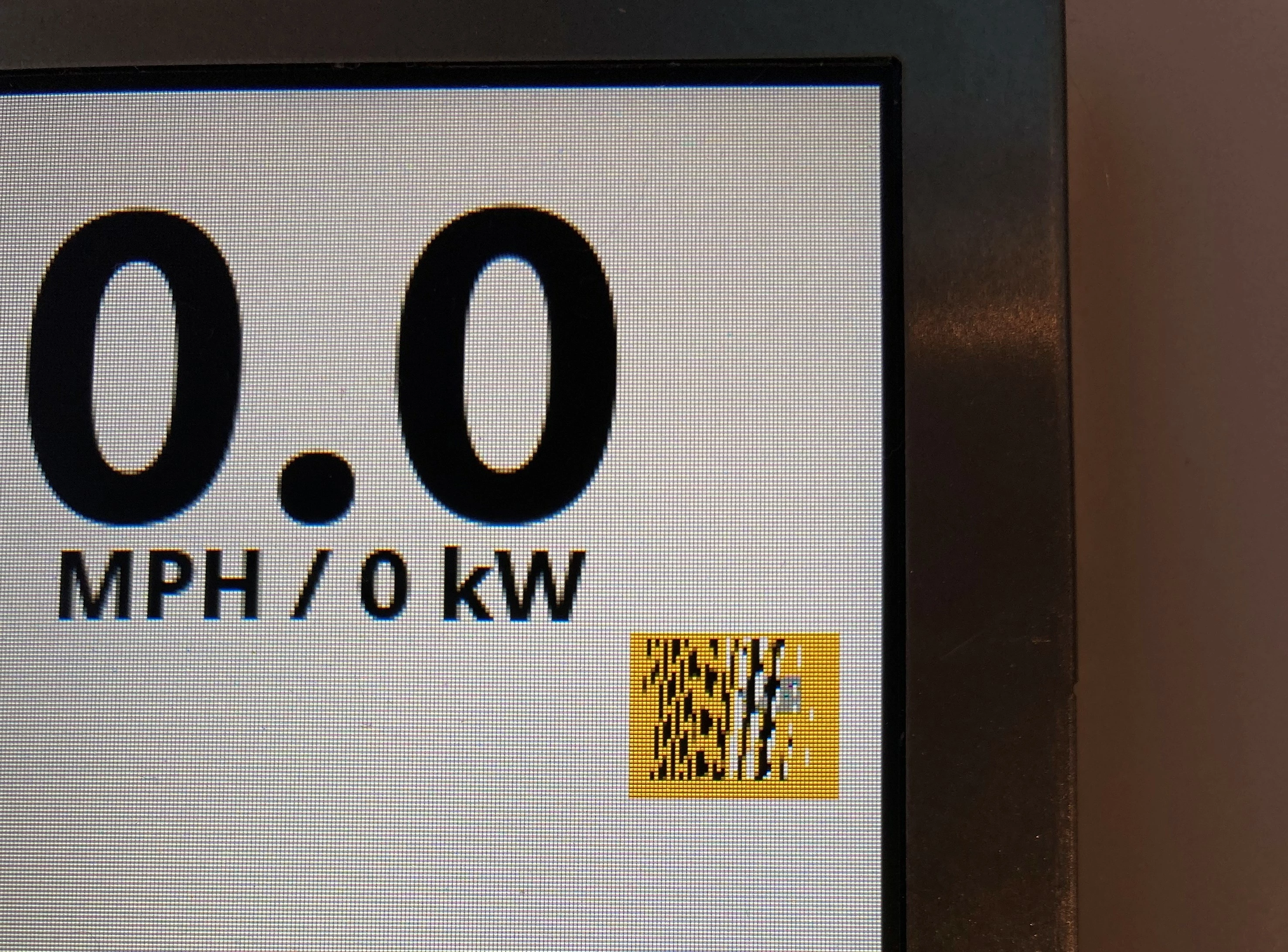
TouchGFX seems to mangle all of my .png images. The image is loaded directly into the flash and mapped in BitmapDatabase.cpp. Nothing special going on. Has anyone encountered this or have any troubleshooting ideas?

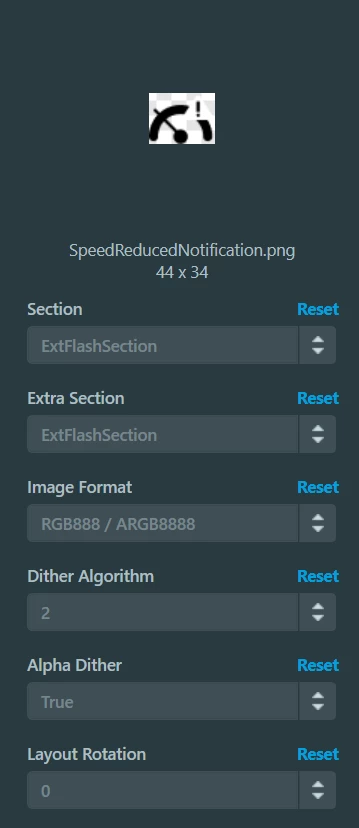
TouchGFX Designer Screen Capture:

0693W000007Aq1YQAS.pngTouchGFX Designer Screen Capture:0693W000007Aq1nQAC.pngTarget Picture:0693W000007Aq1xQAC.jpg

This topic has been closed for replies.
Best answer by Jon Enz

Looks like the correct answer was to set the image rotation to 90 deg. Thanks @MM..1​. I must have missed why this when setting up my Default Image Configuration: https://support.touchgfx.com/docs/development/ui-development/designer-user-guide/config-view#default-image-configuration

Is there any reason why this setting does not automatically attach to Display Orientation in Config -> Display?

9 replies

Alexandre RENOUX
Visitor II
January 12, 2021

Hello Jon Enz,

There's a high probability that you didn't configure your Flash correctly.

One other possibility is that the linking is incorrect or you didn't use a correct external loader.

Please verify these points.

Also please provide more information afterwards like software versions used, what MCU, what board, what display, what framebuffer strategy.

For your next posts, please write all this information along with your question to help us answer as quickly and efficiently as possible.

/Alexandre

MM..1
Super User
January 12, 2021

No @Alexandre RENOUX​ i report this bug here, when you set image angle 90 first build generate fail image, Changing angle twice correct this.

as here png-data does not show properly on the TouchGFX "Run Simulator" (st.com)

Or @ you set bad rotation 0 and need 90

Romain DIELEMAN
ST Employee
January 12, 2021

Hi,

I have not been able to reproduce this issue. The link you shared did not specify as well the TouchGFX Designer version, it is a good thing to hear that rotating back and forth the image solves the issue but it would be nice if we could fix it directly.

@Jon Enz​ Could you explain what version of TouchGFX you are using ? As Alexandre said, could you share more information on your setup, framebuffer strategy.

Could you share an example of the struggling png images ? Has this happened to images used in the UI examples and demos available from within TouchGFX Designer ?

/Romain

Jon Enz
Jon EnzAuthorBest answer
Associate III
January 12, 2021

Looks like the correct answer was to set the image rotation to 90 deg. Thanks @MM..1​. I must have missed why this when setting up my Default Image Configuration: https://support.touchgfx.com/docs/development/ui-development/designer-user-guide/config-view#default-image-configuration

Is there any reason why this setting does not automatically attach to Display Orientation in Config -> Display?

Alexandre RENOUX
Visitor II
January 13, 2021

Hello Jon Enz,

I'm glad you find a way. FYI, since 180 degree screen rotation is done manually, this becomes heavy on the MCU because the entire framebuffer needs to be invalidated all the time. You will not be able to have high level UIs by doing so.

Display Orientation in Config -> Display and Layout Rotation in Config -> Default Image Configuration are linked to each other. It's strange it's not the case for you.

I tried with TouchGFX 4.15 and a project on F746-Disco and whenever I change the display orientation, the layout orientation is automatically modified. Maybe I misunderstood what you were talking about.

/Alexandre

Jon Enz
Jon EnzAuthor
Associate III
January 14, 2021

The purpose of having the 4 frame buffers is to simplify the rotating so that the framework does not have to completely redraw the assets every time. The framework thinks there is just a normal double framebuffer setup and then the completed frame is manually copied and inverted. It still slows down the app, but what would be rendering effort is instead memcpy operations.