TouchGFX – Designing a Reusable On-Screen Keyboard Using a Custom Container
Hello ST Community,
I would like to share an improvement I made to one of my TouchGFX projects.
Background
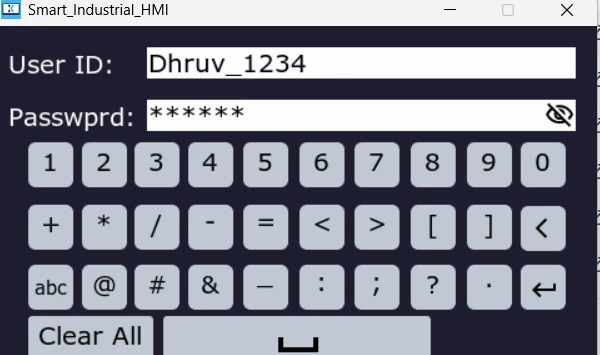
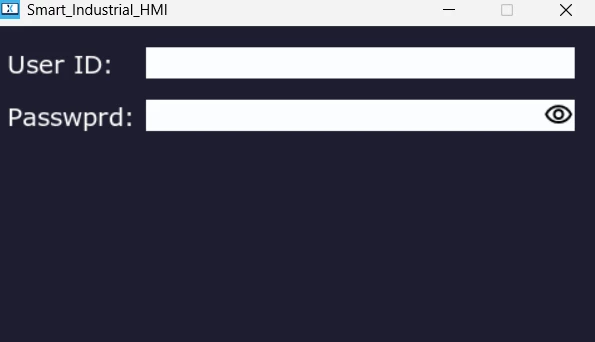
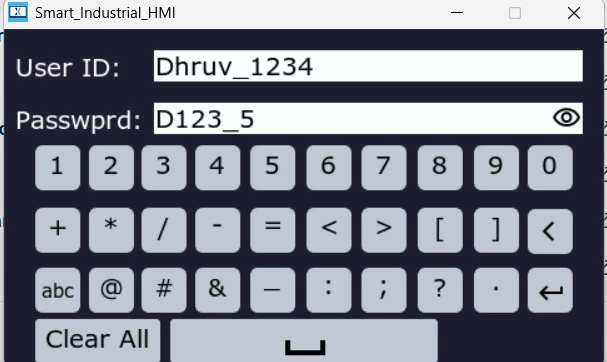
My previous implementation used a login screen to demonstrate an on-screen keyboard. The login screen was created only as an example application to showcase the keyboard and its functionality.
To provide a more familiar user experience, I also implemented features that are commonly found in modern desktop and web applications, including:
-
Custom on-screen keyboard
-
Password input field
-
Show/Hide Password button
-
Password masking
-
User authentication flow
Although these features worked well for the login example, the keyboard implementation was tightly coupled with the screen.
The Problem
The original custom container included:
-
Keyboard
-
Text area
-
Input buffer
-
Buttons
-
Password controls
Whenever the custom container was added to another screen, all of these UI elements were created together.
This reduced flexibility because many applications only need the keyboard while using their own buttons, labels, and layouts.
New Design
To make the component reusable, I redesigned the architecture.
The custom container now contains only the on-screen keyboard.
Everything else belongs to the screen that is using it.
Each screen creates its own:
-
Text areas
-
Buttons
-
Labels
-
Icons
-
Input buffers
-
Screen-specific logic
The keyboard simply sends key events to the active screen.
Why the Login Screen?
The login screen is only an example used to demonstrate the reusable keyboard.
The keyboard itself is independent of the login screen and can now be integrated into any TouchGFX application without modification.
Example Use Cases
The same keyboard can be reused for:
-
Login and password entry
-
User registration
-
User name input
-
Device configuration
-
Wi-Fi credentials
-
Calibration values
-
System settings
-
Parameter entry
-
Numeric input
-
Any custom form that requires user input
Benefits
-
Reusable keyboard component
-
Separation of keyboard and screen UI
-
Flexible screen design
-
Easier integration into different projects
-
Reduced code duplication
-
Cleaner project architecture
-
Easier maintenance and future expansion
I hope this design approach is useful for other TouchGFX developers. I welcome any feedback or suggestions from the community.
GitHub Repository: https://github.com/dhruvdave4/TouchGFX-Login-System
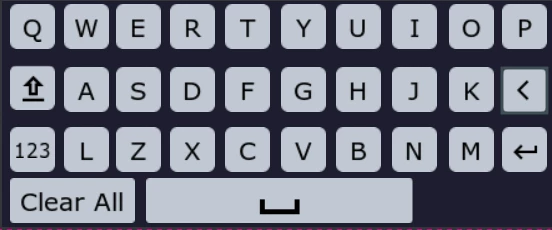
Custom Keyboard
---------------------------------------------------------------------------------------------------------------------------------------------------------------------------
-----------------------------------------------------------------------------------------------------------------------------------------------------------------------