


amirparto
Associate II
August 31, 2021
Solved

TouchGFX Designer hangs when scrolling.

  • August 31, 2021
  • 10 replies
  • 5545 views

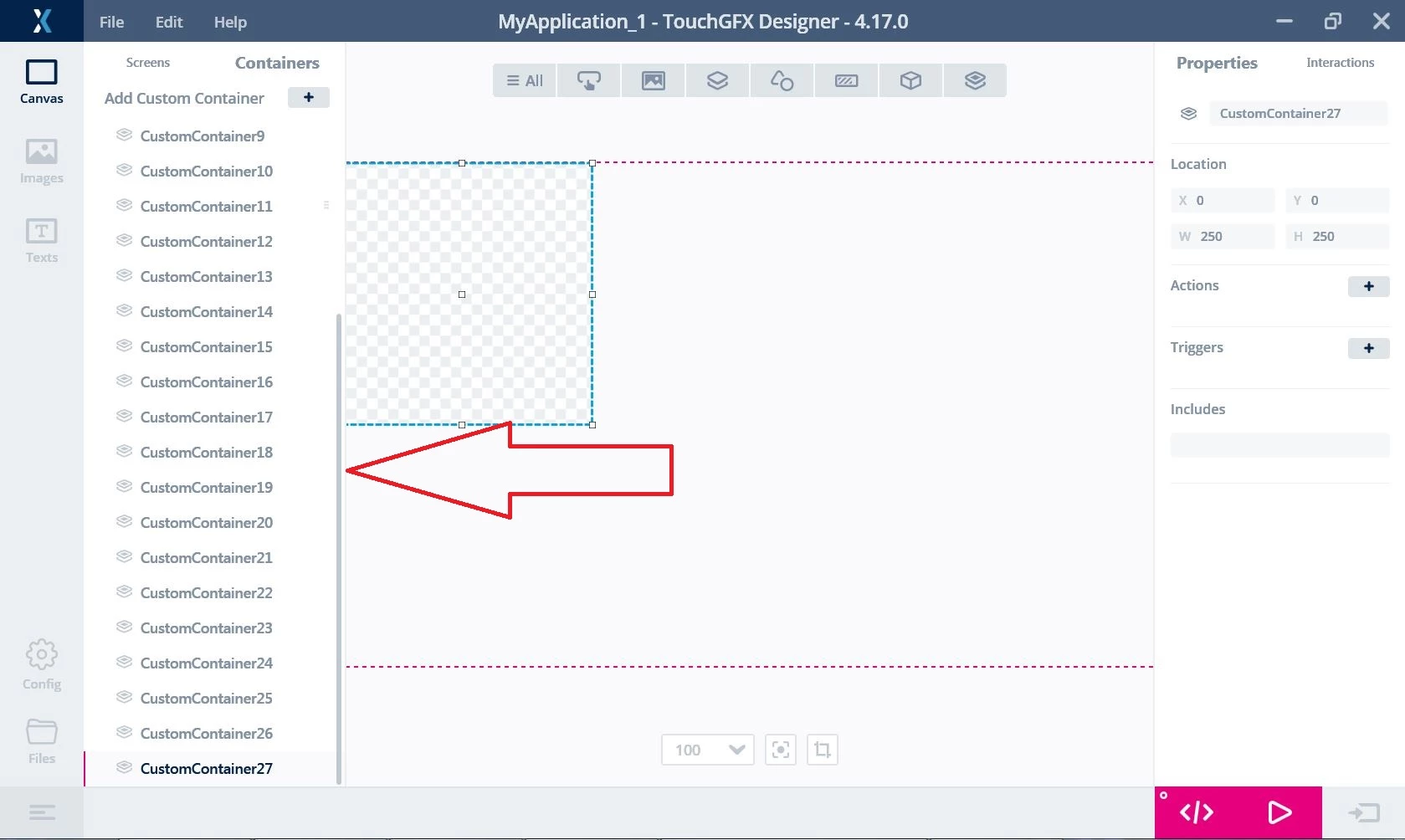
Hi, I want to report a problem in TouchGFX Designer, when a project has some widgets and containers in the custom containers tab and it needs to scroll down in the left bar, when I scroll down to the end of the list by mouse scroll wheel, the designer doesn't response to anything anymore and has to be terminated by the task manager.

0693W00000DlilHQAR.jpg 

This topic has been closed for replies.
Best answer by Osman SOYKURT

Hello LHill,

Ok great, we'll try to have that fixed for the next version, I'll keep you updated. Meantime, I can only recommend you to use an other scale than 125%.

/Osman

10 replies

Romain DIELEMAN
ST Employee
September 9, 2021

Hi,

Thank you for reporting this. It is a known issue we are working on. Could you share your project ? I cannot seem to replicate this issue, but you are not the first one that face it.

/Romain

amirparto
amirpartoAuthor
Associate II
September 11, 2021

I've found out that this problem is somehow related to GPU driver(Intel(R) HD Graphics 530). When I uninstall the driver the resolution becomes ugly but the problem isn't happening.

I've tested this project on other computers and some of them had the problem.

Romain DIELEMAN
ST Employee
September 13, 2021

Thanks I will transfer that to the team :thumbs_up:

/Romain

Romain DIELEMAN
ST Employee
September 9, 2021

Could you also share your logfile after facing the issue ? It is found under %appdata%/Roaming/TouchGFX-4.17.0

/Romain

amirparto
amirpartoAuthor
Associate II
September 11, 2021
LHill
Visitor II
June 2, 2022

We have the same problem with version 4.18.1. It seems to appear only with high screen resolutions (2560x1440). With a resolution of 1920x1080 the problem does not occur.

Osman SOYKURT
ST Technical Moderator
June 3, 2022

Hello LHill.2,

Thanks for these information. We have investigated that issue and we think the issue can be related to the "Scale an layout" parameter on Windows Settings. Indeed, we can reproduce the bug when we have "125%" value for example, but we can't reproduce it with "100%" value. Can I ask you what's your "Scale and layout" value on your Windows settings ?

/Osman

ST Software Developer | TouchGFX
LHill
Visitor II
June 7, 2022

Hello Osman,

You are right, using the 125% setting causes the problem. With a scale of 100% it works fine, regardless of the screen resolution:thumbs_up: