

Associate II
September 24, 2024
Question

TouchGFX designer 4.24.0 cannot create a new project by any samples

  • September 24, 2024
  • 11 replies
  • 5649 views

TouchGFX designer 4.24.0 is new installed in my laptop which is Win11. I used the Clock Example to create a project, and reported an error. The log is attached.
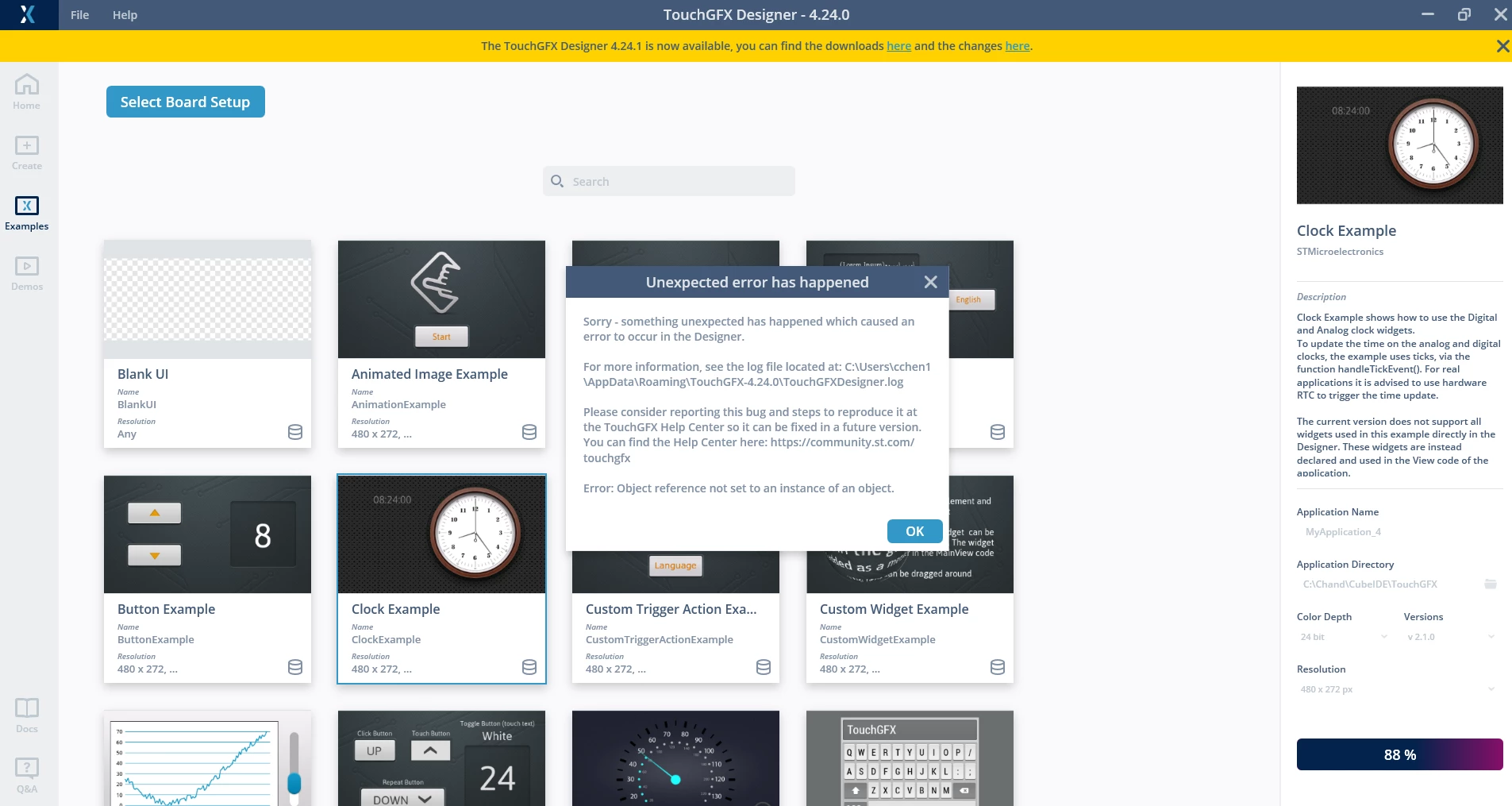
Chand446209_0-1727140779804.png

I also created a new project by simulator. I put a button and run the simulator. It was fail. The log is attached too.

Did I miss something to install?


    This topic has been closed for replies.

    11 replies

    GaetanGodart
    ST Employee
    September 24, 2024

    Hello @Chand446209 and welcome to the community! :smiling_face_with_smiling_eyes:


    I checked the logs but did not see anything obvious.

    Did you also download STM32CubeIDE and STM32CubeProgrammer?

    I advise you to follow this tutorial to properly install TouchGFX : How to TouchGFX: Installing TouchGFX Designer for STM32 GUI applications 


    I hope this helps!


    Regards,

    Gaetan GodartSoftware engineer at ST (TouchGFX)
    GaetanGodart
    ST Employee
    September 30, 2024

    Hello @Chand446209 ,


    Were you able to move forward on your issue?


    Regards,

    Gaetan GodartSoftware engineer at ST (TouchGFX)
    Associate II
    October 12, 2024

    Sorry for late response.

    I uninstalled my cubeide and touchgfx and removed all the related folder in C drive. After that, install cubeide 1.16.1, touchgfx designer 4.24.0 and touchgfx generator 4.24.0 in cubeide by following your suggestion.

    Finished all the steps, I created a new project in designer, put a button and run simulator. The same errors were shown.

    Do you have any idea if there were any step I missed?

    Thanks for you help.

    GaetanGodart
    ST Employee
    October 21, 2024
    Gaetan GodartSoftware engineer at ST (TouchGFX)
    GaetanGodart
    ST Employee
    October 30, 2024

    Hello @Chand446209 ,


    I am not sure it is affecting all windows11 computer without admin rights, I think it is something deeper.

    Can you try to delete the folder C:\Users\<USERNAME>\AppData\Roaming\TouchGFX-<TOUCHGFX-VERSION>  (don't forget the replace with the right values) and tell me if that changed anything?


    Regards,

    Gaetan GodartSoftware engineer at ST (TouchGFX)
    Associate II
    November 4, 2024

    Hi @GaetanGodart ,


    I have tried times to uninstall and install TouchGFX. I also deleted the folder you mentioned. But there was nothing changed.