ESKim
Visitor II
November 24, 2022
Question

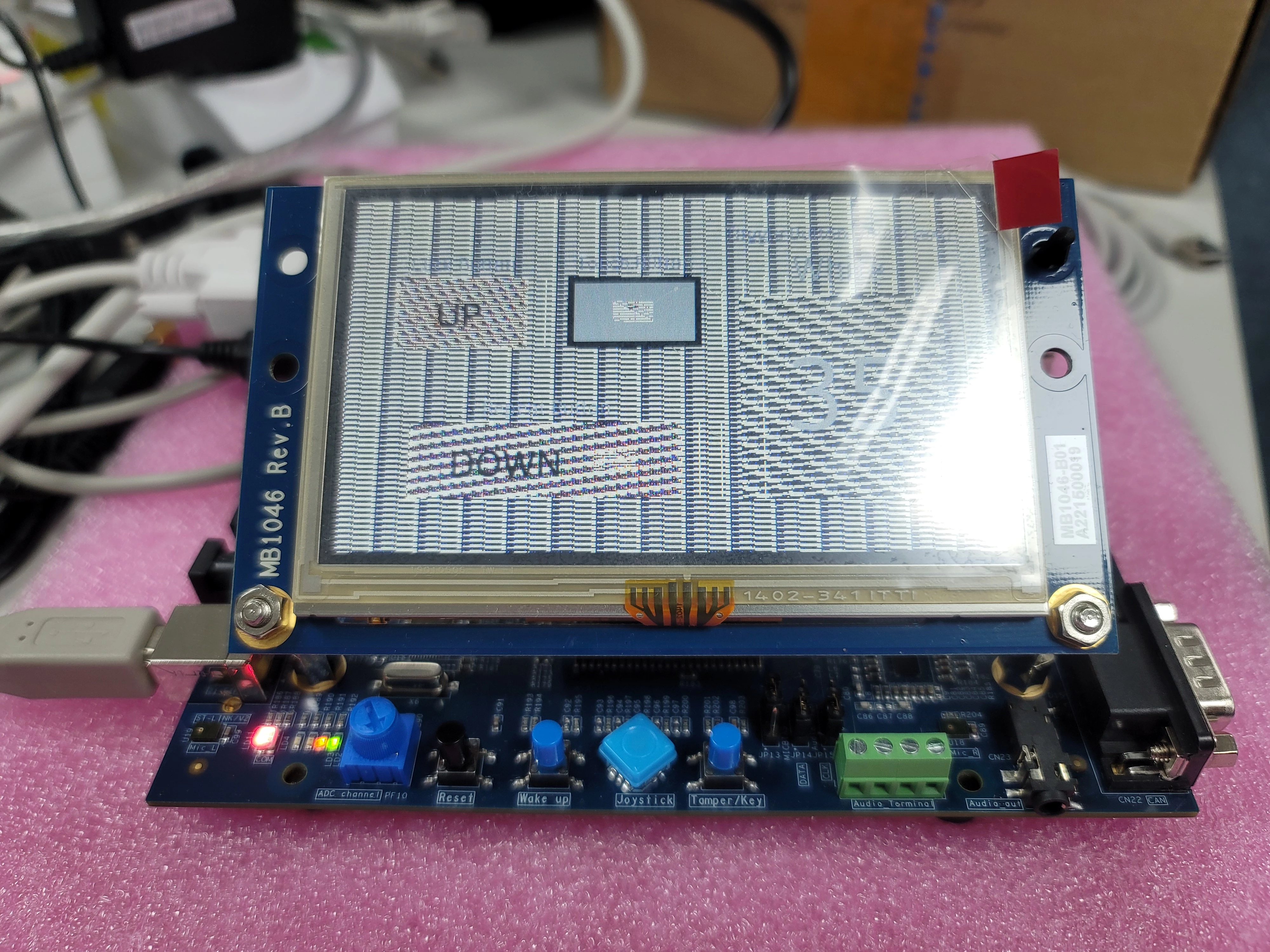
TouchGFX demo screen is not working properly on STM32429I-EVAL1

  • November 24, 2022
  • 2 replies
  • 1228 views

Hello,

​

I'm going to run demo by referring to the TouchGFX Documentation.​

But, When I run target after code generating in TouchGFX Designer, the screen does not ​display properly. Did I make a mistake? The same problem occurs again and again.

​

Board: STM32429I-EVAL1

TouchGFX Version: 4.20.0​

STM32CubeMX Version: 6.6.1

STM32CubeIDE Version: 1.10.1

STM32CubeProgrammer Version: 2.11.0
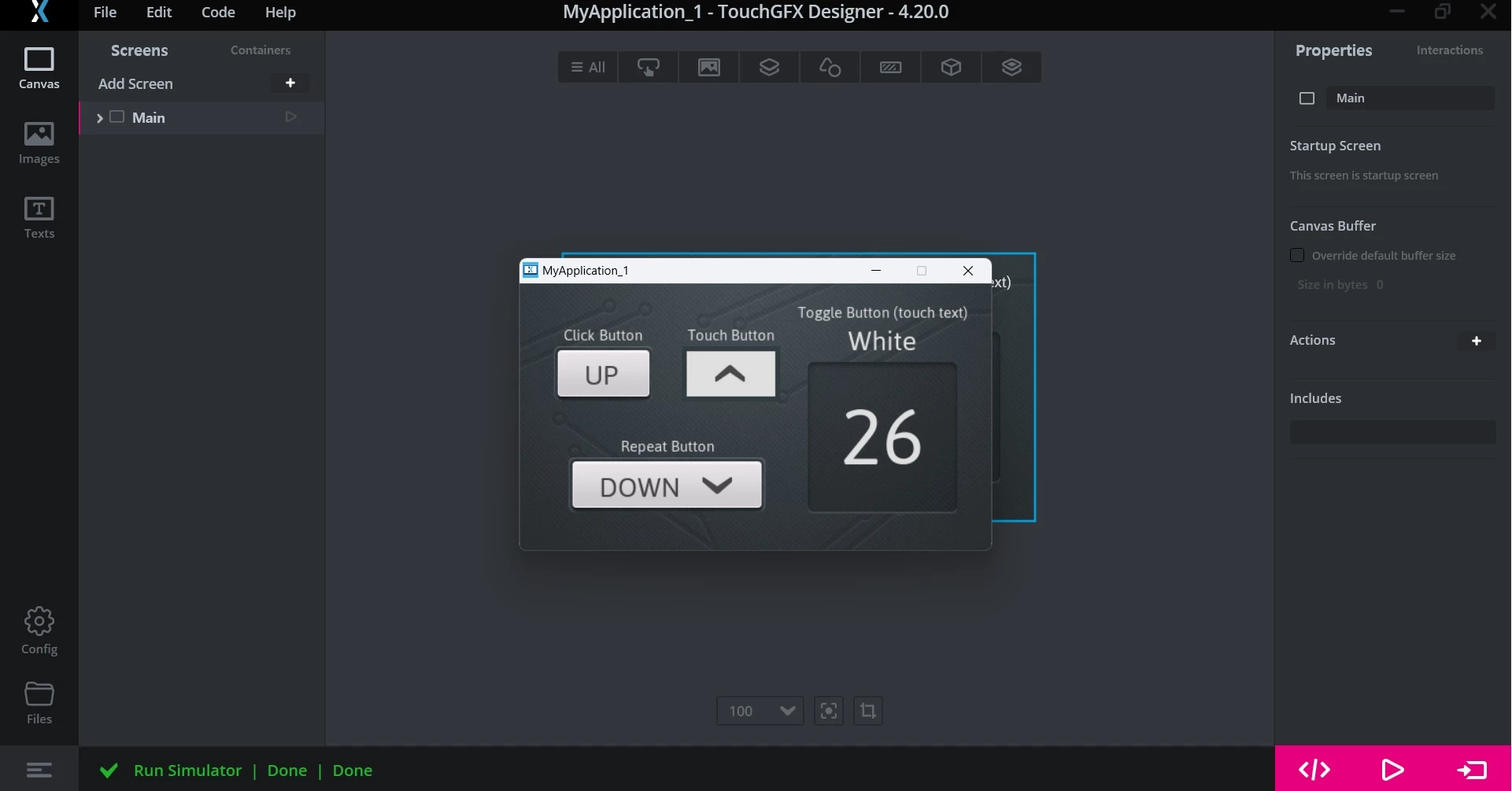
​

0693W00000WJPN6QAP.jpg0693W00000WJPJiQAP.jpg​

Thank you in advance for your response.

​

​

​

​

​

This topic has been closed for replies.

2 replies

MM..1
Super User
November 24, 2022

In designer on left click Config and locate Image default angle. Change 0 to 90 .

Romain DIELEMAN
ST Employee
November 25, 2022

From your picture and how the images look I suppose the external loader has not been selected. Try to use STM32CubeProgrammer to launch your project and select the right external loader (do you know how to do that ? We can share the steps if not). This is odd that you would face this if you are using a project started from TouchGFX Designer with the TouchGFX Board Setup for the STM32429I-EVAL1.

/Romain