


TouchGFX Colour issue
Hello,
This is my first attempt on using the TouchGFX library, so I'm still learning how everything works. I've a custom board running on a STM32G473CBU6 with a 1.54" ST7789V LCD interfaced through SPI.
I know the LCD driver is working because I can run a test without using TouchGFX library and I get expected results, just basic functions like drawing rect, circ, filling with colours etc they all work.
I've implemented a simple screen on ToughGFX Designer that is just a simple Text element with a colour background, this excerpt is from screenViewBase.cpp
screenViewBase::screenViewBase()
{

 __background.setPosition(0, 0, 240, 240);
 __background.setColor(touchgfx::Color::getColorFromRGB(0, 0, 255));

 textAreaVoltage.setXY(46, 59);
 textAreaVoltage.setColor(touchgfx::Color::getColorFromRGB(0, 255, 0));
 textAreaVoltage.setLinespacing(0);
 textAreaVoltage.setTypedText(touchgfx::TypedText(T_RESOURCEIDVOLTAGE));

 add(__background);
 add(textAreaVoltage);
}
The simulator shows the right colour but the board shows colours like shown below where background should be BLUE shows GREEN and where the text should be GREEN is shown as RED.
I tried setting up the LCD Driver with RGB or BGR but I still get wrong colours. I've also tried setting the SPI clock phase in different modes but nothing.
I noticed that getColorFromRGB function seems to generate a 24bit colour but I guess the GUI engine knows that my screen is only 16bpp and it's doing the conversion before the framebuffer is sent.
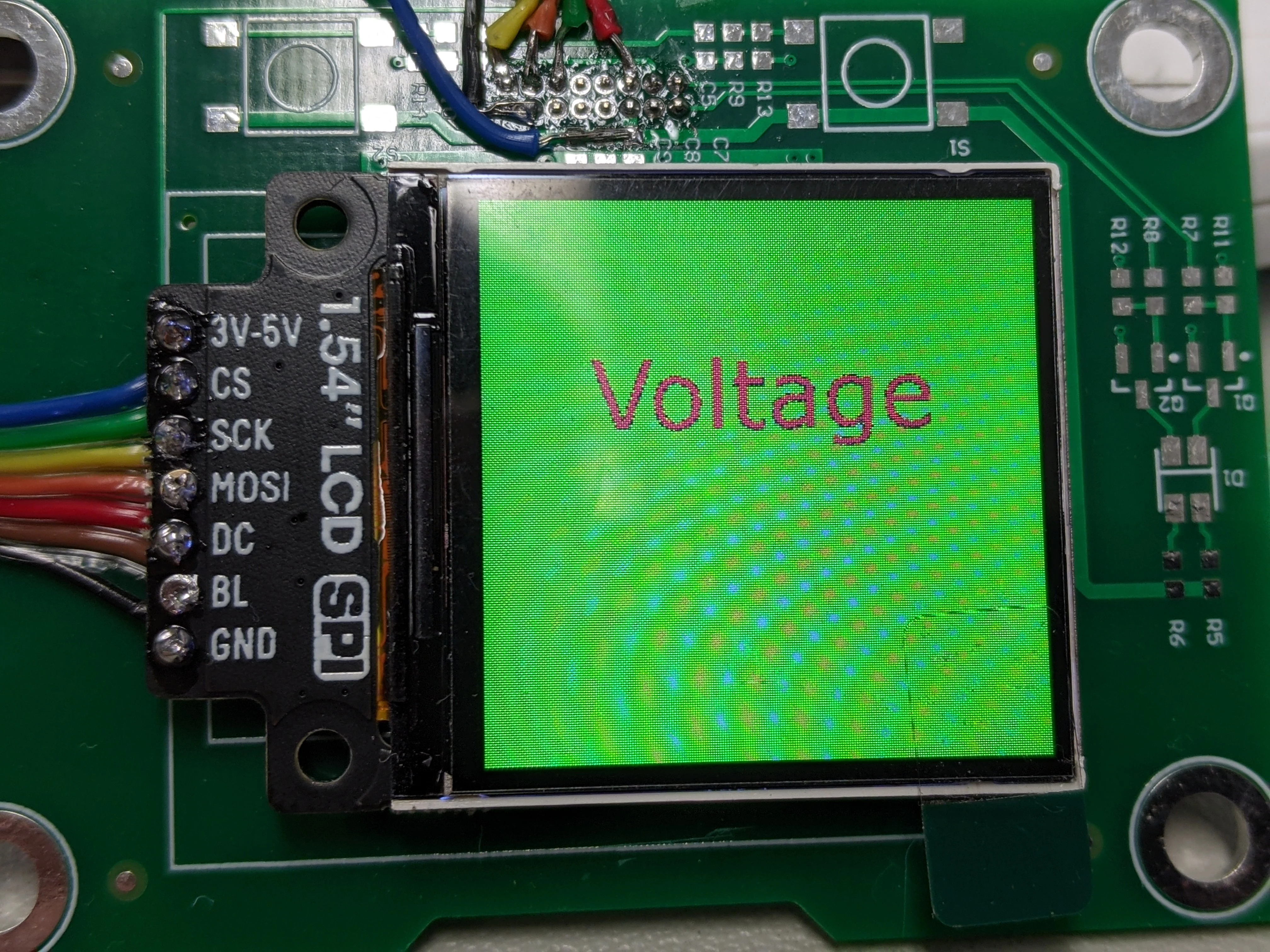
Can anyone point me into the right direction on what to check next? Or things that I can try?