Ranjeet Singh
Senior
January 12, 2023
Solved

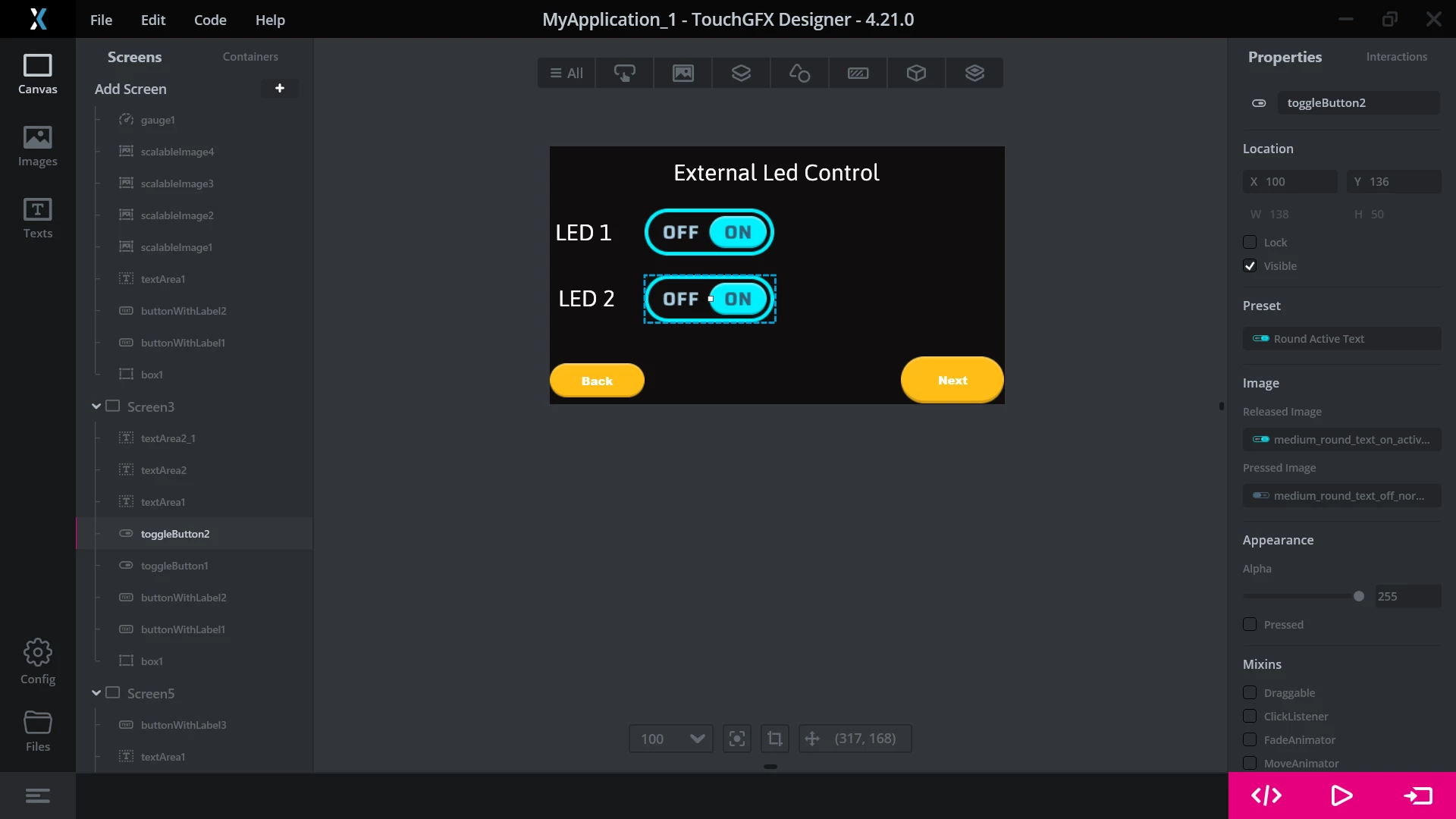
toggle button positon set at inialt level when we change the screen.
  • January 12, 2023
  • 5 replies
  • 1949 views

0693W00000Y83I5QAJ.pngif i will change this codition to "off" state during program excuation it will change to "off" .but when i change screen to another screen the position is came to starting point "on".

how i solve this ?0693W00000Y83JDQAZ.png0693W00000Y83JDQAZ.png
This topic has been closed for replies.
Best answer by Yoann KLEIN

Hello @Ranjeet Singh​,

You will have to save the state of your toggle buttons (with a boolean variable for example) in the Model, and then read this value every time you switch back on your Screen (in the setupScreen() method inside ScreenView.cpp).

To do that, you can take a look at this article of our documentation, and also this one for a simple tutorial.

Moreover, you can try out the project I shared in this post.

It can help you understand how to save value in the model from the View and propagate values the other way.

/Yoann

5 replies

Yoann KLEIN
Yoann KLEINBest answer
ST Employee
January 12, 2023

Hello @Ranjeet Singh​,

You will have to save the state of your toggle buttons (with a boolean variable for example) in the Model, and then read this value every time you switch back on your Screen (in the setupScreen() method inside ScreenView.cpp).

To do that, you can take a look at this article of our documentation, and also this one for a simple tutorial.

Moreover, you can try out the project I shared in this post.

It can help you understand how to save value in the model from the View and propagate values the other way.

/Yoann

Yoann KLEINST Software Developer | TouchGFX
Ranjeet Singh
Senior
January 12, 2023

ok thank you sir,i will try