TextArea Word Wrap Rendering Errors (4.20)
I've recently updated our application from 4.18 to 4.20, and I've noticed a couple of rendering errors with TextArea. They occur when setWideTextAction() is set to WIDE_TEXT_WORDWRAP, and the text area wraps.
The first problem is related to multi-line text areas. When calculating the bounding box for rendering, it only considers with width of the first line. If the second line is longer than the first, it is truncated. This has already been reported (search for "touchgfx truncated line when using word wrapping"), but there's no resolution there. Regenerating the project does not help me.
I've done some investigation, and the issue appears to be in TextArea::calculateBoundingBox. It correctly calculates the height of the bounding box, but the width is set to the first line of text only. If the second line is longer, it gets truncated when rendering.
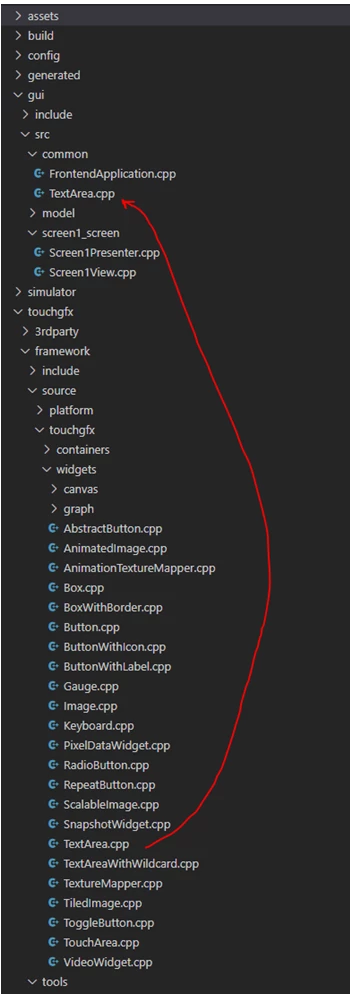
I've looked at the code in TextArea.cpp; specifically, this section (lines 266-277):
do
{
 wtis.getStringLengthForLine(lineHeight * 2 > widgetRectHeight);

 const uint16_t lineWidth = wtis.getLineWidth();
 if (width < lineWidth)
 {
 width = lineWidth;
 }
 numOfLines++;
 widgetRectHeight -= lineHeight;
} while (wtis.getCurrChar() != 0 && widgetRectHeight > lineHeight);
The issue is related to widgetRectHeight > lineHeight on the last line. I think it's causing an early exit from the loop after the first line. If I remove this condition, the problem is resolved, but I don't know if that's a proper fix, because I haven't checked what that logic is trying to do. As a guess, maybe widgetRectHeight is the height before it's resized to fit multiple lines, and so it's only considering the single line that is visible before resizetHeightToCurrentText() is called?
I hope that provides some pointers to the resolution; I'm not familiar with this code, so I could be very wrong.
Note that this issue does not occur for the TextAreaWith*Wildcard versions; I think this is because their ::draw() function ignores the bounding box, and redraws the entire area every time.
The second problem relates to TextAreaWithOneWildcard, when rendering centered text, with word wrap enabled. Under these conditions, the text renders left-aligned, not centered. This does not occur with a standard TextArea; I have not checked TextAreaWithTwoWildcards.
I have not investigated this in detail yet, but I will report if I find anything.
Thanks.