


TextArea with Wildcard displays residue of previous value when modified.
The Problem
A TextArea with one wildcard is used to display a floating point number centered in its field. When a larger number is overwritten with a smaller number, the new number is centered in the TextArea, but a “residue�? of the previous, larger number, remains visible on both sides.
The issue is seen in the GUI of a client project for an industrial meter and process monitor, and is reproduced here in it's own TouchGFX Designer project which runs in the Simulator.
Simple Screen
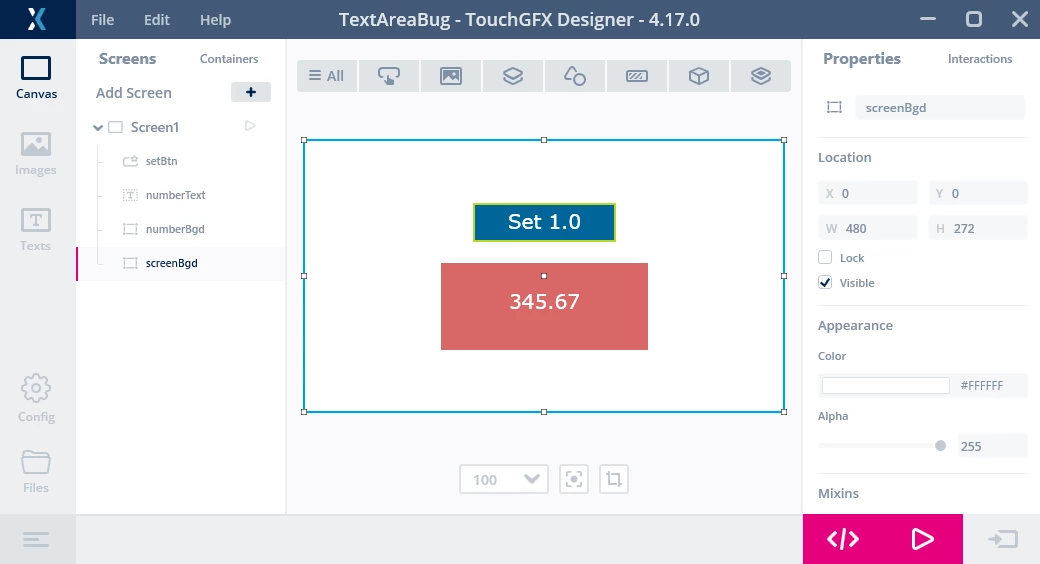
The project includes a single screen with a white background, and three additional objects:
- A blue Flex Button (setBtn), labeled “Set 1.0�?
- A single-wildcard TextArea (numberText( with initial setting “345.67�?
- A red Box background (numberBgd) to the TextArea.
Screen Appearance
 TextArea
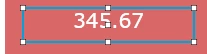
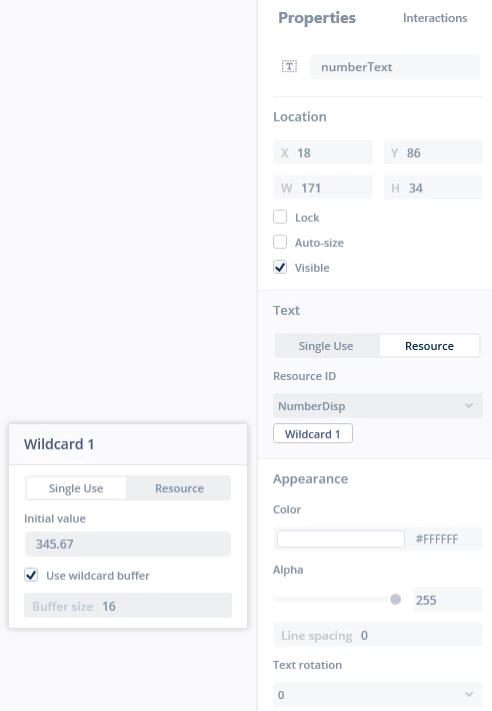
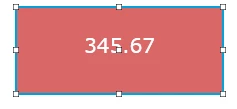
The TextArea (numberText) is of fixed width, non-autosize, includes a buffer with a 16 character size. and has an initial setting og 345.67:
 Text Resource
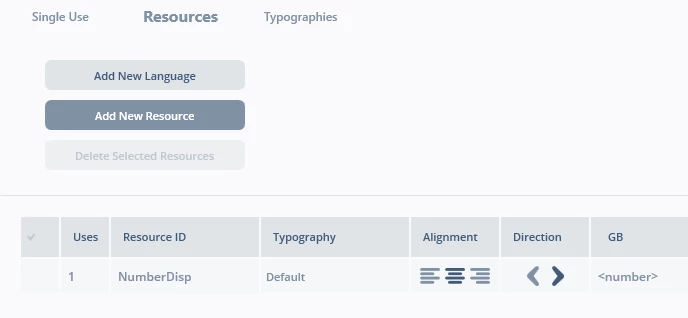
The text resource (numberDisp) specifies the default font, centered display, and single wildcard (<>):
 Text Background
The red background (numberBnd) to the text is a simple box with no outline:
 Button
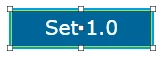
The blue button (setBtn) is a Flex Button with a background and text:
 Interaction
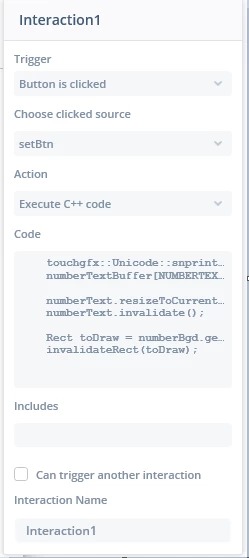
The screen defines an interaction for a click on the setBtn to execute inline C++ code:
 Scenario 1: Text Replacement Error
In the first attempt, the following code places the number “1.00�? into the text buffer associated with TextArea numberText:
 touchgfx::Unicode::snprintfFloat(numberTextBuffer, NUMBERTEXT_SIZE, "%.2f", 1.0f);
 numberTextBuffer[NUMBERTEXT_SIZE-1] = 0; // ensure string termination

 numberText.resizeToCurrentTextWithAlignment();
 numberText.invalidate();
One would expect that numberText would now display “1.0�? against its red background. But, instead, the following screen is displayed:
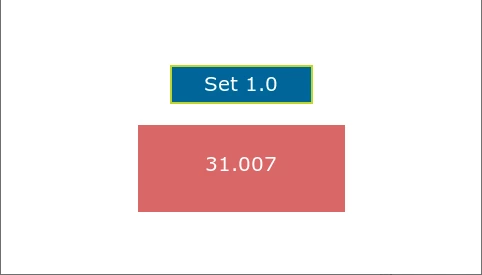 It goes without saying that this reading, interpreted as valid by factory personnel, might result in a seriously incorrect response, or even dangerous actions. So, this display error demands careful examination to determine the cause.
Scenario 2: Text Replacement Success
In this scenario, the code is modified to also invalidate the red rectangle background to numberText.
 touchgfx::Unicode::snprintfFloat(numberTextBuffer, NUMBERTEXT_SIZE, "%.2f", 1.0f);
 numberTextBuffer[NUMBERTEXT_SIZE-1] = 0; // ensure string termination

 numberText.resizeToCurrentTextWithAlignment();
 numberText.invalidate();

 Rect toDraw = numberBgd.getRect();
 invalidateRect(toDraw);
And, in fact, this does seem to “solve�? the problem, with the new value now displayed correctly:
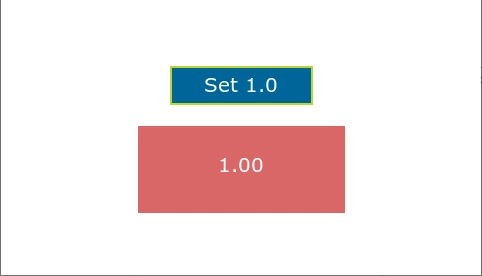 Scenario 3: Text Replacement Error
But now, in order to make reorganization of the screen easier, we decide to place the screen objects inside a simple container:
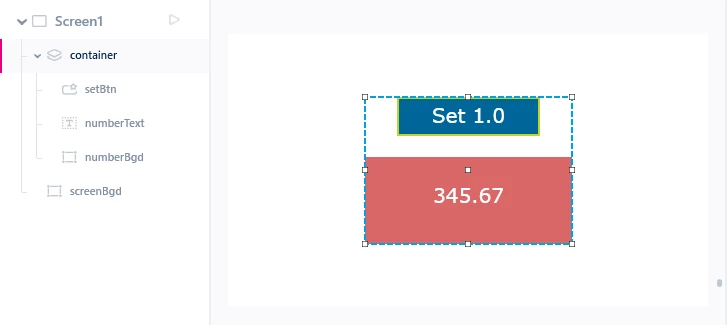 And then, use the same code as before to update the display:
 touchgfx::Unicode::snprintfFloat(numberTextBuffer, NUMBERTEXT_SIZE, "%.2f", 1.0f);
 numberTextBuffer[NUMBERTEXT_SIZE-1] = 0; // ensure string termination

 numberText.resizeToCurrentTextWithAlignment();
 numberText.invalidate();

 Rect toDraw = numberBgd.getRect();
 invalidateRect(toDraw);
But, we once again see the problem of “residue�? of the original contents of numberText remaining on screen.
Scenario 4: Text Replacement Success
Finally, extrapolating the idea that appeared to fix the issue in the first case, we add code to also invalidate the container as well:
 touchgfx::Unicode::snprintfFloat(numberTextBuffer, NUMBERTEXT_SIZE, "%.2f", 1.0f);
 numberTextBuffer[NUMBERTEXT_SIZE-1] = 0; // ensure string termination

 numberText.resizeToCurrentTextWithAlignment();
 numberText.invalidate();

 Rect toDraw = numberBgd.getRect();
 invalidateRect(toDraw);

 container.invalidate();
And this does indeed “correct�? the issue once again:
Conclusion
The problem is that one does not know where to stop with this approach. Depending on a screen's complexity, do we reach a point where we must invalidate the entire screen in order to guarantee the correct display of change to a single value?
And why doesn't the original approach of invalidating the changed TextArea alone result in correct display?
As I indicated earlier, this is far from a trivial issue, as it can possibly result in disastrous actions in response to an incorrect reading. And, when a number of interacting quantities are being monitored, it may be near impossible to test in advance every situation that may lead to the issue described here.
So, we really must understand why this problem occurs, and what actions, precautions we may take in design and coding to be certain that it will not happen.
