GBert.2
Senior
November 12, 2021
Solved

Text resources are invisible while in the simulation?

  • November 12, 2021
  • 11 replies
  • 4921 views

Problem

When running the simulation, the text resources are invisible.
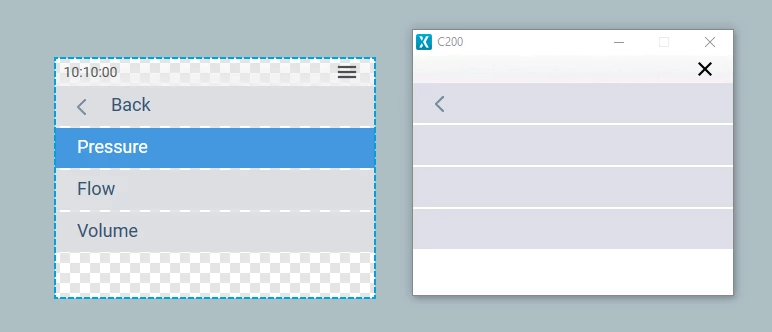
0693W00000GXQ28QAH.png 

Additional notes:

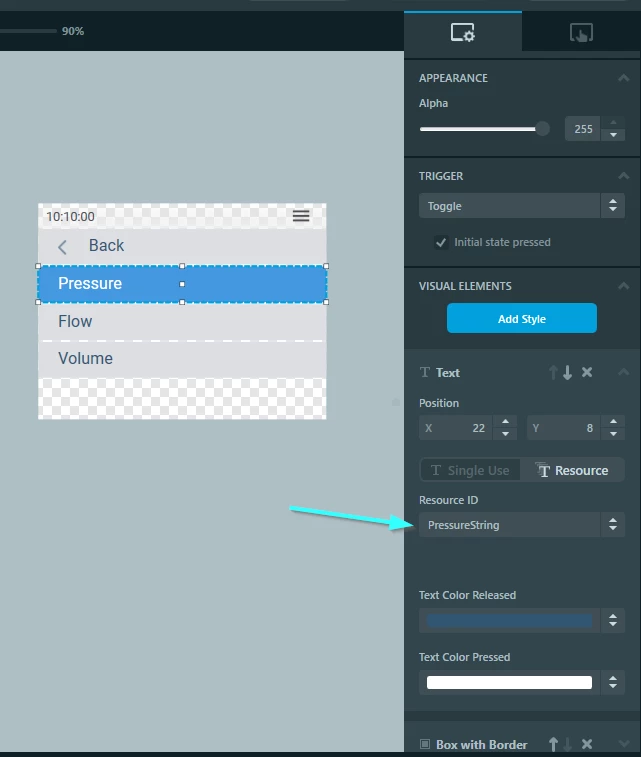
Q: Is the resource properly configured?

A: Yes. I think so. Here's an example of the PressureString:
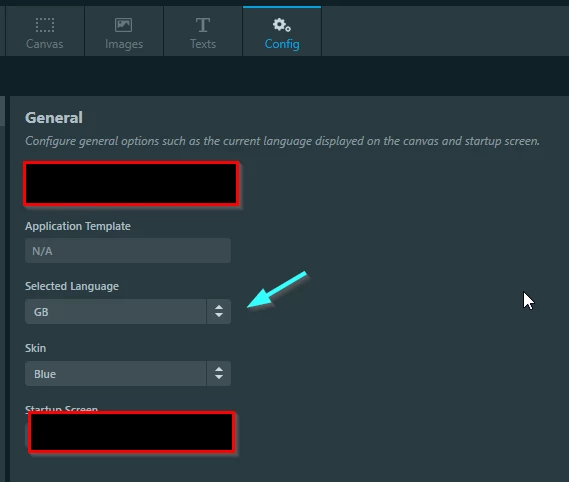
0693W00000GXQ6oQAH.png0693W00000GXQ4TQAX.pngQ: Is the simulator Locale configured to GB?

A: Yes. I think so.0693W00000GXQ7IQAX.pngQ: Do the fonts exist?
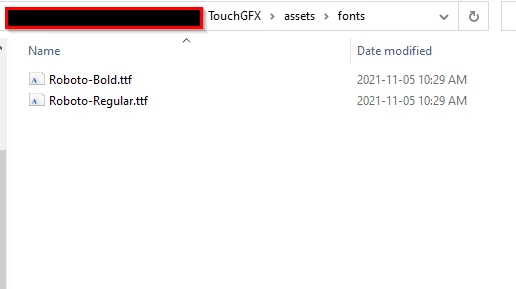
A: Yes. I think so.
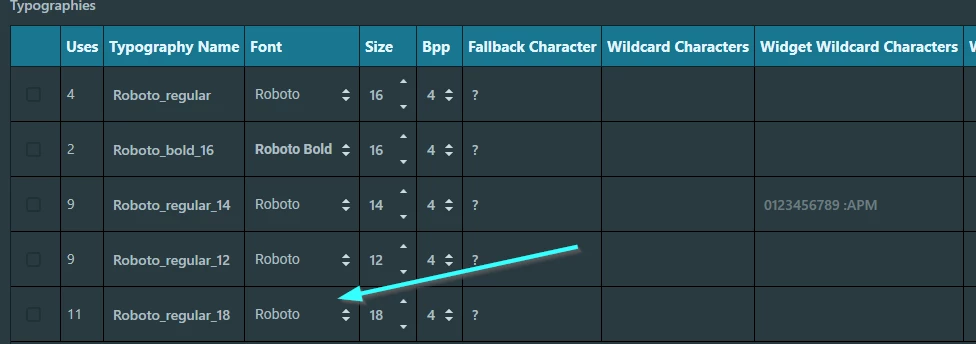
0693W00000GXQ8kQAH.png0693W00000GXQ86QAH.pngQ: Has the code been generated properly?

A: Difficult to tell, but I see the text initialisation

0693W00000GXQAgQAP.png 

Versioning info:

TouchGFX Designer version: 4.16.0

This topic has been closed for replies.
Best answer by Michael K

Uncheck Binary font files. I'm pretty sure that's the problem. I was able to reproduce the the failed assertion with your Text Configuration settings. The only change I needed to make to properly run it and have the text visible was unchecking Binary Font Files

I checked my Text Configuration and the options I have checked are Remap Texts, A4, and Mapped Storage Format. Perhaps use this default configuration unless you really need to use binary files.

See the support library for binary files: looks like they have to be linked in to your program, and also require an additional configuration step that you need to manually implement in your code.

https://support.touchgfx.com/4.16/docs/development/ui-development/touchgfx-engine-features/using-binary-fonts/

https://support.touchgfx.com/4.16/docs/development/ui-development/touchgfx-engine-features/using-binary-translations/

11 replies

GBert.2
GBert.2Author
Senior
November 22, 2021

@Community member​ You seem to be quite good with touchGFX.

Have you ever encountered this problem?

Tesla DeLorean
Guru
November 22, 2021

I'm good with logic and reasoning, less so with the simulation.

This is more of an ST Staff question.

Tips, Buy me a coffee, or three.. PayPal Venmo (See Profile) Up vote any posts that you find helpful, it shows what's working..
GBert.2
GBert.2Author
Senior
November 23, 2021

Thanks for your answer.

To be honest I'm a bit confused about what to do next.

Simulation is also not my cup of tea.

Have a great day.

Michael K
Senior III
November 23, 2021

Sorry, can't reproduce on 4.16.1, building for simulator. Is this from a blank project?

I swear I've seen this problem on the forum before, but I can't remember when or what the resolution was. I'll update if I find the post.

Embedded UI/UX Consulting: cadenza.design
GBert.2
GBert.2Author
Senior
November 23, 2021

Hi Michael !

I'm thankful for your efforts. Just the fact that you have seen this before gives me hope!

I think the project was started from scratch. I just asked my client (original creator) about it.

I'll let you know soon.

Michael K
Senior III
November 23, 2021

A few more things to check:

  • Navigate to project\TouchGFX\generated\fonts and check the txt lists. This shows the ascii characters that the project is generating. Make sure it has the characters you're using.
  • Likewise check the src folder and look for a generated font for Roboto 18. Make sure each character has a byte array corresponding to it

Maybe you could swap all the typographies to a built-in font? I see the clock is also missing, so maybe there's something weird going on with the font files.

Embedded UI/UX Consulting: cadenza.design