

Shahrear
Associate II
November 5, 2022
Question

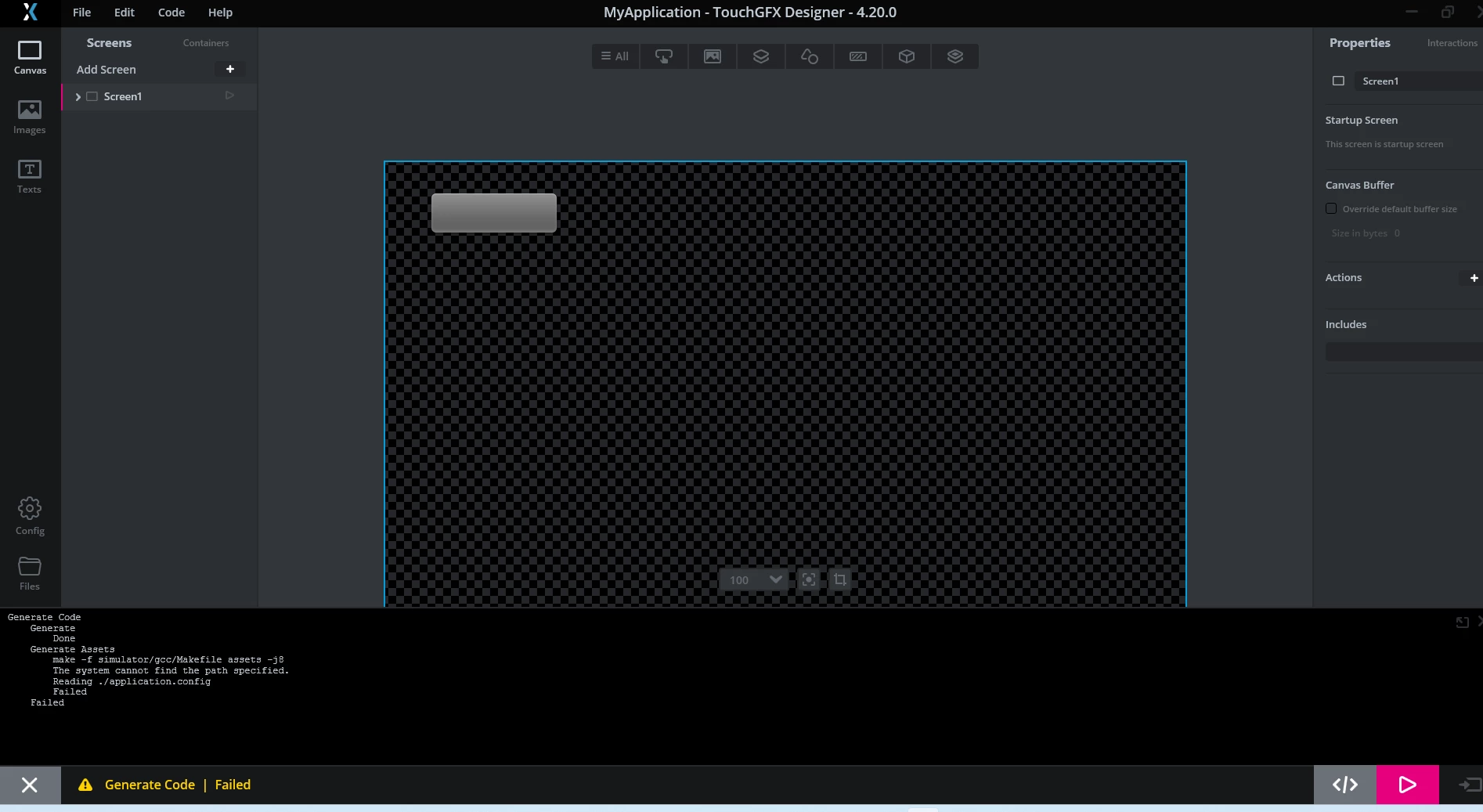
system can not find specified path
  • November 5, 2022
  • 9 replies
  • 5268 views

0693W00000WHVSIQA5.pngI am facing this issue. always says system can not find specified path. what is this error?

This topic has been closed for replies.

9 replies

Romain DIELEMAN
ST Employee
November 7, 2022

Hi,

Could you share your log file ? You can find it under %appdata%/Romaing/TouchGFX-4.20.0 for example.

Can you also give more detail on the context of how you faced this error ? Are you working with a project generated directly from TouchGFX Designer or did you start a project from STM32CubeMX and then generated a TouchGFX project ? What is your project path ? I want to check if you have any space or unsupported character in the path name. Same for the TouchGFX installation folder. Are you working on Windows 10 or 7 ? What is your base language for Windows (Turkish faced some issues in the past for example due to some unsupported characters so we recommended people to switch to english) ?

/Romain

Shahrear
ShahrearAuthor
Associate II
November 7, 2022

Hello Romain,

I am Using win11

I am using touchghx generated from cubemx. even if i generate from TouchGFX directly also facing same error.

this is my installation path

0693W00000WHZb9QAH.png 

this is my project path

0693W00000WHZbJQAX.png 

Romain DIELEMAN
ST Employee
November 8, 2022

Can you share your log file ?

Why is your project put in the workspace folder by the way ? Did you manually set the TouchGFX project generation to this folder ? It would be better to have it elsewhere than in the workspace folder, /D/TouchGFX is fine for example.

In addition, when you generate a project from TouchGFX Designer with a TouchGFX Board setup for one of ST's development kit, you will see that the project structure is different: the STM32CubeIDE related files and project are under a STM32CubeIDE folder as you can see in the screenshots below. When starting a project from STM32CubeMX we recommend to uncheck the "Generate Under Root" option to keep this project structure, it will ease your development process.

0693W00000WHebTQAT.png/Romain

Shahrear
ShahrearAuthor
Associate II
November 8, 2022

Hello,

This is my LOG Files. I am using TouchGFX for a Custom Board. so first i am tring to run in TouchGFX simulator. but its also failed.

Shahrear
ShahrearAuthor
Associate II
November 8, 2022

Here is Both File. i have created in different folder. in D/TouchGFX_Debug/

0693W00000WHgbaQAD.png

Yoann KLEIN
ST Employee
November 8, 2022

Hello @Shahrear​ ,

Could you open TouchGFX Environment, change directory to your project root and run make commands, like on this picture :

0693W00000WHjYFQA1.pngPlease let me know which output to you get.

/Yoann

Yoann KLEINST Software Developer | TouchGFX
Shahrear
ShahrearAuthor
Associate II
November 8, 2022

Hello Yoann,

Please find the attach. this is the content after run make command

/Shahrear

Shahrear
ShahrearAuthor
Associate II
November 17, 2022

Hello Guys,

Thanks for your support. i have figure out the reason in my case. it was the Chinese language pack with Win11. after i remove it. and reinstall touchGFX it Works Fine