


EE_it
Associate
July 23, 2019
Question

STM32H747I-DISCO First Steps

  • July 23, 2019
  • 5 replies
  • 4116 views

Hello,

I am really new to the STM32 und TouchGFX World. So I bought a board STM32H747I-DISCO, the first thing I saw: not supported in STM32CubeIDE :(

I generated a new Project with TouchGFX, I selected the Application Template (16 Bit) with a Blank UI. I placed a Button With Labelk in the left upper corner:

- Generate Code: "Code generation complete"

- Run Target: "An error occured during flash. Please make sure you have the right target connected."

I used the STM32 ST-LINK Utility and downloaded the File "...\My Application\TouchGFX\build\bin\initflash.hex" - the result can be considered in the appendix :(0690X000009Z23dQAC.jpg
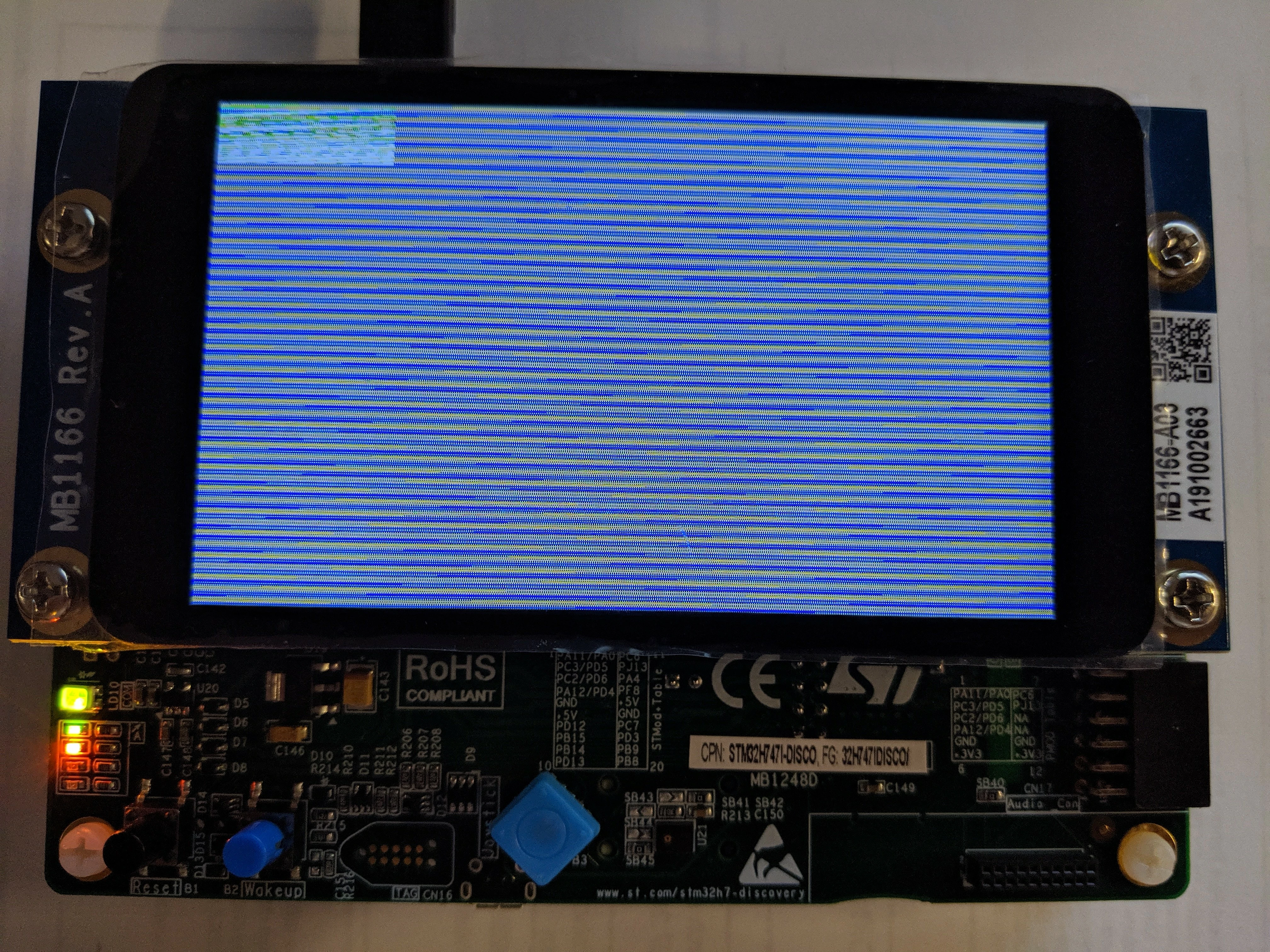
I am sad.

This topic has been closed for replies.

5 replies

hansd56
Senior
July 24, 2019

0690X000009Z297QAC.jpgHi, welcome to STM32. Dual core processors are not yet implemented in STM32CubeIDE. It will come but nobody knows when. I have got a STM32745i-Disco board and I have successfully downloaded a test screen from TochGFX designer. To develop code for both cores you have to use System Worbench (see picture TouchGFX CM7, CM4 blinking led) .

For the STM32H747 I have created a TouchGFX designer project (attached). Try downloading the target.elf file. Building code from command line 'TouchGFX 4.10.0 Environment'. Change folder to TouchGFX and run 'make -f ../gcc/Makefile -j8' and 'make -f ../gcc/Makefile -j8 clean'.

Give yourself some time to understand and learn and experiment. Most examples don't run out of the box.

EE_it
EE_itAuthor
Associate
July 25, 2019

How do I download the target.elf File?

Anders Nedergaard PETERSEN
Senior II
July 24, 2019

Hi @EE​,

try flashing the file called target.hex, it also contains the graphical assets, these are stored in the external QUADSPI flash on the board.

When you flash "intflash.hex" only the the application code is flash to the board.

Also, for STM32H7 MCUs please use STM32CubeProgrammer for flashing since it will continue to support the H7 line.

/Anders

EE_it
EE_itAuthor
Associate
July 25, 2019

If I am trying to flashing the file " target.hex", I am getting an error: "No elf loader found for this operation"

Tesla DeLorean
Guru
July 25, 2019

You have an External Loader selected for the onboard QSPI?

Tips, Buy me a coffee, or three.. PayPal VenmoUp vote any posts that you find helpful, it shows what's working..
EE_it
EE_itAuthor
Associate
July 25, 2019

I am really new to the STM32 und TouchGFX World. Please tell me step by step what I have to do, thanks.

Anders Nedergaard PETERSEN
Senior II
July 26, 2019

The GCC Makefile produces three target files after linking:

target.hex -> the entire application

intflash.hex -> application code and data placed in the internal flash of the MCU

extflash.bin -> binary data of all assets to be placed in the external flash

An elf loader is needed needed when an application contains code or data which is placed on a flash device outside the MCU.

/Anders

victagayun
Senior III
November 3, 2020

Hello,

Is it possible to just copy the hex file into its mass storage?

Or I really need to program it using STM32CubeProgrammer?

Is the STM32CubeProgrammer installed together with STM32CubeIDE? If so, its location?