

STM32F429i LTDC + SDRAM Buffer Issue
I have been trying to learn the basics of STM32 LTDC peripheral to drive a 4.3" 480 x 272 LCD using STM32F429IG mcu. I am using the Open429i dev kit by Wavehshare (https://www.waveshare.com/core429i.htm) which also has an onboard 64Mbit SDRAM (IS42S16400J).
As step 1, I got the LCD to work with the LTDC controller and I am able to display appropriately formatted (RGB565) images on it by pointing the buffer to an image array in my code, like below
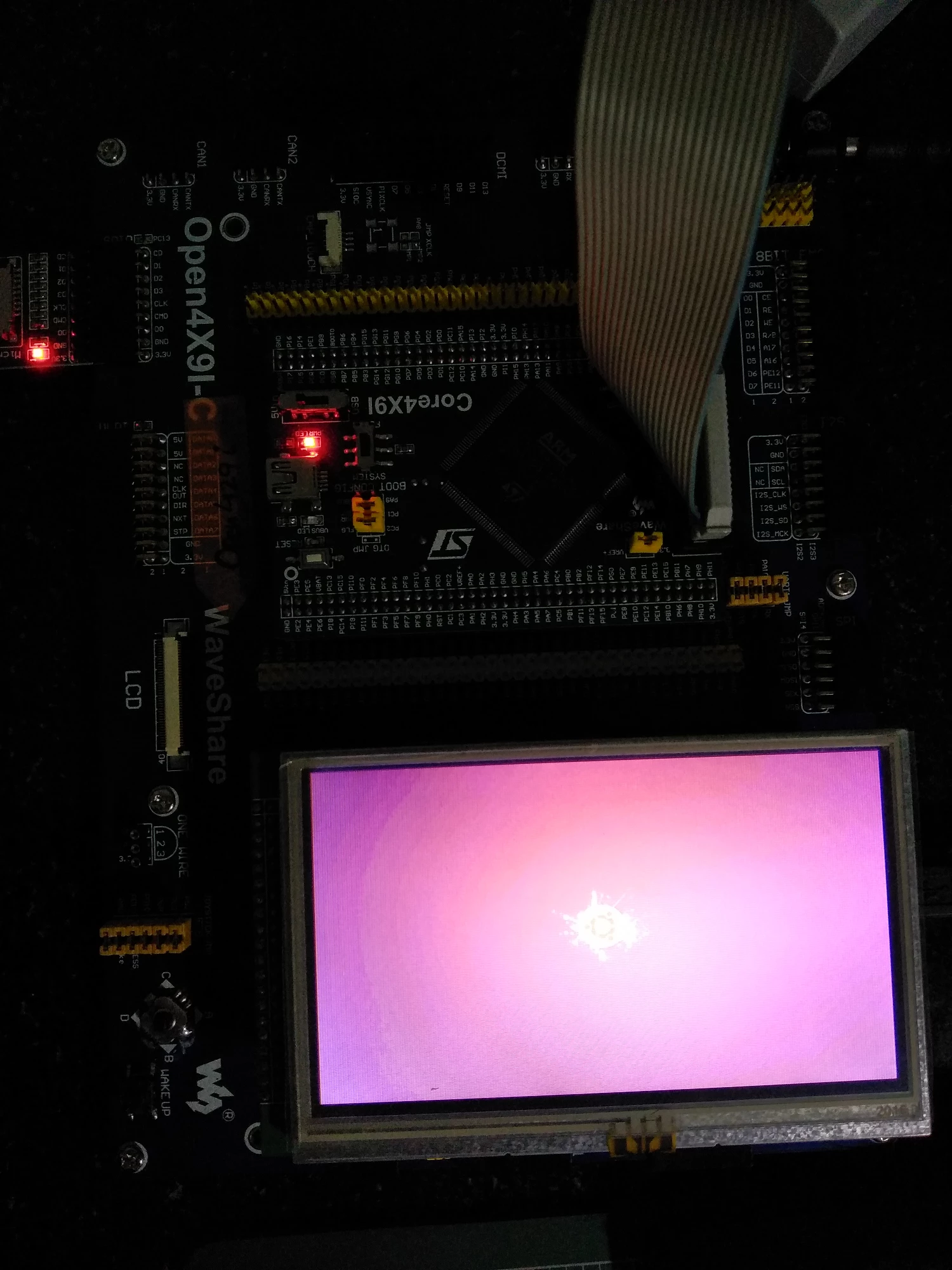
So I know my LCD is good and I have configured LTDC correctly with 1 layer
2nd step, I tried interfacing with the onboard SDRAM using FMC peripheral SDRAM bank 2 and pointing the LTDC framebuffer to this address.
However when I do this, I get these weird colored streaks that seem to be scrolling horizontally. What I expected was the screen to be all white as I am clearing the SDRAM LTDC area to all 0xFF.
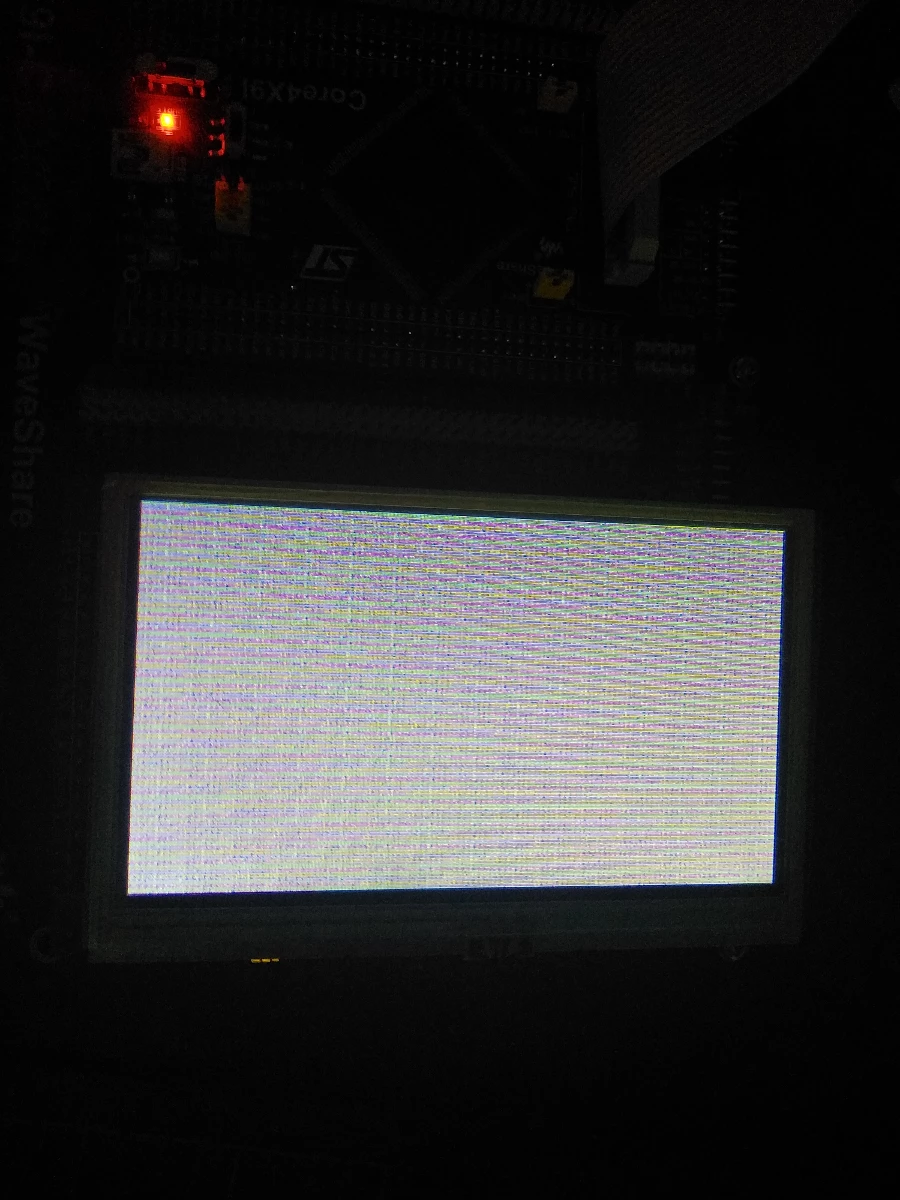
A video showing the above in action is at https://vimeo.com/289213554
I feel it's something to do with my SDRAM timing but I am not sure where to look and for what. As a test I wrote an array to the SDRAM and read it back for verification, which was successfull.
FMC Init Code is
void MX_FMC_Init(void)
{
 FMC_SDRAM_TimingTypeDef SdramTiming;

 /** Perform the SDRAM1 memory initialization sequence
 */
 hsdram1.Instance = FMC_SDRAM_DEVICE;
 /* hsdram1.Init */
 hsdram1.Init.SDBank = FMC_SDRAM_BANK2;
 hsdram1.Init.ColumnBitsNumber = FMC_SDRAM_COLUMN_BITS_NUM_8;
 hsdram1.Init.RowBitsNumber = FMC_SDRAM_ROW_BITS_NUM_12;
 hsdram1.Init.MemoryDataWidth = FMC_SDRAM_MEM_BUS_WIDTH_16;
 hsdram1.Init.InternalBankNumber = FMC_SDRAM_INTERN_BANKS_NUM_4;
 hsdram1.Init.CASLatency = FMC_SDRAM_CAS_LATENCY_3;
 hsdram1.Init.WriteProtection = FMC_SDRAM_WRITE_PROTECTION_DISABLE;
 hsdram1.Init.SDClockPeriod = FMC_SDRAM_CLOCK_PERIOD_2;
 hsdram1.Init.ReadBurst = FMC_SDRAM_RBURST_DISABLE;
 hsdram1.Init.ReadPipeDelay = FMC_SDRAM_RPIPE_DELAY_1;
 /* SdramTiming */
 SdramTiming.LoadToActiveDelay = 2;
 SdramTiming.ExitSelfRefreshDelay = 7;
 SdramTiming.SelfRefreshTime = 4;
 SdramTiming.RowCycleDelay = 7;
 SdramTiming.WriteRecoveryTime = 2;
 SdramTiming.RPDelay = 2;
 SdramTiming.RCDDelay = 2;

 if (HAL_SDRAM_Init(&hsdram1, &SdramTiming) != HAL_OK)
 {
 _Error_Handler(__FILE__, __LINE__);
 }

}
SDRAM Init
#define SDRAM_DEVICE_ADDR ((uint32_t)0xD0000000)
#define SDRAM_DEVICE_SIZE ((uint32_t)0x800000) /* SDRAM device size in MBytes */
#define REFRESH_COUNT ((uint32_t)0x0569) /* SDRAM refresh counter (90Mhz SD clock) */
#define SDRAM_TIMEOUT ((uint32_t)680)

void EXTERAL_SDRAM_Initialization_sequence(uint32_t RefreshCount)
{
 __IO uint32_t tmpmrd = 0;

 /* Step 1: Configure a clock configuration enable command */
 Command.CommandMode = FMC_SDRAM_CMD_CLK_ENABLE;
 Command.CommandTarget = FMC_SDRAM_CMD_TARGET_BANK2;
 Command.AutoRefreshNumber = 1;
 Command.ModeRegisterDefinition = 0;

 /* Send the command */
 HAL_SDRAM_SendCommand(&hsdram1, &Command, SDRAM_TIMEOUT);

 /* Step 2: Insert 100 us minimum delay */
 /* Inserted delay is equal to 1 ms due to systick time base unit (ms) */
 HAL_Delay(100);

 /* Step 3: Configure a PALL (precharge all) command */
 Command.CommandMode = FMC_SDRAM_CMD_PALL;
 Command.CommandTarget = FMC_SDRAM_CMD_TARGET_BANK2;
 Command.AutoRefreshNumber = 1;
 Command.ModeRegisterDefinition = 0;

 /* Send the command */
 HAL_SDRAM_SendCommand(&hsdram1, &Command, SDRAM_TIMEOUT);

 /* Step 4: Configure an Auto Refresh command */
 Command.CommandMode = FMC_SDRAM_CMD_AUTOREFRESH_MODE;
 Command.CommandTarget = FMC_SDRAM_CMD_TARGET_BANK2;
 Command.AutoRefreshNumber = 8;
 Command.ModeRegisterDefinition = 0;

 /* Send the command */
 HAL_SDRAM_SendCommand(&hsdram1, &Command, SDRAM_TIMEOUT);

 /* Step 5: Program the external memory mode register */
 tmpmrd = (uint32_t)SDRAM_MODEREG_BURST_LENGTH_1 |\
 SDRAM_MODEREG_BURST_TYPE_SEQUENTIAL |\
 SDRAM_MODEREG_CAS_LATENCY_3 |\
 SDRAM_MODEREG_OPERATING_MODE_STANDARD |\
 SDRAM_MODEREG_WRITEBURST_MODE_SINGLE;

 Command.CommandMode = FMC_SDRAM_CMD_LOAD_MODE;
 Command.CommandTarget = FMC_SDRAM_CMD_TARGET_BANK2;
 Command.AutoRefreshNumber = 1;
 Command.ModeRegisterDefinition = tmpmrd;
 //Command.ModeRegisterDefinition = 0x231;

 /* Send the command */
 HAL_SDRAM_SendCommand(&hsdram1, &Command, SDRAM_TIMEOUT);

 /* Step 6: Set the refresh rate counter */
 /* Set the device refresh rate */
 HAL_SDRAM_ProgramRefreshRate(&hsdram1, RefreshCount);

 uint32_t ptr;
 for(ptr = SDRAM_DEVICE_ADDR; ptr < (SDRAM_DEVICE_ADDR + 65280); ptr += 4)
 *((uint32_t *)ptr) = 0xffffffff;
 return 0;

}