
GFocu
Associate
May 4, 2019
Solved

STM32-F429ZI can't run any example of TouchGFX Designer in the board.

  • May 4, 2019
  • 5 replies
  • 2583 views

I have installed the last version of TouchGFX Designer.

I choose the board STM32-F429ZI and an example.

I may simulate the example in the computer and it work correctly. But, even though I have connected the board to computer, the button "Run Target" is unavailable.

I also have STMCubeMX installed, but I do not believe that it can affect TouchGFX Designer.
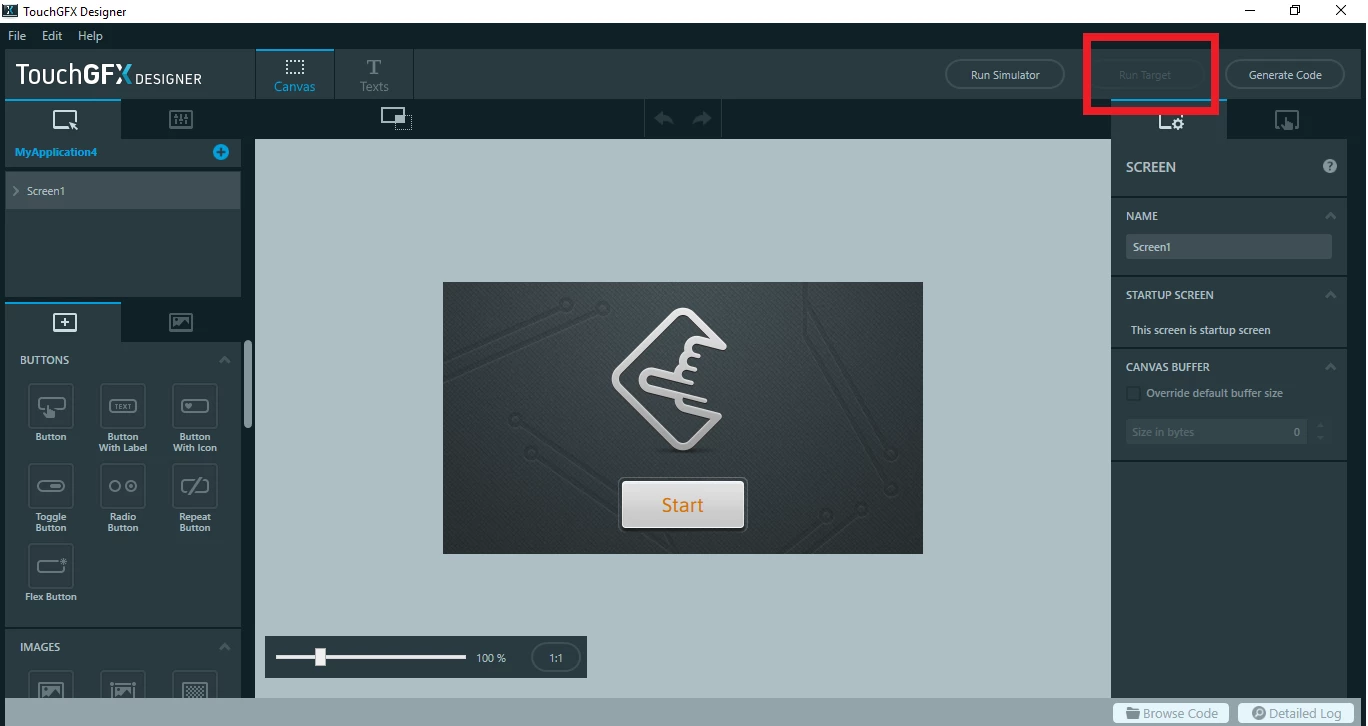
0690X000008BGjvQAG.png

This topic has been closed for replies.
Best answer by Mon2

Hi. Just tested the same 4.10.0 TouchGFX with the latest CubeMX toolchain (updated earlier this week) -> launched TouchGFX first and selected the same target kit and we do see the Run Target button.

Suggest for you to re-install the toolchains and be sure that you have granted the Administrative rights when asked (this was asked by CubeMX during installation).

You can also test by starting a fresh project to see if that changes your issue. Please post back.

BTW - my box is on Windows 7 64 bit so do post your OS details for the developers to review. Hope this helps.

5 replies

Mon2
Senior III
May 4, 2019

Hi. What if you select Generate Code? Does that change the missing button status?​

GFocu
GFocuAuthor
Associate
May 4, 2019

Although I select "Generate Code", the button "Run Target" is unavailable.

Mon2
Senior III
May 4, 2019

What are your tool versions?

Which Windows os version?​

Mon2
Mon2Best answer
Senior III
May 4, 2019

Hi. Just tested the same 4.10.0 TouchGFX with the latest CubeMX toolchain (updated earlier this week) -> launched TouchGFX first and selected the same target kit and we do see the Run Target button.

Suggest for you to re-install the toolchains and be sure that you have granted the Administrative rights when asked (this was asked by CubeMX during installation).

You can also test by starting a fresh project to see if that changes your issue. Please post back.

BTW - my box is on Windows 7 64 bit so do post your OS details for the developers to review. Hope this helps.

GFocu
GFocuAuthor
Associate
May 4, 2019

Already It work well.

I have updated the toolchains and i have started new project, and now i can Run Target.

Thank you very much for your help.