


Slider bug in 4.18.0?
I believe there is a bug in the slider widget in 4.18.0. I am using a slider to quickly adjust a parameter, but my incremental values are so small that I cannot easily position the slider on each unique value using the touchscreen, i.e. the button may be centered on the same pixel for two consecutive slider values. For this reason, I have created increment and decrement buttons. One button increments by a larger amount (1mA), and one by the adjustment resolution of the parameter (0.05 mA). In the interactions, I calculate the value to display in the text area.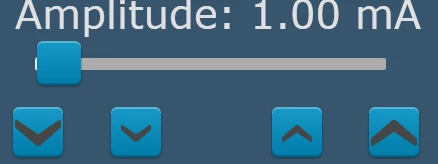 In this example, I go from 0.05 to 10.00 mA in 0.05 mA increments. So, the range of the slider is from 1 to 200, and to calculate the text value to be displayed, I divide by 20.0. What I discovered is that when using the 'increment by 1' button, when I start at the low end of the slider there are 4 places where the incrementing stops, and I cannot programmatically increase the slider, even though I am adding 1 to its value each time the button is pressed. Once I manually scroll past the last stopping point (which is around 1.2mA), I can use the increment button all the way up to the maximum. The same problem occurs in reverse when decrementing from the high end of the slider. The problem points seem to be symmetric with respect to the slider. I suspected it may have something to do with consecutive slider values resolving to the same slider button position (graphically), so I tried increasing the maximum slider value to 2000 to test the theory. Now I can no longer use my 'increment/decrement by 1' buttons anywhere on the slider. I suspect the code is doing something odd if a change in the slider value would not result in movement of the slider button when redrawn. This is not desired behaviour IMO, because if I increment the slider value by 1, it should be incremented by 1 regardless of how the graphics are drawn. I am using the getValue, getMaxValue, getMinValue, and setValue functions in the buttons' interaction code.
I really want to use the slider on the touchscreen to get in the ballpark quickly, and then use the buttons to get to the exact value. With the way it is behaving, I will not be able to use the slider at all.