


Solved
Simulator not detecting Hardware button clicked
Hi,
I have implemented a hardware button that changed the screen displayed.
It works fine when using the hardware.
I also want it to work with the simulator using the computer keyboard.
I think it is what the "Choose button key" in TouchGFX is for (correct me if I am wrong).
In the .touchgfx file I added the following:
"PhysicalButtons": [
 {
 "Key": 0,
 "Name": "PwrSwitch"
 }
 ],
Then in screen interaction:
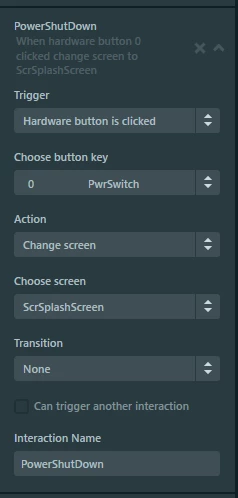 When running the simulator, I was hoping that by clicking on the computer keyboard "0" key, the interaction would be triggered. I tried both "0" key on the keyboard but nothing happens.
Please let me know if I am missing something.
Franck.
Config:
MCU: STM32H743
CubeMx: 6.1.1
CubeIDE: 1.5.1
Firmware Package: FW_H7 1.8.0
