ScrollList only snapping Top/Left
Currently I'm designing a UI using TouchGFX and like the ease of use. But there are some limitations:
A ScrollList can only snap in the topmost (leftmost in horizontal mode) position, if not circular. I've designed dropdown menus, where due to limited place the scrolllist has to be above the box. So the snapping should be on the bottom for those.
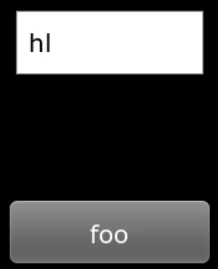
For a list with 3 items visible above the box, you can scroll down, so only one item is shown, there will be two items space between the box and the last visible item.
So I'm missing a checkbox/option menu where I can select the scroll direction for those lists. It seems like there is no real workaround available via other API functions.
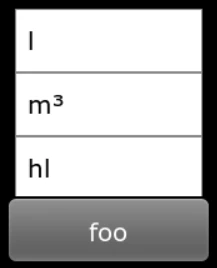
Correct alignment when all items are shown:
 Wrong alignment when scrolled upwards: