

Associate
July 20, 2023
Solved

Regular and Bold font in Single String in Touchgfx

  • July 20, 2023
  • 1 reply
  • 2208 views

I want to have my single text string consisting of both regular and bold typographies of same size in touchgfx.

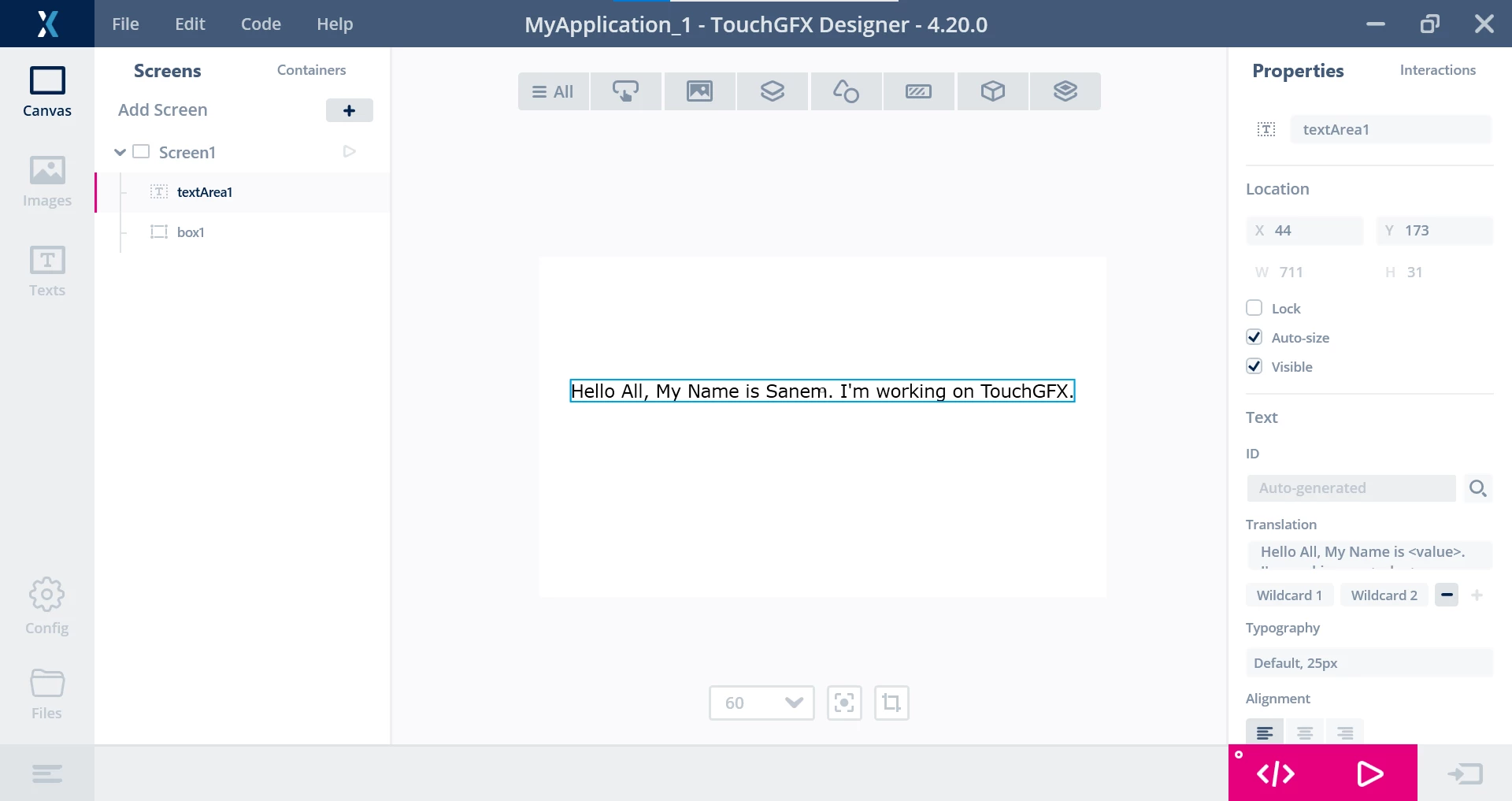
Take Below Example in consideration of TGX screen designing:
MVagh2_1-1689843078386.png

I want my Text to look as "Hello All, My name is Sanem. I am working on TouchGFX."

Here, Sanem and TouchGFX are my wildcard text, and above string is a text area with 2 wildcard entries. I tried to have 4 different text areas ( 2 Regular with regular fonts and 2 wildcard texts) but when I launch the UI on my LCD the Text overlaps on each other.

Is it possible in touchgfx to have a text area with wildcards in bold? Can someone guide me for the same?

This topic has been closed for replies.
Best answer by JTP1

Hello

I think easiest is to use 4 text areas like you probably allready tried and set the fonts normal or bold.  Then, after setting the wildcard texts, set the text postitions so that they dont overlap each other. Like this:


 int x,y;
 Unicode::snprintf(textArea2Buffer, TEXTAREA2_SIZE, "Sanem");
 textArea2.resizeToCurrentText();
 textArea2.invalidate();

 Unicode::snprintf(textArea4Buffer, TEXTAREA4_SIZE, "TouchGFX");
 textArea4.resizeToCurrentText();
 textArea4.invalidate();

 y=textArea1.getY();
 x=textArea1.getX()+textArea1.getWidth();
 textArea2.moveTo(x,y);

 x+=textArea2.getWidth();
 textArea3.moveTo(x,y);

 x+=textArea3.getWidth();
 textArea4.moveTo(x,y);


This code sets position starting from position of first text area.

 Looks like this:

JTP1_0-1689850418029.png


1 reply

JTP1Best answer
Graduate II
July 20, 2023

Hello

I think easiest is to use 4 text areas like you probably allready tried and set the fonts normal or bold.  Then, after setting the wildcard texts, set the text postitions so that they dont overlap each other. Like this:


 int x,y;
 Unicode::snprintf(textArea2Buffer, TEXTAREA2_SIZE, "Sanem");
 textArea2.resizeToCurrentText();
 textArea2.invalidate();

 Unicode::snprintf(textArea4Buffer, TEXTAREA4_SIZE, "TouchGFX");
 textArea4.resizeToCurrentText();
 textArea4.invalidate();

 y=textArea1.getY();
 x=textArea1.getX()+textArea1.getWidth();
 textArea2.moveTo(x,y);

 x+=textArea2.getWidth();
 textArea3.moveTo(x,y);

 x+=textArea3.getWidth();
 textArea4.moveTo(x,y);


This code sets position starting from position of first text area.

 Looks like this:

JTP1_0-1689850418029.png