

kvkhekale
Associate III
January 11, 2019
Question

Regarding STM32CubeMX configuration with TouchGFX project, how to enable "Execute" option in TouchGFX settings?

  • January 11, 2019
  • 4 replies
  • 1903 views

Hi

I am trying to enable TouchGFX configuration for CubeMX project.

The development board I am using is STM32F4 board.

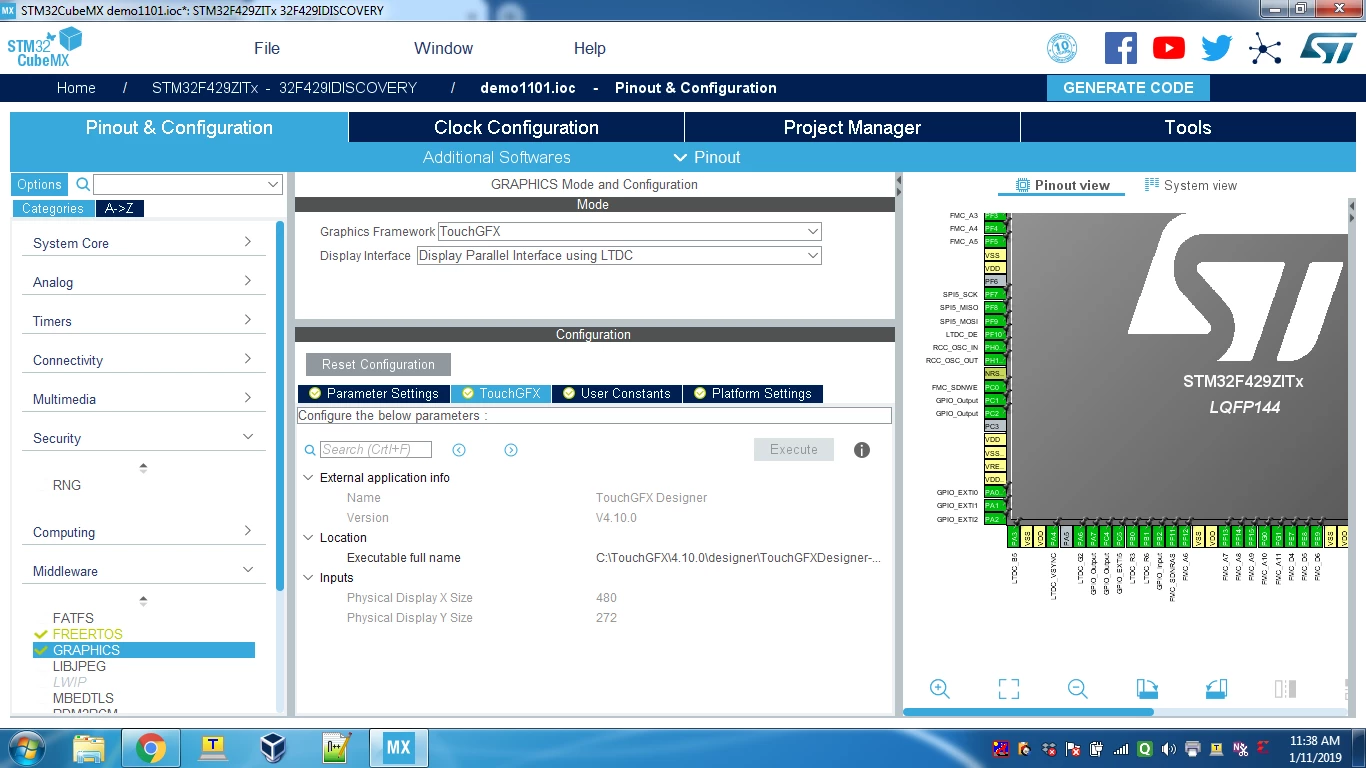
I am stuck at the "Execute" option, as it is disabled for TouchGFX configurations.

Can anybody please tell me how to enable it?

Attaching the screenshot herewith:
0690X000006D3tGQAS.png

This topic has been closed for replies.

4 replies

Martin KJELDSEN
Principal III
January 11, 2019

Hi @kvkhekale​,

What does CubeMX tell you when you hover your mouse over the "Execute" button?

You can also try to follow this guide:

https://touchgfx.zendesk.com/hc/en-us/articles/360021620431-Configuring-STM32F429I-DISCO (Based on IAR, but it should at least get you to the Execute part)

Best regards,

Martin

Mon2
Senior III
January 11, 2019

You may just need to just refresh this page. Select a different tab and then return to this page. That should enable the EXECUTE button so you may select and launch this tool.

hansd56
Senior
April 29, 2019

I have the same problem. The button was enabled once and if I create another project it stays disabled.

Mon2
Senior III
April 29, 2019

@hansd56​ , this behaviour may be correct with this tool. The reason being that the EXECUTE button should only really be used one time to initiate and build your GUI.

If you launch the tool a second time, the GUI values get factory reset. This is currently a bug that may be under development for future releases. So it is quite possible that is the reason the EXECUTE button is disabled by the s/w after first time use.

Instead, if you must continue to work / update with your GUI, launch the project directly and manually by locating the folder with this TouchGFX project.

This quirk is mentioned inside the document posted here:

https://community.st.com/s/question/0D50X0000A4pPgPSQU/stm32f2429-disc1-configuration-with-touchgfx-cubemx-50
