Junde
Senior III
March 9, 2023
Solved

Question about touchGFX tutarial.

  • March 9, 2023
  • 4 replies
  • 1993 views

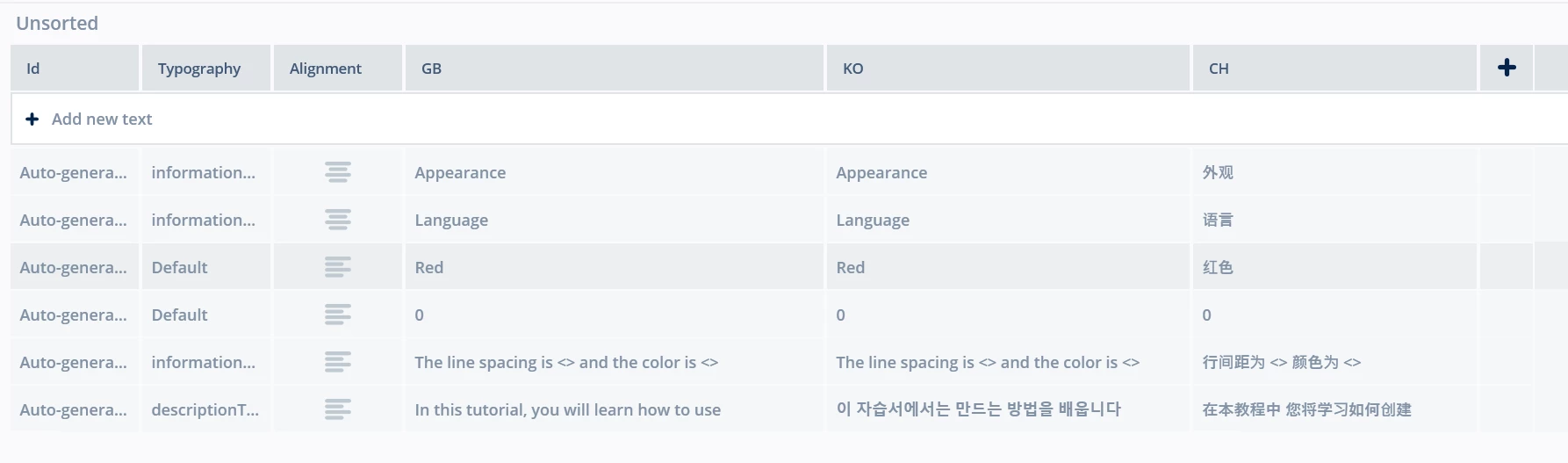
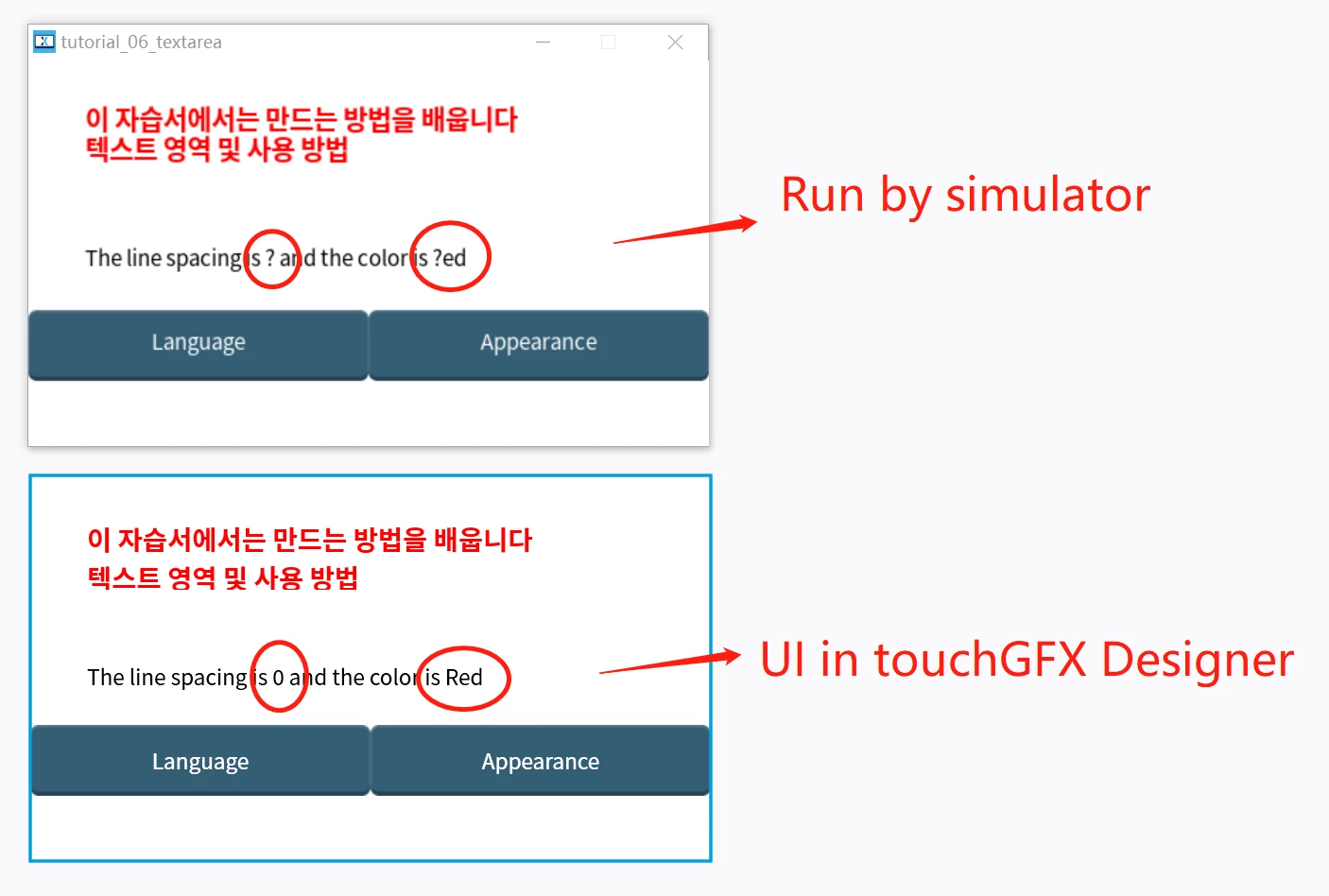
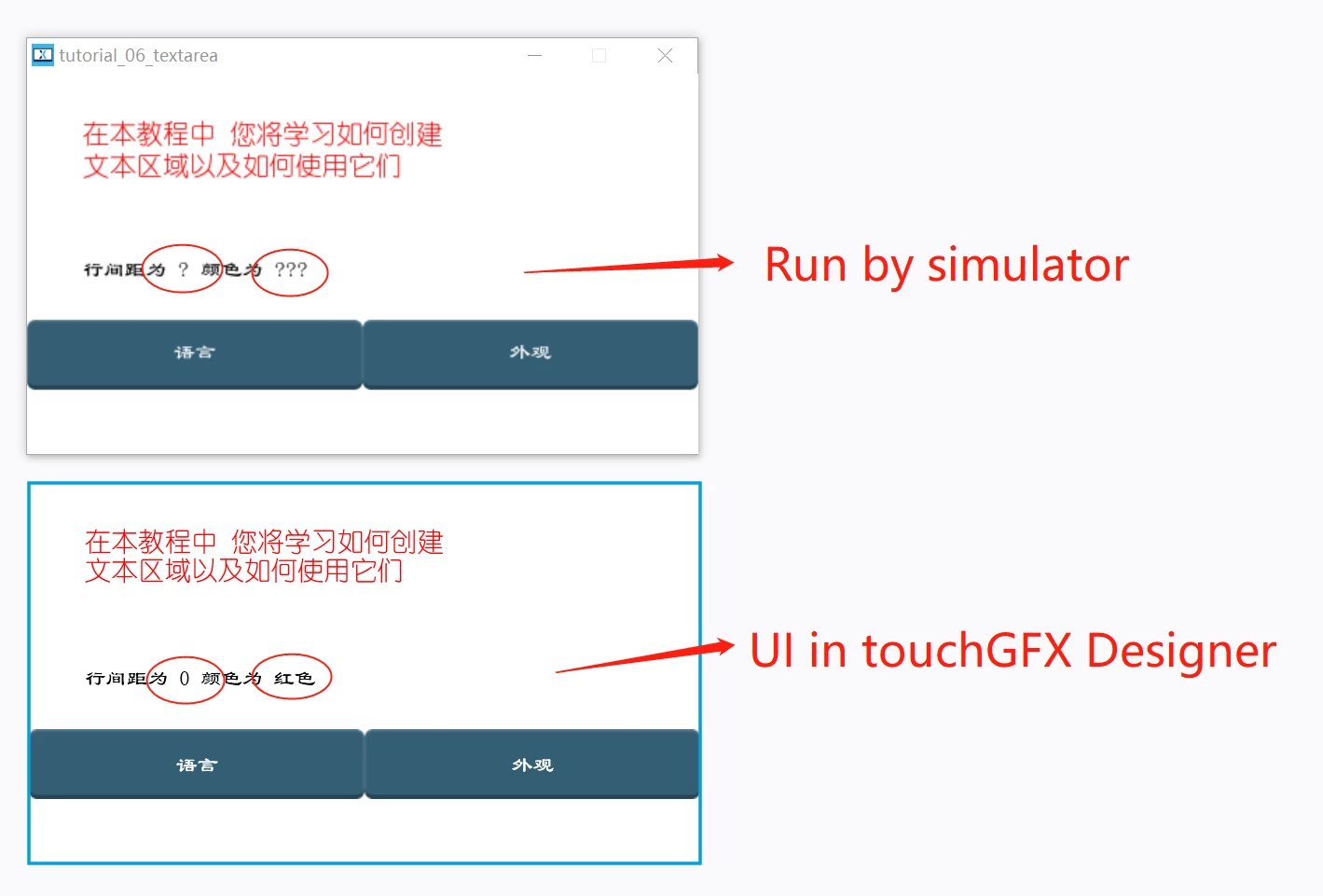
I am learning touchGFX by document. Almostly, I have no question, but in tutarial6(https://support.touchgfx.com/4.21/docs/tutorials/tutorial-06/tutorial-06-part-1), I have some issue as below, there seems some characters can NOT display normally at wildcard mode.
0693W00000aIYaIQAW.png0693W00000aIYaSQAW.pngThanks.0693W00000aIYaXQAW.png 

This topic has been closed for replies.
Best answer by Osman SOYKURT

Hello Junde,

You need to set the wildcard characters or the wildcard range in order to make it work :)

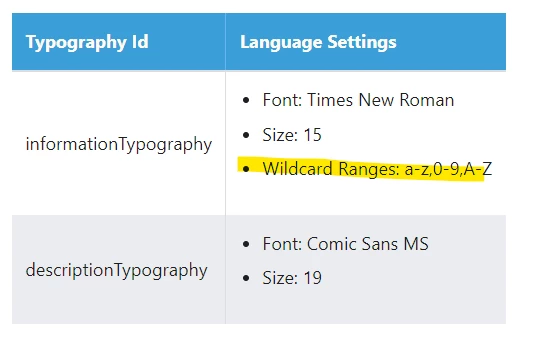
In tutorial 6, you'll notice that the range "a-z,0-9,A-Z" is set to be able to display these characters in a wildcard.

0693W00000aIZDtQAO.png 

/Osman

4 replies

Junde
JundeAuthor
Senior III
March 9, 2023

All of the languages need add the wildcard range as below:

0693W00000aIZ5LQAW.png

Osman SOYKURT
Osman SOYKURTBest answer
ST Technical Moderator
March 9, 2023

Hello Junde,

You need to set the wildcard characters or the wildcard range in order to make it work :)

In tutorial 6, you'll notice that the range "a-z,0-9,A-Z" is set to be able to display these characters in a wildcard.

0693W00000aIZDtQAO.png 

/Osman

ST Software Developer | TouchGFX
Junde
JundeAuthor
Senior III
March 9, 2023

Hello @Osman SOYKURT​ ,

Thanks for your reply. You are right, I found I forget to add the wildcard range for others langrage.

MM..1
Super User
March 9, 2023

This waste space in flash with chars never used. Normal way is add only dont used chars (in static text) planed in <> value place.