

heyo
Associate III
October 12, 2022
Solved

Pressed button image

  • October 12, 2022
  • 15 replies
  • 4083 views

Hello,

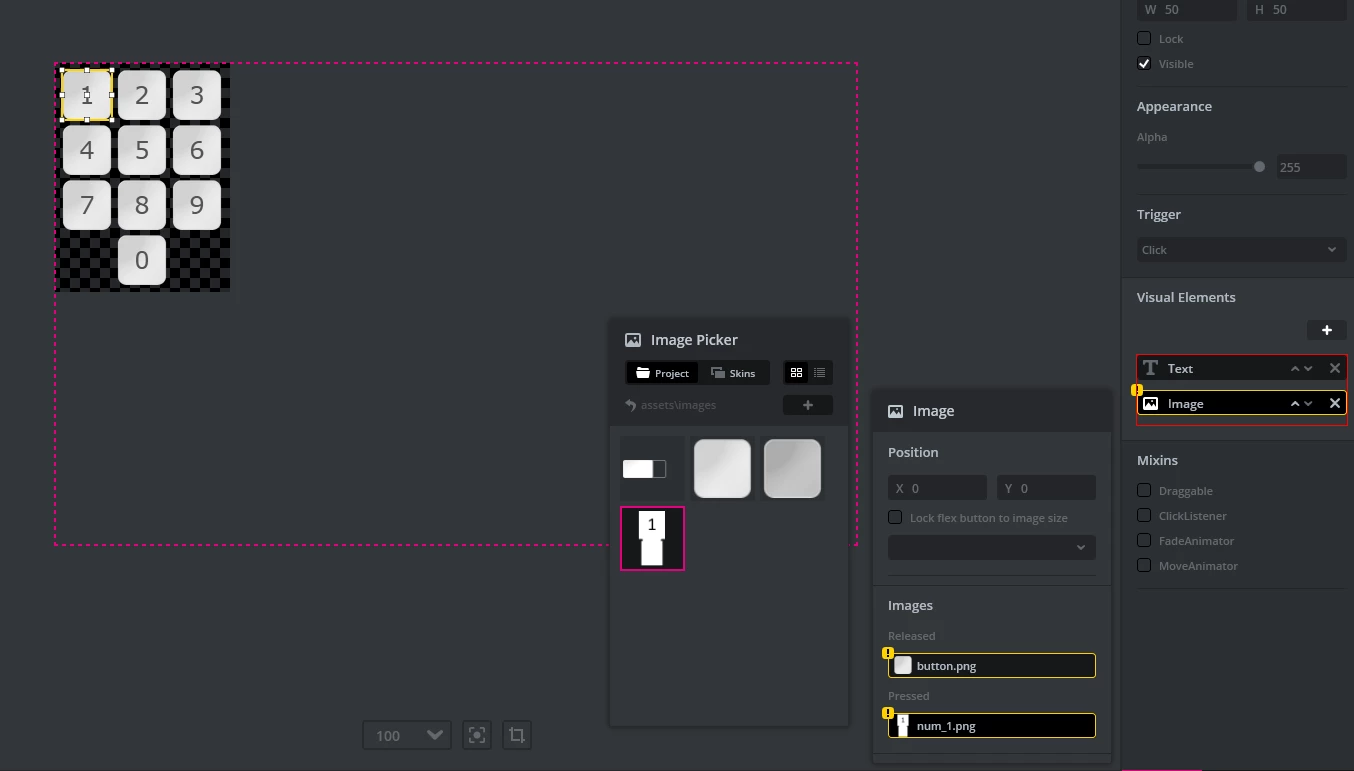
Is it possible to use bigger pressed button image than released button image? How can I achieve it?0693W00000UnwIaQAJ.png
This topic has been closed for replies.
Best answer by Osman SOYKURT

Hello heyo,

Your two images needs to have the same size. If you don't have the same image size, you can create a new image with the dimension of your biggest image, paste your small image inside it, and fill the remaining area with transparency.

/Osman

15 replies

Osman SOYKURT
Osman SOYKURTBest answer
ST Technical Moderator
October 13, 2022

Hello heyo,

Your two images needs to have the same size. If you don't have the same image size, you can create a new image with the dimension of your biggest image, paste your small image inside it, and fill the remaining area with transparency.

/Osman

ST Software Developer | TouchGFX
heyo
heyoAuthor
Associate III
October 13, 2022

Thanks. Maybe do you have example of this?

heyo
heyoAuthor
Associate III
October 14, 2022

I set button like this:0693W00000Uo3ELQAZ.pngPressed button shows how I want:

0693W00000Uo3FJQAZ.png But there is problem. I can't touch "6" button because "9" touch button area goes on "6"

heyo
heyoAuthor
Associate III
October 14, 2022

@Osman SOYKURT​  Hello again,

I have another problem. I do everything as you said but this happen:0693W00000Uo4arQAB.png0693W00000Uo4awQAB.png0693W00000Uo4b1QAB.png

heyo
heyoAuthor
Associate III
October 14, 2022

If image size is bigger than container it does not show up. Do you have another solution?

Osman SOYKURT
ST Technical Moderator
October 14, 2022

Yes that's normal, so you'll need to play with these functions now :

 if (button1.getPressedState() == true) // to know if we pressed the button
 {
 container1.setWidth(container1NewWidth); // change the container width
 container1.setHeight(container1NewHeight); // change the container height
 button1.setX(button1NewXPosition); // change the button X position to display the area you want to show
 button1.setY(button1NewYPosition); // change the button Y position to display the area you want to show
 
 container1.invalidate();
 button1.invalidate();
 
 }

/Osman

ST Software Developer | TouchGFX
heyo
heyoAuthor
Associate III
October 15, 2022

Hello @Osman SOYKURT​ . I created virtual function which calls when button is pressed and then changes containers height but nothing happens and I am sure that it fulfils function : container1.setHeight(container1NewHeight); Do you have any suggestions? Thank you.

heyo
heyoAuthor
Associate III
October 15, 2022

I do like this and changes only button position : 0693W00000Uo7YtQAJ.png

heyo
heyoAuthor
Associate III
October 16, 2022

.

