


Question
Port TouchGFX to FMC with ILI9341
Hello,
I developed a STemwin project a few years ago, with an STM32F437 and an LCD(320x240) driven in FMC with the ILI9341 controller.
I am looking to migrate this card to touchGFX for a different application.
But I have an issue:
If the screen is static, there is no problem.
In the screen below I have an animated image, but the image doesn't turns.
However the code enters continously in TouchGFXHAL::flushFrameBuffer(), so far so good.
Expected:
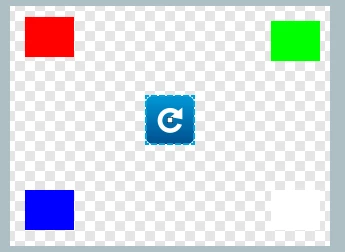
I did an other screen where a circle moves but it renders bad in movement. The first image is correct.
I think there is a problem with the offset when the program reenter in flushFrameBuffer(), because with rect.x and y at 0, what is displayed is correct.
This is the code :
void TouchGFXHAL::flushFrameBuffer(const touchgfx::Rect& rect)
{
 // Calling parent implementation of flushFrameBuffer(const touchgfx::Rect& rect).
 //
 // To overwrite the generated implementation, omit call to parent function
 // and implemented needed functionality here.
 // Please note, HAL::flushFrameBuffer(const touchgfx::Rect& rect) must
 // be called to notify the touchgfx framework that flush has been performed.

 //TouchGFXGeneratedHAL::flushFrameBuffer(rect);

	//dma.flush();

	HAL::flushFrameBuffer(rect);

	/* Set Cursor */
	__ILI9341_SetDisplayWindow(rect.x, rect.y, rect.width, rect.height);

	/* Prepare to write to LCD RAM */
	LCD_IO_WriteReg(0x2C);

	/* Read dummy data */
	LCD_IO_ReadData();

	this->copyFrameBufferBlockToLCD(rect);
}

void TouchGFXHAL::copyFrameBufferBlockToLCD(const Rect rect)
{
 __IO uint16_t* ptr;
 int16_t height;

 // Use default implementation (CPU copy!).
 // This can be accelerated using regular DMA hardware
 for (height = 0; height < rect.height ; height++)
 {
 ptr = getClientFrameBuffer() + rect.x + (height + rect.y) * 320;
 LCD_IO_WriteMultipleData((uint16_t*)ptr, rect.width);
 }
}

 __weak void __ILI9341_SetDisplayWindow(uint16_t Xpos, uint16_t Ypos, uint16_t Width, uint16_t Height)
 {
 LCD_IO_WriteReg(0x2A);
 LCD_IO_WriteData(Xpos / 256);
 LCD_IO_WriteData(Xpos % 256);
 LCD_IO_WriteData(Width / 256);
 LCD_IO_WriteData((Width % 256) );

 LCD_IO_WriteReg(0x2B);
 LCD_IO_WriteData(Ypos / 256);
 LCD_IO_WriteData(Ypos % 256);
 LCD_IO_WriteData(Height / 256);
 LCD_IO_WriteData((Height % 256) );
 }
Thank you for your help.