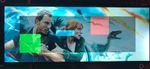
My TFT display looks ok, but after adding code to my project, not related to the display driver, the screen output is skeewed / Distorted. Need help thinking
HW setup is a self built board using the STM32H743V MCU and a Sharp LQ104V1DG61 TFT display. Display is setup to L8 and using CLUT table, Running on 25MHz (measured) it has a 640x480 format, RGB666 (yes I know that is not part of the supported format list in the STM datasheet, but I will come back to that one). Datasheet may be found here: https://static.davandisplay.com/document/product/LQ104V1DG61-Specs.pdf
Using STM32CubeIDE.
The following is the initializing code
#define TH 760 // Total Horizontal time (clocks)
 #define HSYNC 34
 #define HBP 44
#define HW 640
 #define HFP (TH-HSYNC-HBP-HW)

#define TV 555 // Total Vertical time (clocks)
 #define VSYNC 10
 #define VBP 20
 #define VW 480
 #define VFP (TV-VSYNC-VBP-VW)

 /* configure LTDC */
  LTDC->SSCR = ((HSYNC-1) << 16) | (VSYNC-1);
  LTDC->BPCR = ((HSYNC+HBP-1) << 16) | (VSYNC+VBP-1);
  LTDC->AWCR = ((HSYNC+HBP+HW-1) << 16) | (VSYNC+VBP+VW-1);
  LTDC->TWCR = ((HSYNC+HBP+HW+HFP-1) << 16) | (VSYNC+VBP+VW+VFP-1);
  LTDC->GCR = 0b0000 << 28; // Set HS, VS, DE and PC polarity. (1=Active High, 0=Active Low)
  LTDC->BCCR = (240 << 16) | (240 << 8) | (240);

 /* configure layer 1 */
  LTDC_Layer1->WHPCR = ((HSYNC+HBP+HW-1) << 16) | (HSYNC+HBP);
  LTDC_Layer1->WVPCR = ((VSYNC+VBP+VW-1) << 16) | (VSYNC+VBP);
  LTDC_Layer1->PFCR = 0x05;
  LTDC_Layer1->CACR = 255;
  LTDC_Layer1->DCCR = (0xFF << 24) | (0x00 << 16) | (0xFF << 8) | (0x00);
  LTDC_Layer1->CFBAR = (uint32_*)Framebuffer1;
  LTDC_Layer1->CFBLR = (HW*3 << 16) | (HW*3 + 7);
  LTDC_Layer1->CFBLNR = VW;
  LTDC_Layer1->CR |= LTDC_LxCR_LEN;

   LTDC->SRCR = LTDC_SRCR_IMR;
  LTDC->GCR |= LTDC_GCR_LTDCEN;


The framebuffer is defined as follow:
 char Framebuffer1[640*480 + 1]; // 307200 pixels + 1
Some of these parametres have a range of allowed values and I have tried a few combinations , for example to enusre that the hsync-vsync phase different does not become greater than allowed value. The RGB666 format is not mentioned in the STM32 datasheet, but this should not be of any problem since the 2 extra bits pr color is simply not connected to the display, it could lead to a color missmatch but the display should still work since it has a parallell interface. The display does not care for the extra bits and the MCU does not know they are trashed.
Well, all that mentioned, Thing and problem is. Whit the paramtetres, and several other combinations, shown above, the screen shows up perfectly. I may write text, load images and etcetra. But Sometimes when I add extra code to my program the screen gets skeewed like as if the image was a water-painting someone tried to wipe out, or as if the number of pixel pr. line changed but the MCU still think it is 640 so that the next line has an offseth to previous line. You are able to see that it tries to show the correct image but it gets corrupted
The code added does not need to have anything to do with display functionality, for example I added a few variables and the problem arised. When I removed the code, the display was OK again.
What I have done is to check for heap/memory errors, could not find any, Memory usage is 68%.
I think its a RAM issue still which screws up the framebuffer, it seems to have something to do if the position of the Framebuffer1 is changed , but I cant find any reason for that though and the Buffer is always withing the RAM D1 section
What I need is some ideas for further investigation. Maybe you have seen similar behaviour with your own code sometime, All I hope for is some thoughts for what could alter the behaviour of a perfectly working display like that
Thanks in advance