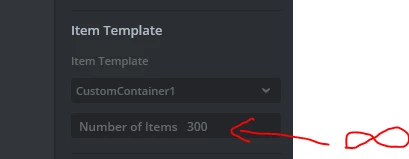
The reason for that is probably because TouchGFX cannot draw all the elements. To fix it try to make your scrollWheel large enough that you can see as many elements as you have specified in the properties section. It doesn't matter if some parts of the ScrollWheel go beyond the screen, the important thing is to have enough elements available.
I apologize for misguiding you with the "Selected Item Offset". What I meant was to set it through the Designer, so the selected Item of the list is in the position you like. You don't need to change it every time in the code. Instead you can put the new information in one of the elements and set it as the selected item of the scrollwhell by using function "animateToItem". Then it would be placed at the position you specified with "Selected Item Offset"
I made a simple function to showcase what I mean:
void Screen1View::addNewInfoToScrollWheel()
{
 int indexOfitemAtTopOfTheList = scrollWheel.getSelectedItem();
 scrollWheel.animateToItem(indexOfitemAtTopOfTheList - 1);


 indexOfitemAtTopOfTheList = scrollWheel.getSelectedItem();
 scrollWheelListItems[indexOfitemAtTopOfTheList].updateInfo(newReceivedInformation);
}