


LCD-TFT Display: Getting Black Screen (w/ Initial Screen Flicker) - Internal RAM
Hello,
I am trying to use an LCD display on my custom board. I am utilizing the Rocktech RK043FN66HS-CTG display with the STM32H7B3IIT6 MCU. When I first initialize the firmware (in debugging mode), the screen flickers once or twice (showing signs of life), but then immediately goes to a black screen and stays like that.
High Level Configuration Details:
- Utilizing LTDC interface with DMA2D acceleration
- Internal RAM (I have the footprint for External RAM, but I wanted to try and get it to work with the Internal RAM. I have sufficient RAM space internally)
- 480 x 272 RGB565 display (hardware can handle up to RGB888, but to reduce RAM size, I am only using RGB565).
- Using FreeRTOS to do the TouchGFX task
I used this video as a general guide to make sure I got the right idea, but there are differences. However, he has the same issue during debugging that I am seeing. The screen flickers then goes black.
https://www.youtube.com/watch?v=SRQD8JMeg_k
In that video, he notes that it was due to improper initialization of the RAM that caused that issue, so I am looking there to see if something is wrong.
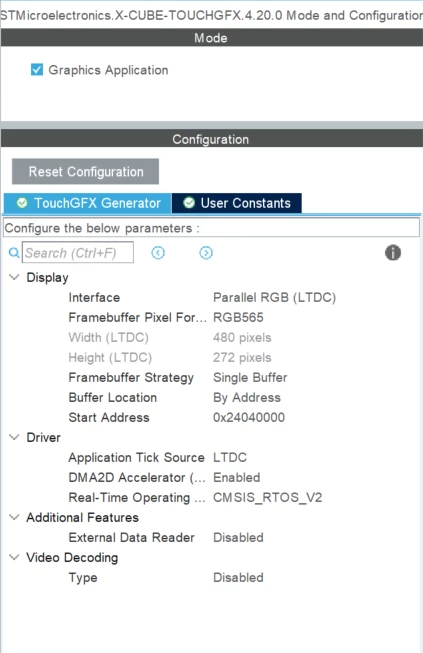
I am doing a single buffer strategy and the buffer location is By Address, starting at 0x24040000 (AXI SRAM2), which can handle 393.216kByte according to the reference manual.
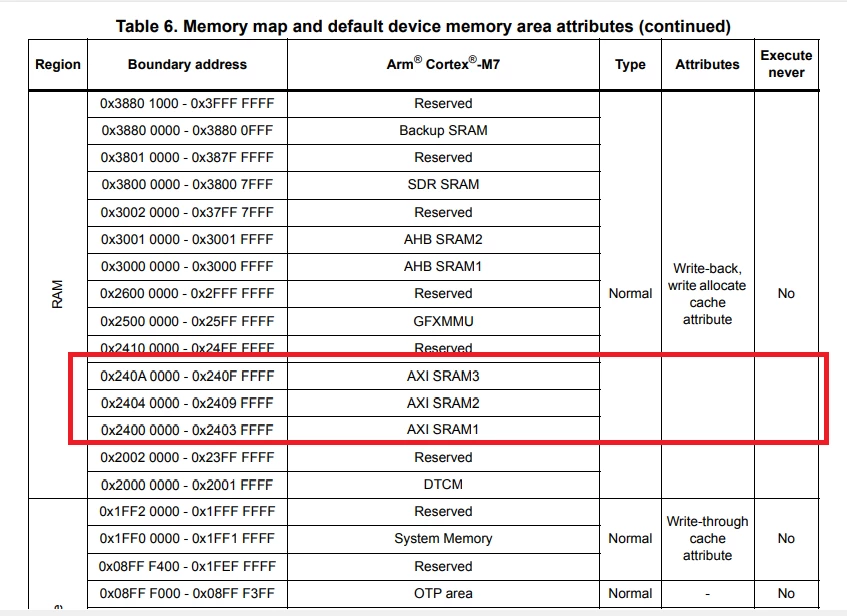
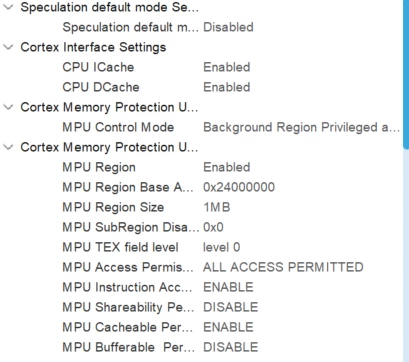
I enabled the MPU region for that region base (SRAM 1, 2 & 3) in the CORTEX_M7.
Using the TouchGFX 4.20.0 software package in the CubeMX, I configured it as follows:
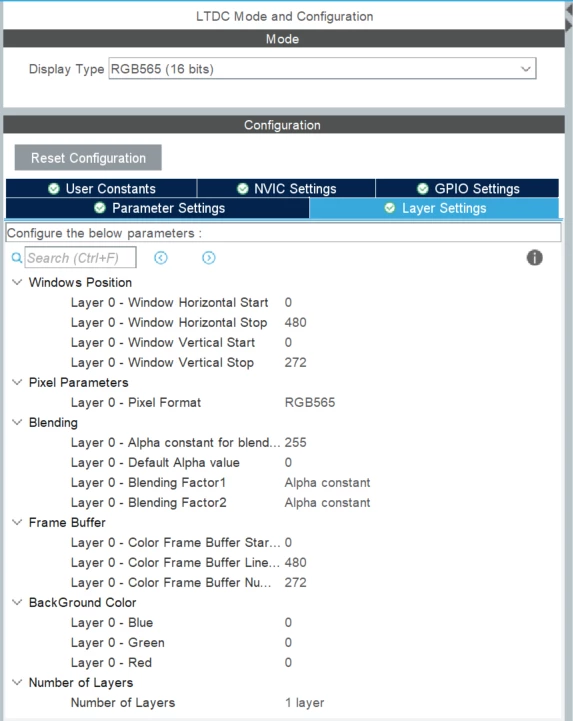
LTDC Configuration:
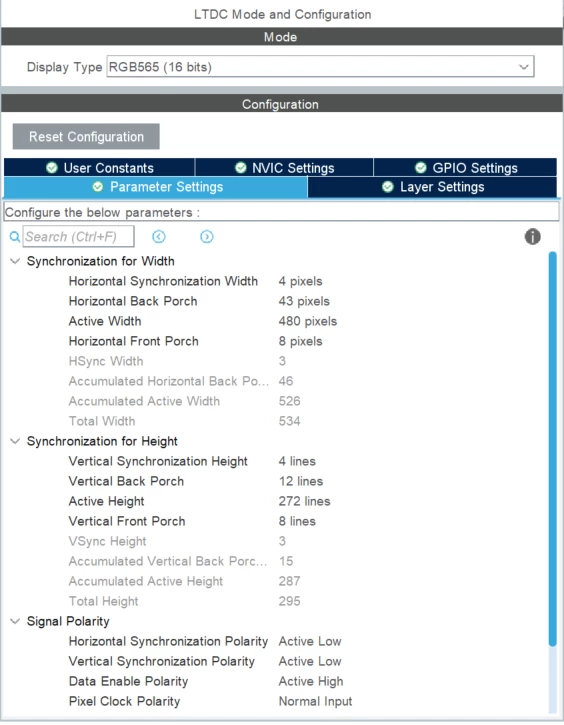
I am using the enable signal on the display (Pin 31) and the LCD backlight dimming functionality, which I enable at start-up with a base functionality:
HAL_GPIO_WritePin(LCD_EN_GPIO_Port, LCD_EN_Pin, GPIO_PIN_SET);
 uhLCD_PWM = LCD_PULSE_STARTUP;
 TIM12->CCR1 = LCD_PULSE_STARTUP;
(TIM12-CH1 = PB14)
(LCD_Enable is set to PE2)
I verified that the PWM signal from TIM12-CH1 is correct, as well as the voltage level from the enable.
Schematic of my display setup is below.
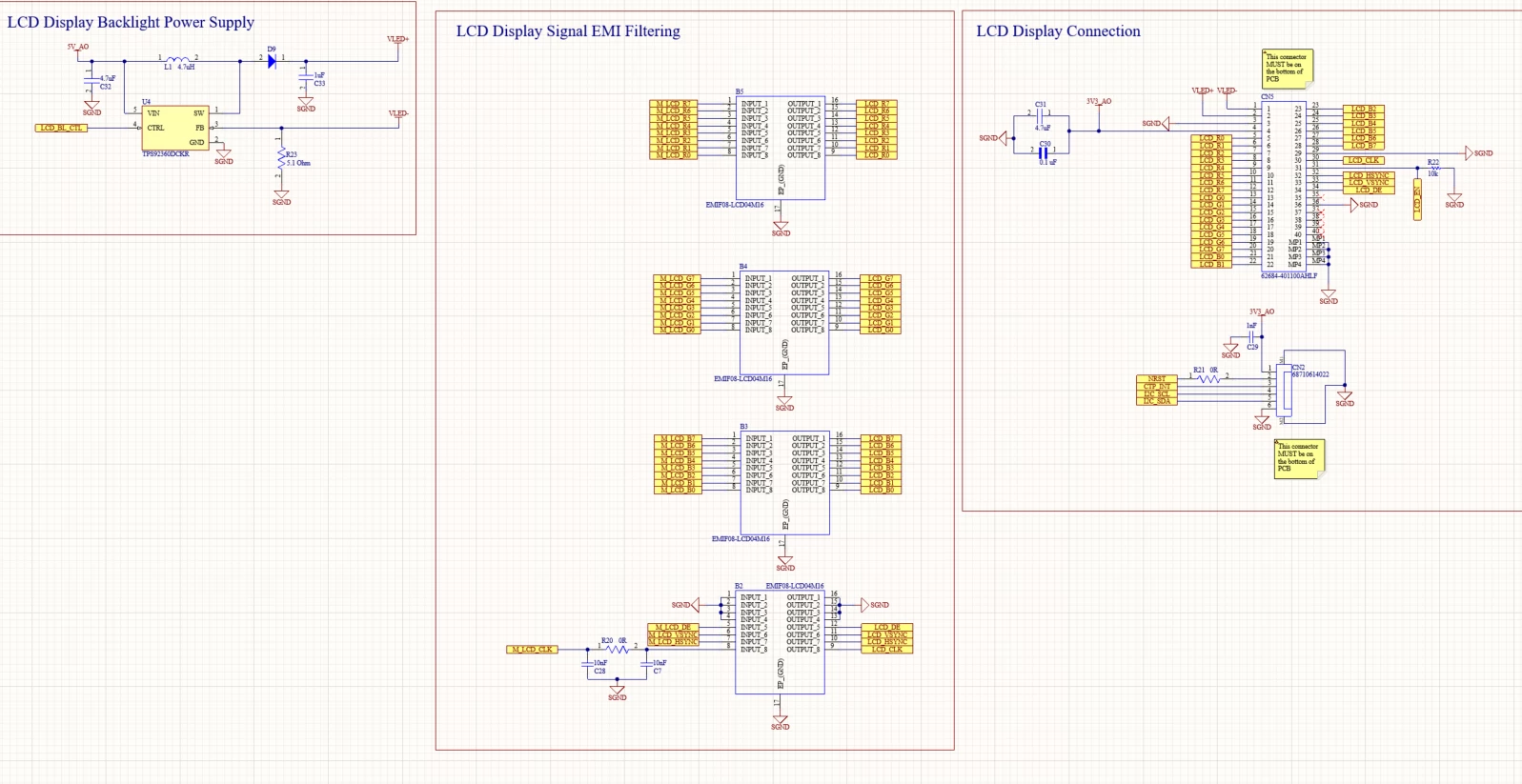
With this setup, I get a screen flicker on start-up, then a black screen after that.
Does anyone know what would cause this?