


Cvega.11
Associate II
October 29, 2020
Solved

LCD does not work used touchgfx with stm32f746g-disco board
  • October 29, 2020
  • 7 replies
  • 3317 views

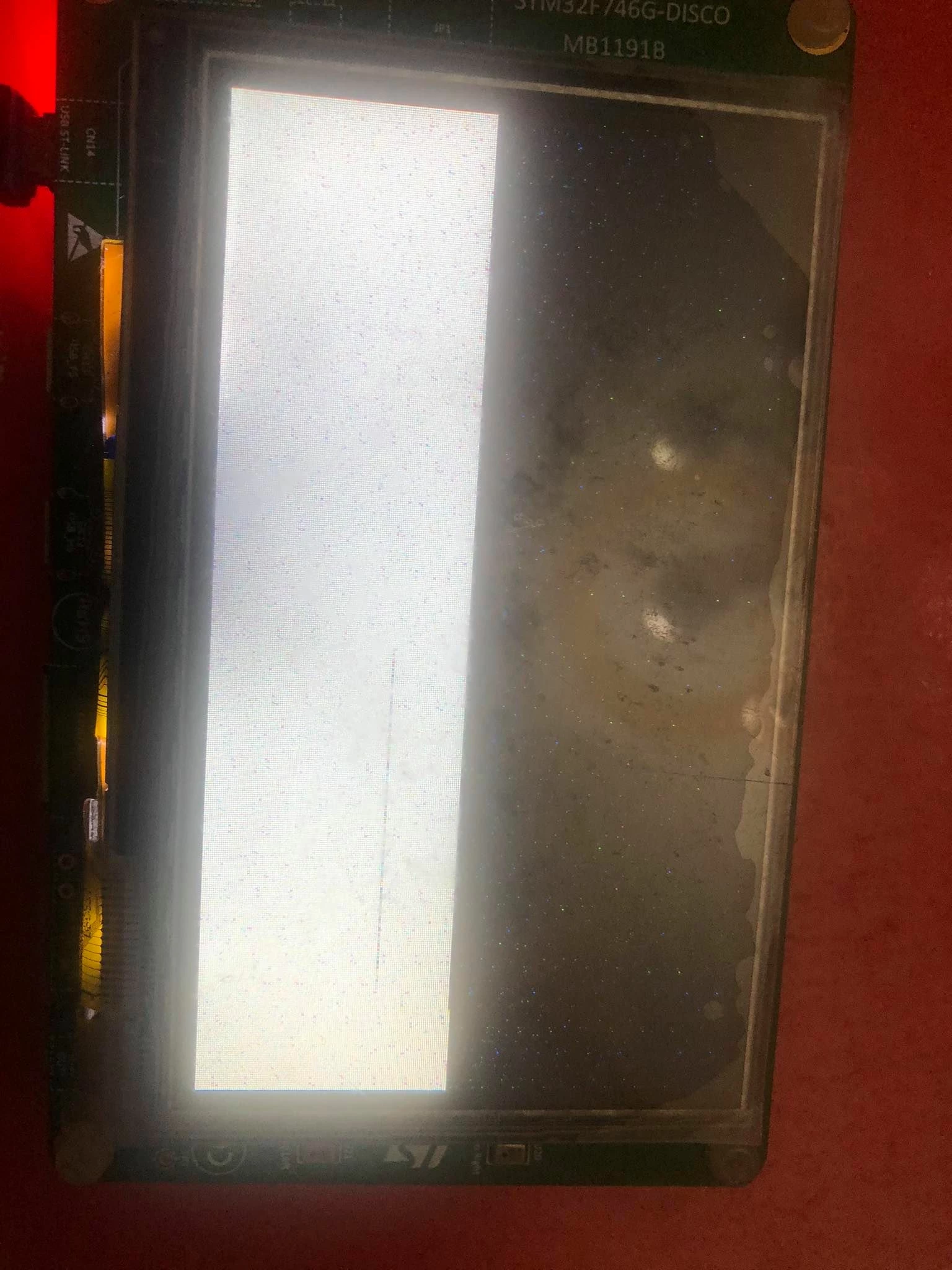
0693W0000059hTsQAI.jpgTouchgfx does not work for me, I get the pixelated screen I use stm32cubeide 1.4.0 it does not work for me download version 1.2.0 and also download TouchGFX V4.14 and nothing, change the version ==> V4.13 and still some help friend , I hope you can help me ??

I made a simple program in touchgfx and there it works, but the detail is that I use LWIP in my program, I need to use it from stm32cubeide

This topic has been closed for replies.
Best answer by Alexandre RENOUX

Hello,

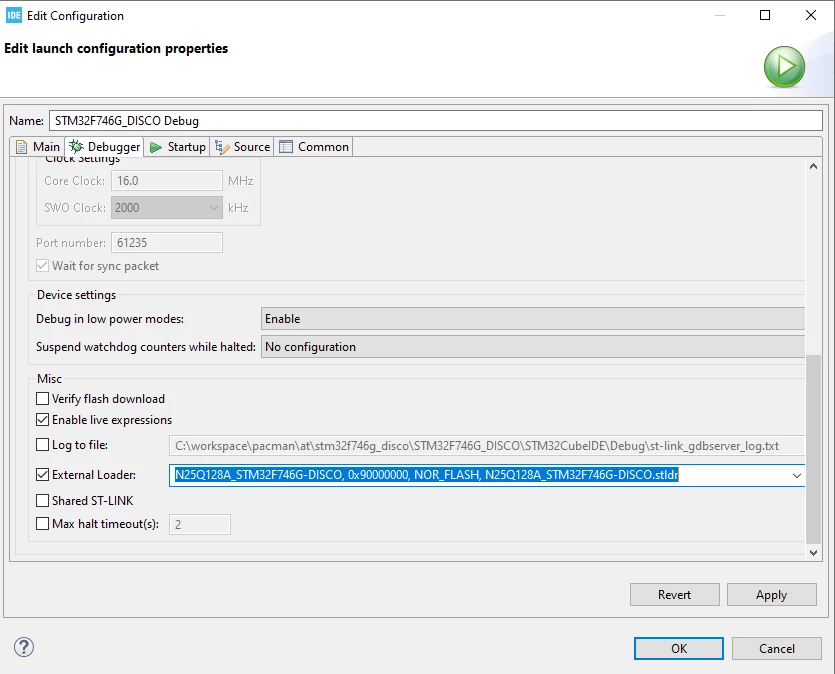
I looked at your project briefly and as Martin mentioned you haven't set the external loader for the F746-DISCO board in your CubeIDE project.

Here is the location where you need to modify it :

0693W000005A8dGQAS.pngIf this external loader is not set correctly I'm starting to wonder if you used the F746-DISCO Application Template available in the Designer. If you haven't, please in the future if you try to run some code on a board that we support, start with the corresponding Application Template to avoid unnecessary issues.

For the step to upgrade to a newer version, please have a look to this article in our documentation website : https://support.touchgfx.com/docs/miscellaneous/updating-to-a-new-touchgfx-version

When your question is answered, please close this topic by choosing Select as Best.

/Alexandre

7 replies

Cvega.11
Cvega.11Author
Associate II
October 30, 2020

Martin KJELDSEN
Principal III
October 30, 2020

What are you expecting the application to look like? Is the External Flashloader configured properly for your project?

Cvega.11
Cvega.11Author
Associate II
October 30, 2020

Where do I know that the external flash loader option is set right for i project?