RG.3
Associate III
June 4, 2021
Solved

Japanese text problem.

  • June 4, 2021
  • 20 replies
  • 8105 views

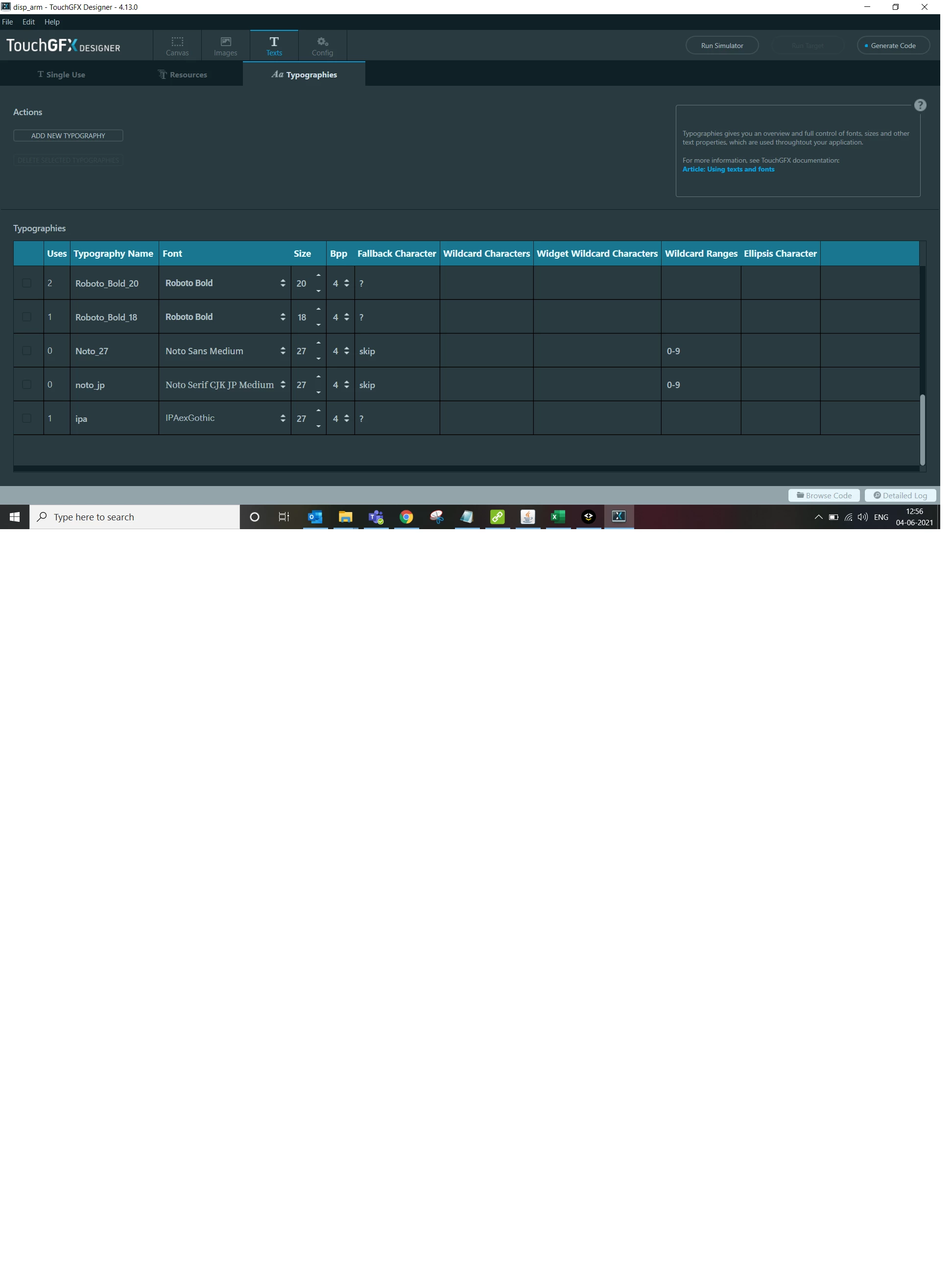
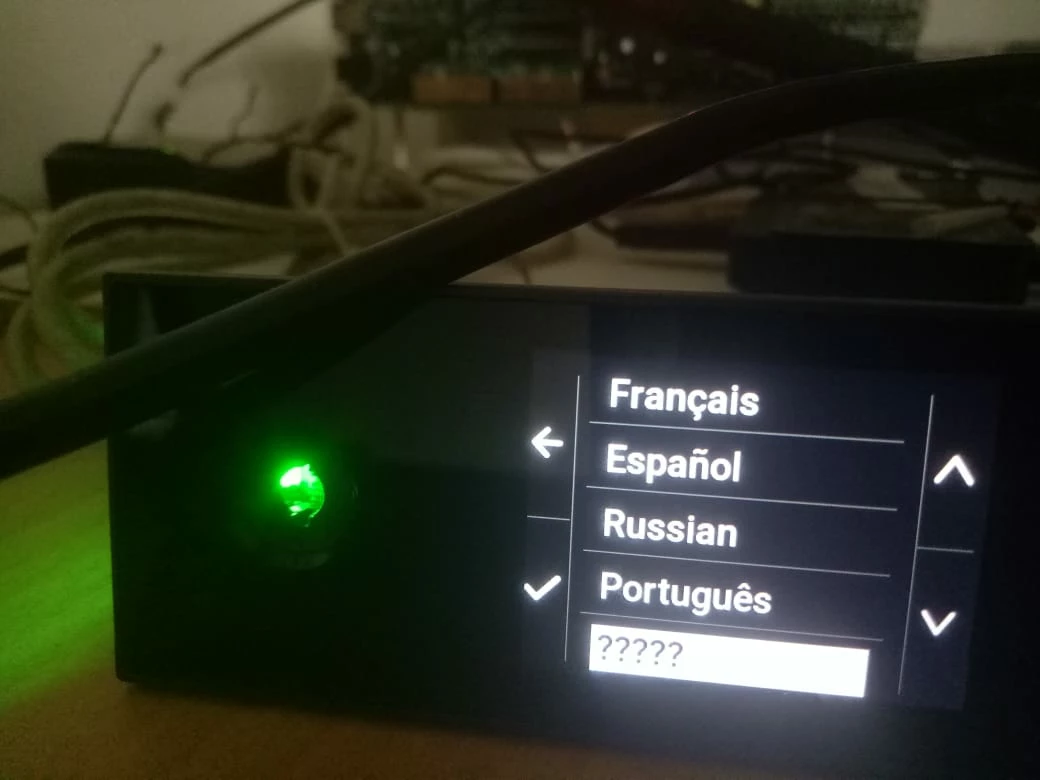
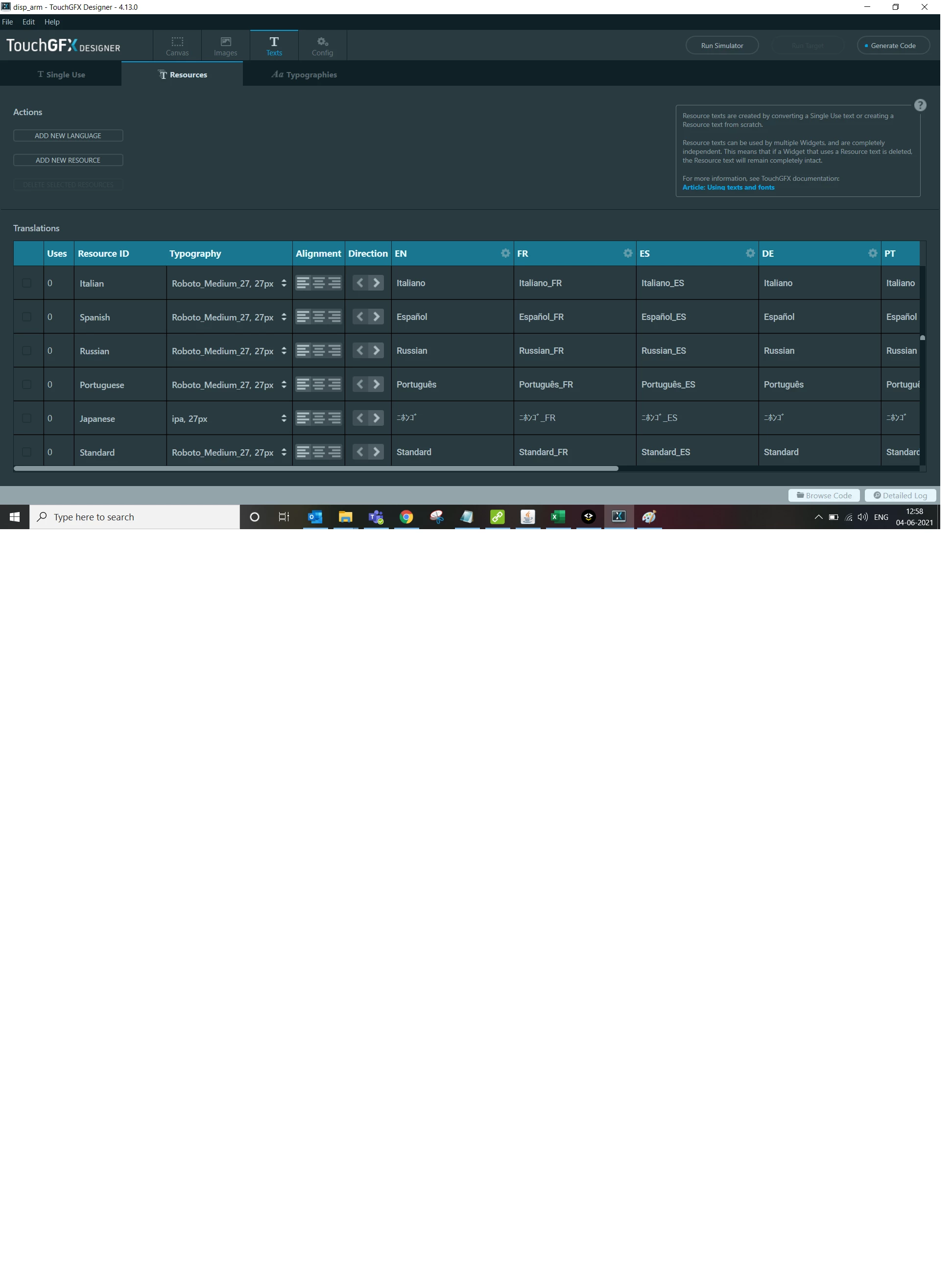
I have tried with Noto Sans, ipaexg, NotoSerifCJKjp-Medium. But still I am getting fallback character. I am using STM32H750VB. Can you please help how to fix this issue.
0693W00000Ba4xJQAR.jpg0693W00000Ba4y1QAB.png0693W00000Ba4xcQAB.png

This topic has been closed for replies.
Best answer by RG.3

Problem Solved:

I was using Unicode::snprintf(textBuffer, BUFFER_LENGTH, "%s", TypedText(LCD_screen->templatesss.menu.items_text_id[i]).getText())

I replaced it with text.setTypedText(TypedText(LCD_screen->templatesss.menu.items_text_id[i])); it is working fine now.

Thanks for your help

20 replies

Romain DIELEMAN
ST Employee
June 4, 2021

Hi,

You need to add the characters you will need in the wildcard range or wildcard characters in your second screenshot.

/Romain

RG.3
RG.3Author
Associate III
June 4, 2021

for Japanese what is the range?

I tried 0x0000-0x33FF.But still it is not working. Unicode - Hiragana falls between 0x3040 to 0x309f.

Romain DIELEMAN
ST Employee
June 7, 2021

Hi,

When in doubts you can just add the characters you will use (just write the same text as in the textAreas you are using, not need to put the unicode) in the "wildcard characters" section. Noto Sans seems to not handle Japanese correctly, or maybe it is just the ttf I found online.

/Romain

RG.3
RG.3Author
Associate III
June 7, 2021

I am getting this error when I tried to open the file. I am able to download only 4.16.0 I could not able to download 4.16.1

0693W00000BaH4VQAV.pngoutof these fonts which one I Have to use

0693W00000BaH5JQAV.png 

Romain DIELEMAN
ST Employee
June 7, 2021

you can download TouchGFX 4.16.1 from STM32CubeMX or from this link : https://www.st.com/en/embedded-software/x-cube-touchgfx.html

I was able to display Japanese with both the NotoSerif and ipaexg

/Romain

RG.3
RG.3Author
Associate III
June 8, 2021

I tried with same fonts and same text...But Still I am getting the fall back character.

0693W00000BaM75QAF.png0693W00000BaM7KQAV.jpg0693W00000BaM7AQAV.png

Romain DIELEMAN
ST Employee
June 8, 2021

could you share the text you are trying to display and the font you are using ? In your last screenshot you can see a small T icon in the first Japanese message under the EN tab, could you check that you are using the right font there ?

/Romain

RG.3
RG.3Author
Associate III
June 8, 2021

In textsTobeDisplayed you can find the Text and in japanesefonts you can find the fonts that are used.

RG.3
RG.3AuthorBest answer
Associate III
June 16, 2021

Problem Solved:

I was using Unicode::snprintf(textBuffer, BUFFER_LENGTH, "%s", TypedText(LCD_screen->templatesss.menu.items_text_id[i]).getText())

I replaced it with text.setTypedText(TypedText(LCD_screen->templatesss.menu.items_text_id[i])); it is working fine now.

Thanks for your help