
V.H
Senior
Aug 11, 2022 3:19 AM UTC
Solved

Issue: Widget overwritten.

Hi,

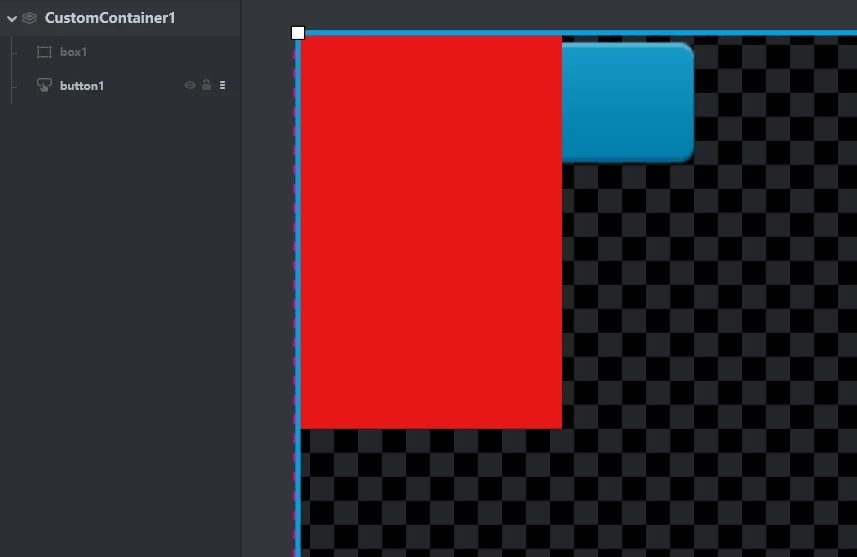
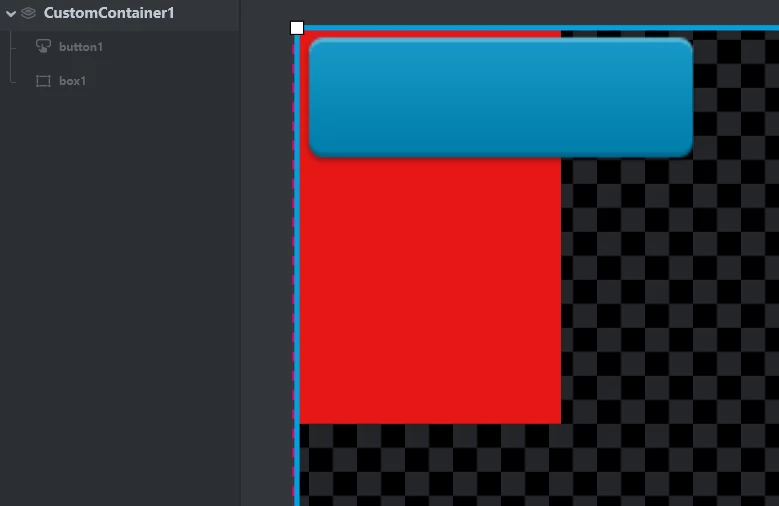
For example, I create 2 widgets (button and box), the box in top and button in bottom.

I need to change their position like picture 2, how can I do except delete and rebuild to changed their order ?
0693W00000QNRVaQAP.png 

0693W00000QNRVkQAP.png

This topic has been closed for replies.
Yoann KLEIN
Yoann KLEINBest answer
ST Employee
Aug 15, 2022 9:55 AM UTC

Hello,

Unfortunately this function is not implemented in the API.

But, there is a little work-around you can use if you want to do that :

  • First, programmatically remove your widget from your container (in your case, the Screen)
  • Then, insert your widget before/after the other widget to show it on foreground or background on your interface

The code could look like that :

void Screen1View::changeWidgetPosition()
{
 remove(box1);
 insert(&button1, box1); // insert the box below the button
}

/Yoann

Yoann KLEINST Software Developer | TouchGFX

3 replies

Yoann KLEIN
ST Employee
Aug 12, 2022 7:53 AM UTC

Hello @V.H​ ,

In the Screens menu, you can simply right click on the widget you want to put on foreground, and then select the "Move Up" option :

0693W00000QNYdaQAH.pngPlease not that you can also do the same with background, if you select "Move Down".

Hope that this answers the question,

/Yoann

Yoann KLEINST Software Developer | TouchGFX
V.H
V.HAuthor
Senior
Aug 12, 2022 8:12 AM UTC

Thanks for your reply.

Does the API have this function? I want to do this movement in the firmware.

Yoann KLEIN
Yoann KLEINBest answer
ST Employee
Aug 15, 2022 9:55 AM UTC

Hello,

Unfortunately this function is not implemented in the API.

But, there is a little work-around you can use if you want to do that :

  • First, programmatically remove your widget from your container (in your case, the Screen)
  • Then, insert your widget before/after the other widget to show it on foreground or background on your interface

The code could look like that :

void Screen1View::changeWidgetPosition()
{
 remove(box1);
 insert(&button1, box1); // insert the box below the button
}

/Yoann

Yoann KLEINST Software Developer | TouchGFX