


JPan.4
Associate II
January 5, 2023
Solved

Issue: locked Elements don't stay where they are

  • January 5, 2023
  • 4 replies
  • 2485 views

After update TouchGFX 4.20.0 to 4.21.0, all fixed element on the screen don't stay where they are meant to be. I post the following image, in which the Text element and MORE-logo element are locked. But after simulation these elements are all arranged to the left up of the page. 0693W00000Y7UVJQA3.pngIf I unlock those elements, there is then no such problems. How does that come?
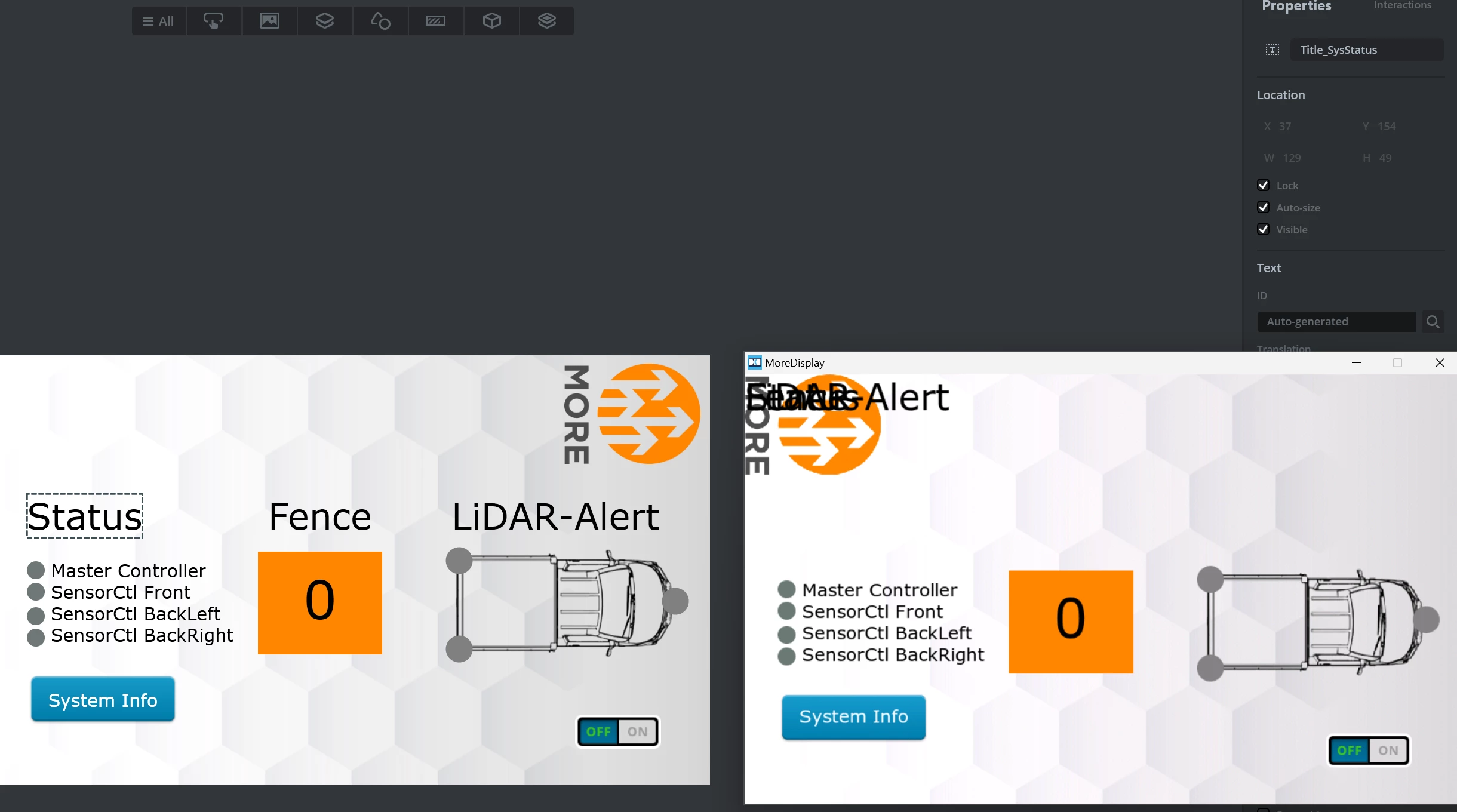
Best wishes,

J.Pan

This topic has been closed for replies.
Best answer by Osman SOYKURT

Hello JPan.4 and t.decker,

We have fixed this issue in the new version :)

/Osman

4 replies

Osman SOYKURT
ST Technical Moderator
January 6, 2023

Hello JPan.4,

Indeed, we noticed this issue after our release, we're thinking for a patch release including a fix for this issue. I'll get back when I'll have more info about it.

/Osman

ST Software Developer | TouchGFX
Senior II
January 10, 2023

I just updated to 4.21 and also encountered this bug. I have some "background" items that I have set to locked in the designer - they are all at the wrong position. Seems that the constructor of the views baseclass does not set the origin of an item when it's locked. Screenshots of the generated code attached.

 bottomBar, topBar and boxMiddle unlocked:

0693W00000Y7pUqQAJ.png 

bottomBar, topBar and boxMiddle locked:0693W00000Y7pV0QAJ.png

When this account seems to be inactive, try @tdecker2 - ST can't change mail addresses, so I had to create a new account.
Osman SOYKURT
Osman SOYKURTBest answer
ST Technical Moderator
January 23, 2023

Hello JPan.4 and t.decker,

We have fixed this issue in the new version :)

/Osman

ST Software Developer | TouchGFX
JPan.4
JPan.4Author
Associate II
January 23, 2023

Thank you for your information!