ozumi
Associate
December 30, 2018
Question

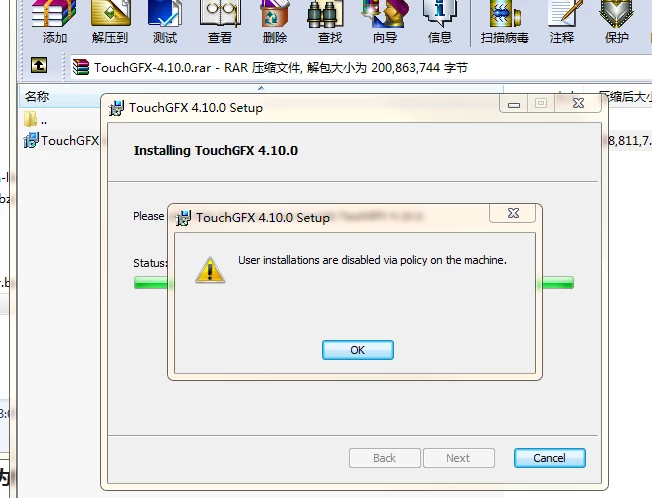
Installation of TouchGFX 4.10.0 - Installation disabled via computer policy

  • December 30, 2018
  • 6 replies
  • 1902 views

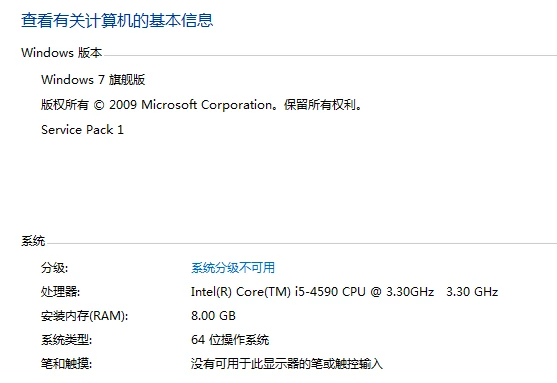
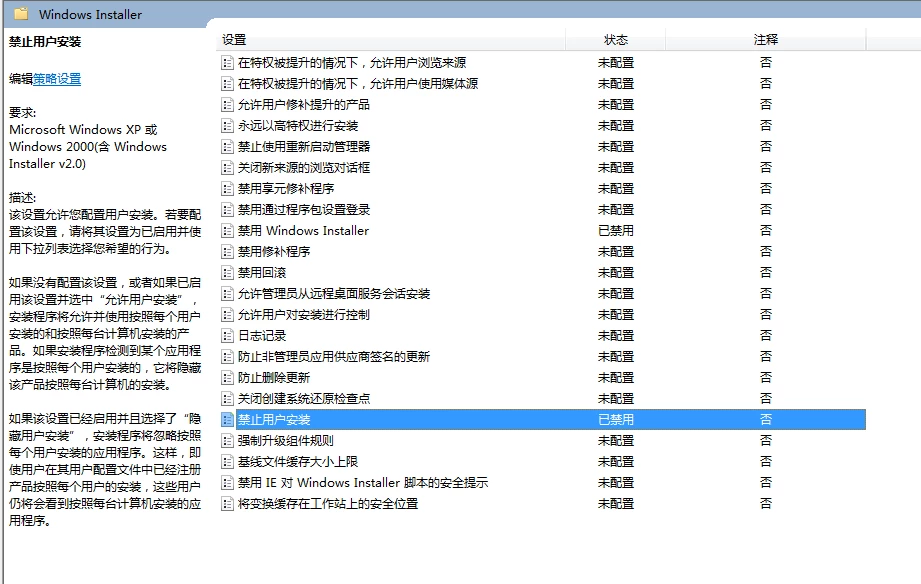
Install the TouchGFX 4.10.0 failed:

0690X000006Cw8QQAS.png0690X000006Cw8LQAS.png

0690X000006Cw8aQAC.png

This topic has been closed for replies.

6 replies

Mon2
Senior III
December 30, 2018

Perhaps you need ADMINISTRATIVE rights to install this program?

ozumi
ozumiAuthor
Associate
January 2, 2019

ADMINISTRATIVE rights to install  are also failed!

0690X000006CwPRQA0.png

Martin KJELDSEN
Principal III
January 2, 2019

Hi.

Is your computers security policy maintained by an IT department at your company? Do you also have problems installing other applications besides TouchGFX?

Thanks!

ozumi
ozumiAuthor
Associate
January 3, 2019

Hi, I can install other application;

Martin KJELDSEN
Principal III
January 3, 2019

Do you have an IT department that can answer questions about the policies governing this machine? Some policy is obviously preventing installation and it's very specific about "User installations" which would imply something more general.

Martin KJELDSEN
Principal III
January 13, 2019

Hi @ozumi​,

Any updates on this problem? Is this a work machine that is controlled by a systems administrator / policies?

Tesla DeLorean
Guru
January 13, 2019

One might also want to consider if this is the result of an error in one of the functions creating files and paths as a result to not handling the character set properly. Think concatenating unicode or wide-char strings, etc.

Have logging or trace instrumentation in your installer to better understand the progress and failure points in the process, and permit remote debugging in odd/corner cases.

Tips, Buy me a coffee, or three.. PayPal VenmoUp vote any posts that you find helpful, it shows what's working..