


CAbey.1
Associate III
March 21, 2023
Solved

How to load a scroll list item programmatically without predefining in TouchGFX designer

  • March 21, 2023
  • 4 replies
  • 2820 views

I'm trying to load some text data into a scroll list. Those texts are generated at runtime. I want to show them as list items. Also, the number of elements is not fixed. No sharply defined upper limit and lower limit for the number of elements.
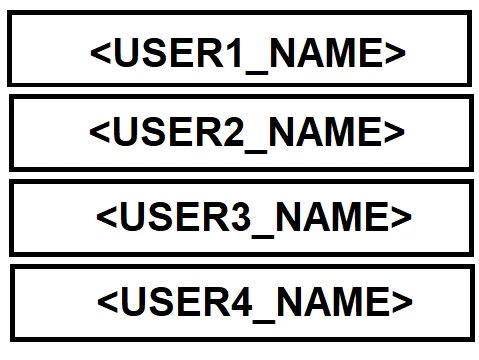

0693W00000aJPQaQAO.png 

This topic has been closed for replies.
Best answer by MM..1

Simply create array for this and use it in callback

item.setIco_1(touchgfx::Bitmap(UI_Menu_Icons_1B[itemIndex]));
	item.setLabel_1(touchgfx::TypedText(UI_Menu_Items_1B[itemIndex]));

ofcourse container need setter func 

plus in setup or change func place

scrollList1.setNumberOfItems(sizeof(UI_Menu_Items_B));

4 replies

MM..1
MM..1Best answer
Super User
March 21, 2023

Simply create array for this and use it in callback

item.setIco_1(touchgfx::Bitmap(UI_Menu_Icons_1B[itemIndex]));
	item.setLabel_1(touchgfx::TypedText(UI_Menu_Items_1B[itemIndex]));

ofcourse container need setter func 

plus in setup or change func place

scrollList1.setNumberOfItems(sizeof(UI_Menu_Items_B));

CAbey.1
CAbey.1Author
Associate III
March 22, 2023

Thank you for the anwser. But what is the data types of UI_Menu_Items_1B. Isn't it a array of resouser ids of texts , defined in TouhcGFX designer. So how could I change the text from code.

Thank you

MM..1
Super User
March 22, 2023

I mean you can create item.setLabel in string variant and in container use wildcard...

<>