HNish.2
Associate
November 16, 2022
Solved

How to import TouchGFX project for simulator into the target

  • November 16, 2022
  • 2 replies
  • 884 views

Hi,

​

We want to use STM32H747I board in the end, but we don't know TouchGFX inside out.

First of all, we made logo screen at simulator and try importing into STM32H747I, but didn't succeed.

Is there a way to import project?

This topic has been closed for replies.
Best answer by Yoann KLEIN

Hello @HNish.2​ ,

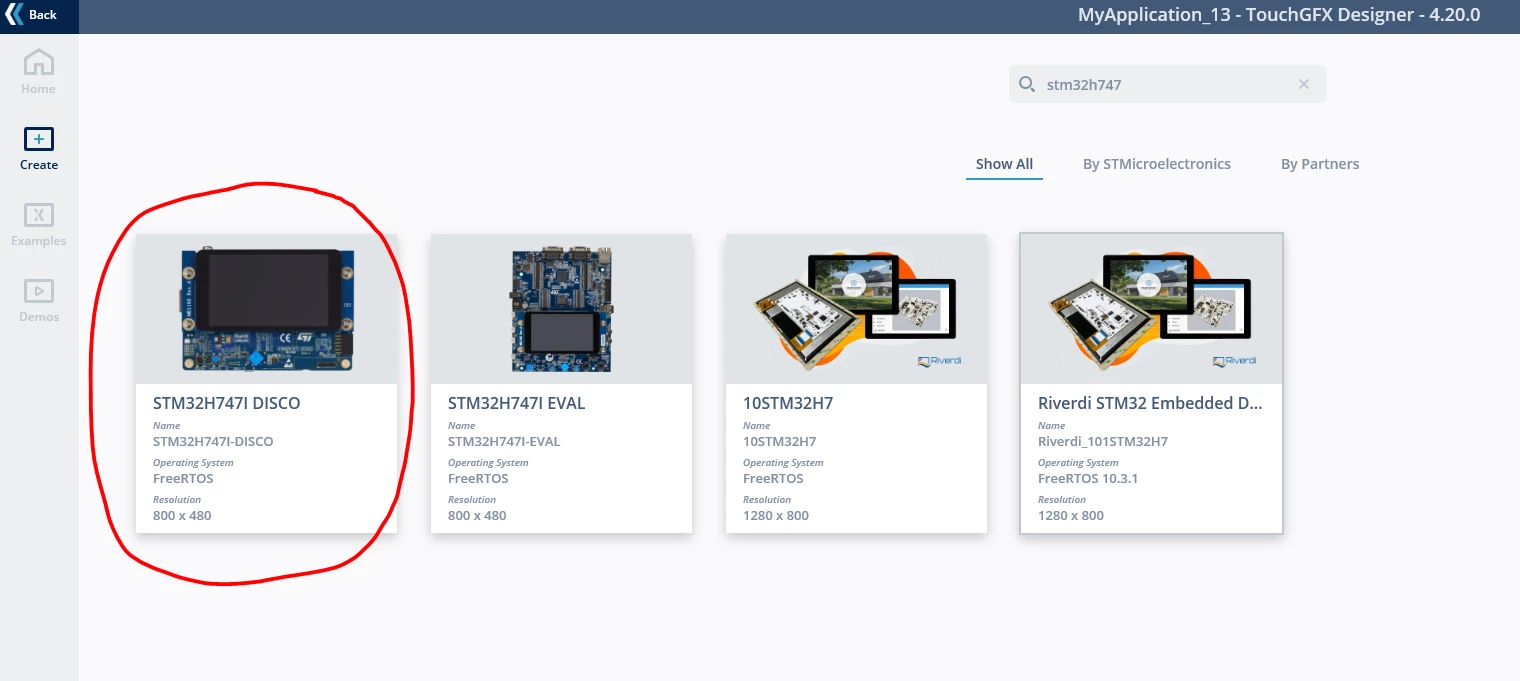
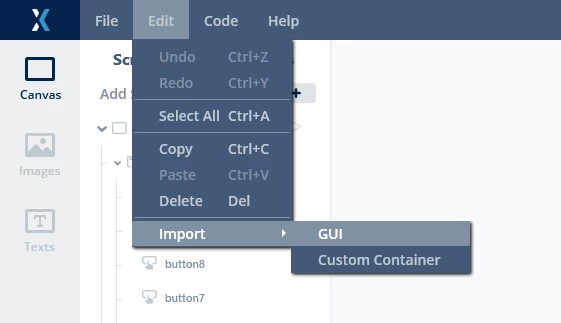
You can create a project and select the STM32H747I TouchGFX board setup, and then import the UI you already created inside this new project. Then you will have the UI you want running both on simulator and on target.

0693W00000WIUsgQAH.png0693W00000WIUtPQAX.png 

Hope that helps,

/Yoann

2 replies

Yoann KLEIN
Yoann KLEINBest answer
ST Employee
November 16, 2022

Hello @HNish.2​ ,

You can create a project and select the STM32H747I TouchGFX board setup, and then import the UI you already created inside this new project. Then you will have the UI you want running both on simulator and on target.

0693W00000WIUsgQAH.png0693W00000WIUtPQAX.png 

Hope that helps,

/Yoann

Yoann KLEINST Software Developer | TouchGFX
HNish.2
HNish.2Author
Associate
November 21, 2022

Hi, Yoann.

Thanks for answer.

It worked.