Junde
Senior III
April 17, 2024
Solved

How to delete a default image in TouchGFX Designer?

  • April 17, 2024
  • 5 replies
  • 2833 views

Hi,

I am trying to copy the TouchGFXDemo1 in TouchGFX Designer.

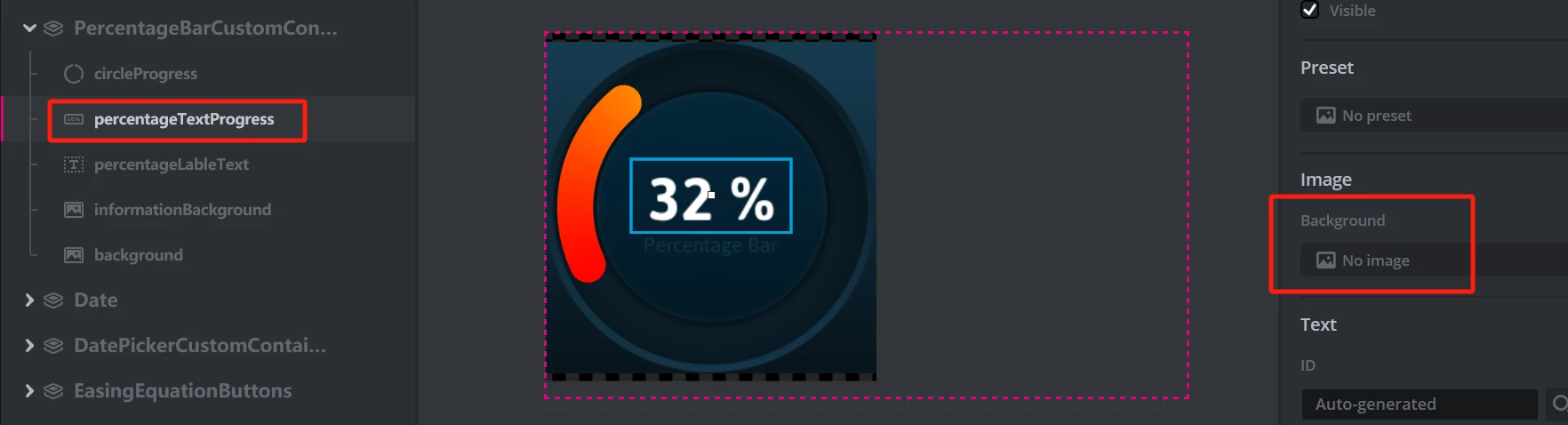
When I add a "text progress", there is a property of Image for the background.

This property always has an initial image, and I do not know how to delete it.

Could someone tell me how to do it?
Junde_0-1713337195446.png

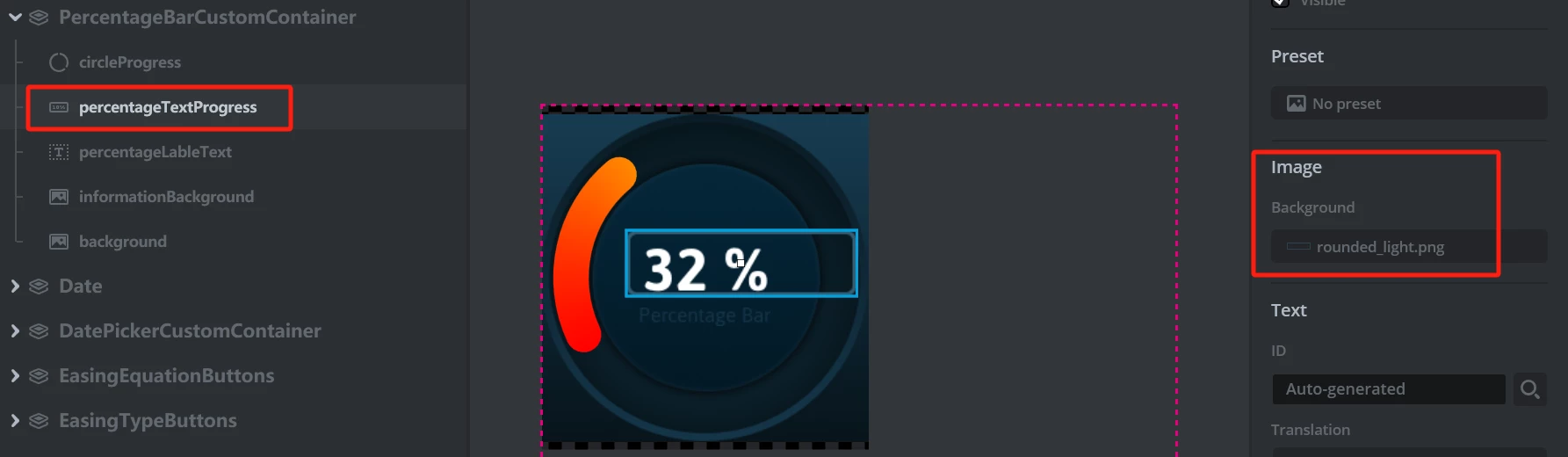
I want it like this:

Junde_1-1713337385894.png

Thanks


    This topic has been closed for replies.
    Best answer by Junde

    Thanks @GaetanGodart 

    What I mean is that in the TouchGFX demo, the Text progress can be without the image property.

    But I can't delete it, so I want to know how the demo does it.

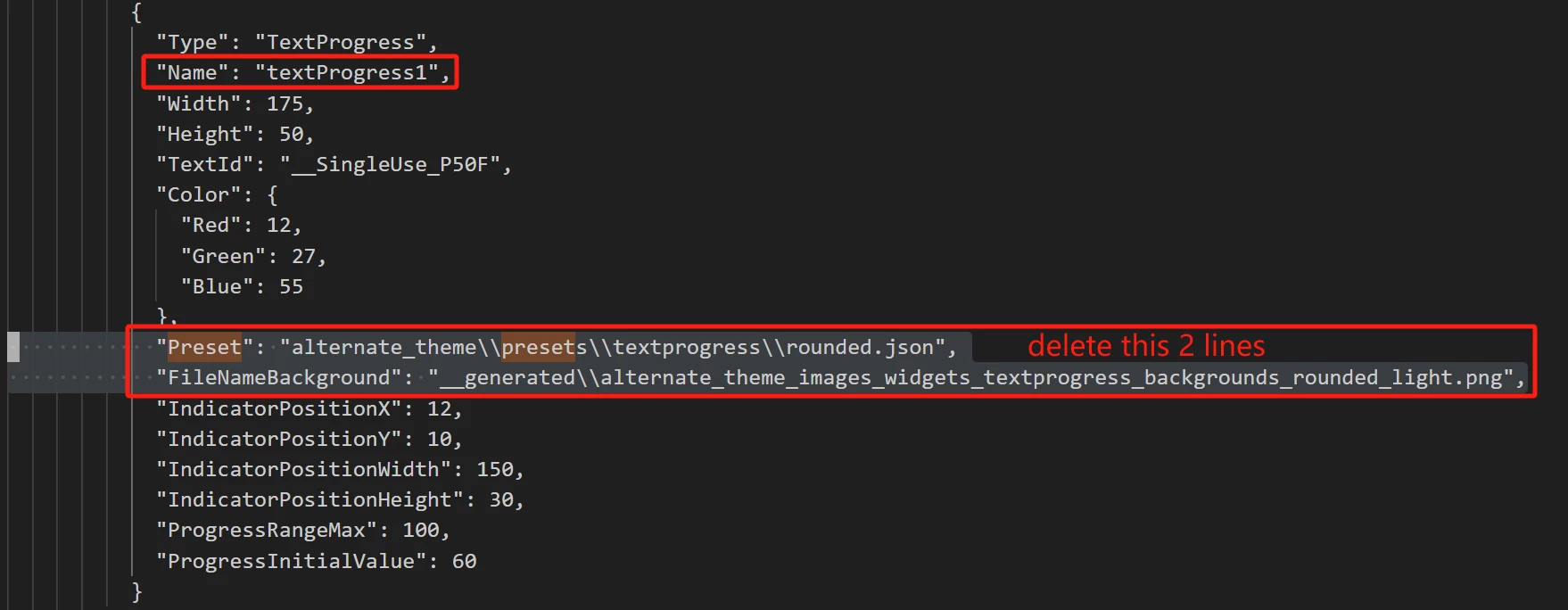
    Finally, I found an abnormal solution: delete the property in the .touchgfx file by opening it in text format:

    Junde_0-1713504337811.png


    5 replies

    GaetanGodart
    ST Employee
    April 17, 2024

    Hello @Junde ,


    Your TouchGFX version seems to be quite old.
    In the more recent versions we have removed that feature.
    Therefore, the simplest way to solve your problem is to update to a more recent version.

    It is always recommended to use the latest version publicly available.


    If this solved your issue, I invite you to select this message as "best answer".


    Regards,

    Gaetan GodartSoftware engineer at ST (TouchGFX)
    Junde
    JundeAuthor
    Senior III
    April 18, 2024

    @GaetanGodart 

    Thanks for your reply.

    My designer version is 4.23.2, which is the latest one.

    GaetanGodart
    ST Employee
    April 18, 2024

    Hello @Junde ,


    Sorry, I thought it was a text area.

    Text progress inherit from AbstractProgressIndicator (documentation here).
    So it need an image as background.

    If you do not want any image as background, you could simply use a fully transparent image.


    Regards,

    Gaetan GodartSoftware engineer at ST (TouchGFX)
    Junde
    JundeAuthorBest answer
    Senior III
    April 19, 2024

    Thanks @GaetanGodart 

    What I mean is that in the TouchGFX demo, the Text progress can be without the image property.

    But I can't delete it, so I want to know how the demo does it.

    Finally, I found an abnormal solution: delete the property in the .touchgfx file by opening it in text format:

    Junde_0-1713504337811.png


    GaetanGodart
    ST Employee
    April 19, 2024

    Hello @Junde ,


    I am glad you found a solution!


    Regards,

    Gaetan GodartSoftware engineer at ST (TouchGFX)