PKunK.1
Associate III
January 25, 2021
Solved

How to change the modal text when using Modal in TouchGFX?
  • January 25, 2021
  • 1 reply
  • 1749 views

0693W000007CUwlQAG.png 

0693W000007CUwvQAG.png 

0693W000007CUx5QAG.png 

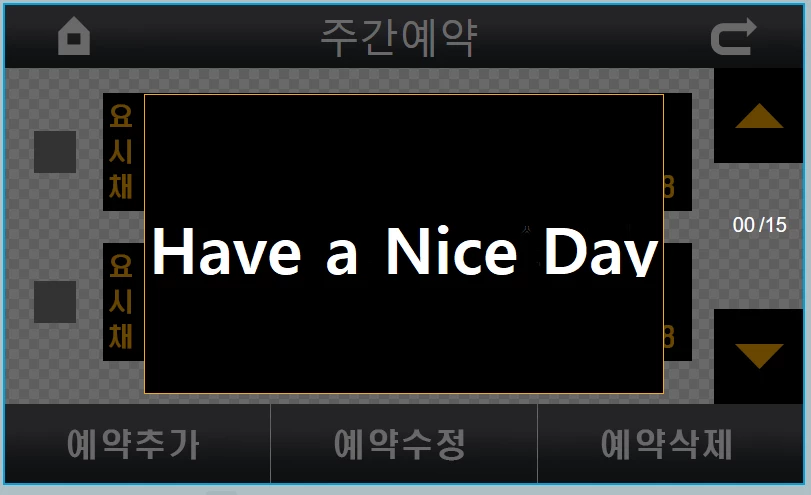
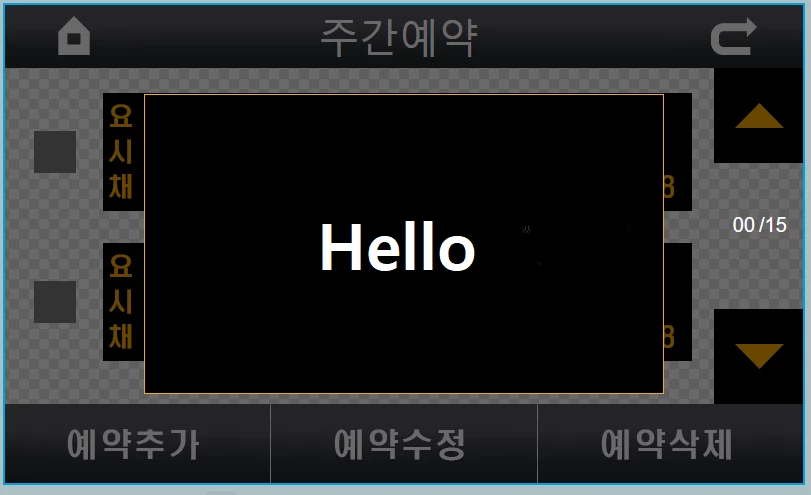
The TouchGFX uses a Modal window. A TextArear is declared in the Model Window, and the TextArear content is to be changed depending on the circumstances. Is there a way to change the text only in one TextArear?

For example) case1 -> Hello,

case2 -> Have Nice Day!

case3 -> Good Days!~

I want to change these text contents and use them.

This topic has been closed for replies.
Best answer by Alexandre RENOUX

Hello @PKunK.1​ ,

Just like you can add buttons and images (see UI example "Modal Window" available in TouchGFX Designer), you can add a TextArea in the ModalWindow and actually anything you want because a Modal Window is first and foremost a CONTAINER.

Now to modify a textArea, you need to know how to use wildcards. For this please read the following articles :

I also enclosed a quick project to show you how it is really implemented in a project.

When your question is answered, please close this topic by choosing Select as Best.

/Alexandre

1 reply

Alexandre RENOUX
Alexandre RENOUXBest answer
Visitor II
January 28, 2021

Hello @PKunK.1​ ,

Just like you can add buttons and images (see UI example "Modal Window" available in TouchGFX Designer), you can add a TextArea in the ModalWindow and actually anything you want because a Modal Window is first and foremost a CONTAINER.

Now to modify a textArea, you need to know how to use wildcards. For this please read the following articles :

I also enclosed a quick project to show you how it is really implemented in a project.

When your question is answered, please close this topic by choosing Select as Best.

/Alexandre