Mecanix
Associate III
October 22, 2021
Solved

How to add TouchGFX 4.18 to STM32CudeIDE and MX?

  • October 22, 2021
  • 12 replies
  • 4134 views

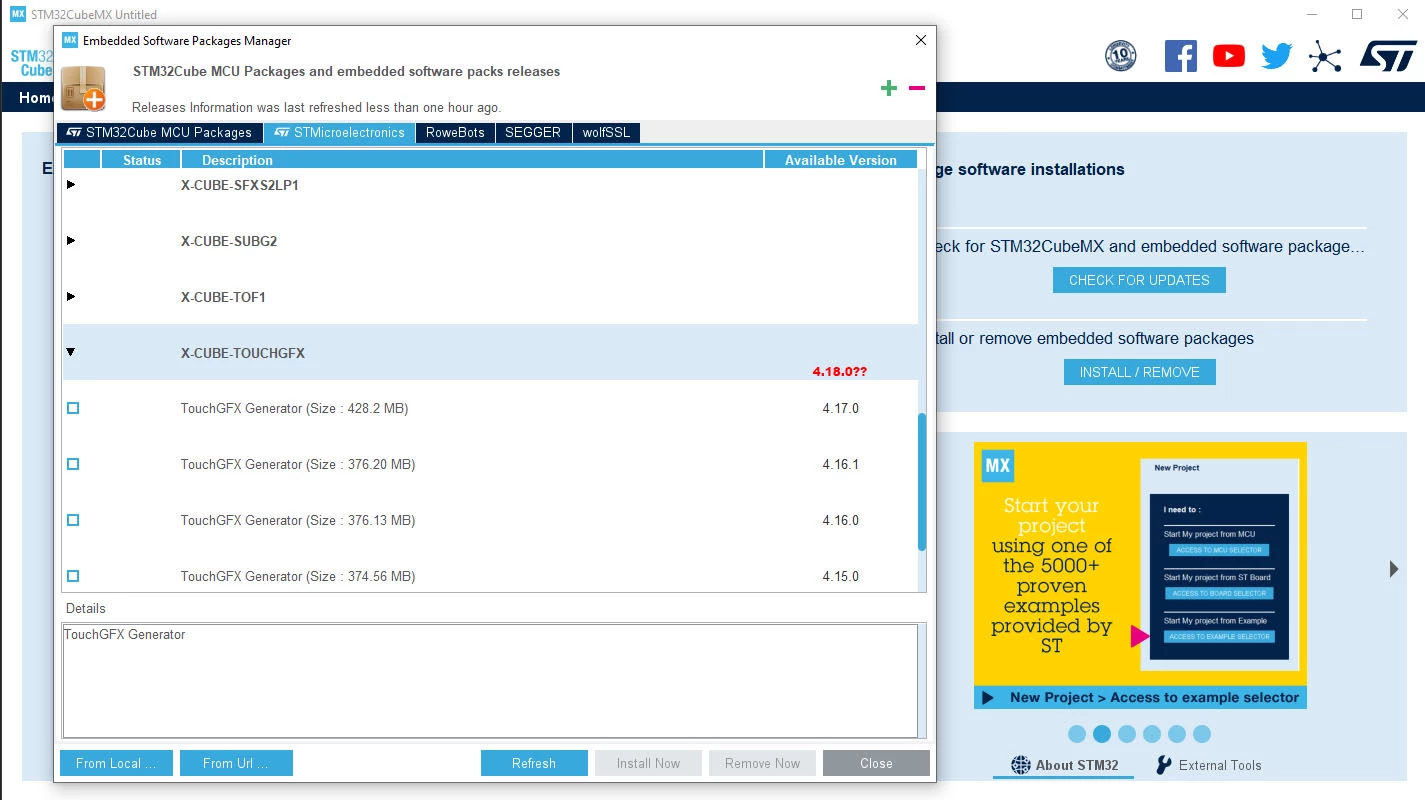
Hi. I've followed the installation guidance found at https://support.touchgfx.com/docs/introduction/installation and can't get TouchGFX 4.18 to show up in neither STM32CudeIDE and STM32CudeMX (refreshed several times). Will this show up when an update list gets updated or is this a permanent removal from the ST's IDE toolchain? Thanks

0693W00000FDV2TQAX.jpg

This topic has been closed for replies.
Best answer by Sara BEN HADJ YAHYA

Hello,

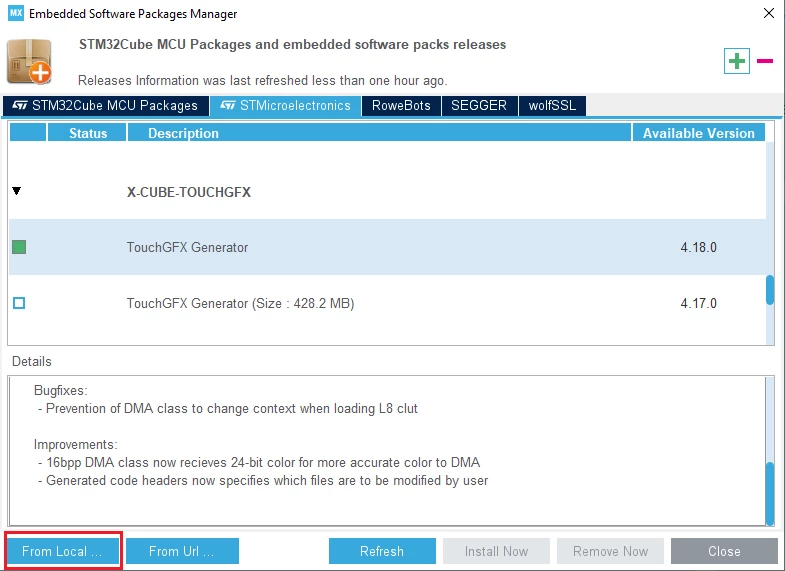
Try to import the zip file manually. You just need to click on "From Local" and then select the zip file that you downloaded from https://www.st.com/en/embedded-software/x-cube-touchgfx.html

Sara0693W00000FDkA3QAL.png

12 replies

Romain DIELEMAN
ST Employee
October 25, 2021

Hi,

I am able to see it on my side this is surprising. What version of STM32CubeMX are you using ?

You can always download it from ST's website and use the "From Local" option in the bottom left of your screenshot to install TouchGFX 4.18.0

/Romain

Mecanix
MecanixAuthor
Associate III
October 25, 2021

Hi @Romain DIELEMAN​ 

As requested, here's the list of my environment. Assuming there is a problem with the 1.7.0 version or installation, would you recommend uninstalling the entire IDE & MX toolchain and attempting a new installation to see if this fix the issue?

*************

STM32CubeIDE

Version: 1.7.0

Build: 10852_20210715_0634 (UTC)

OS: Windows 10, v.10.0, x86_64 / win32

Java version: 11.0.10

*************

STM32CubeMX 6.3.0

Romain DIELEMAN
ST Employee
October 26, 2021

As Sara wrote try to install TouchGFX .18.0 manually. I do not believe it is necessary to uninstall and install the environment again.

Maybe try to open an internet browser like Microsoft Edge before opening STM32CubeMX 6.3.0 and checking for the latest version of TouchGFX.

Were you working from STM32CubeIDE with the STM32CubeMX view, or directly from STM32CubeMX ?

/Romain

Svenn Dahlstrom
Associate III
October 25, 2021

I'm having the same issue.

Tried refresh updates from STM32CubeIDE V1.7.0 and STMCubeMX V6.3.0 but TouchGFX V4.18 is not showing up.

V.H
Senior
October 26, 2021

The offline DFP still not updated, TouchGFX is V4.18 now.

Sara BEN HADJ YAHYA
ST Technical Moderator
October 26, 2021

Hello,

Try to import the zip file manually. You just need to click on "From Local" and then select the zip file that you downloaded from https://www.st.com/en/embedded-software/x-cube-touchgfx.html

Sara0693W00000FDkA3QAL.png

In order to give better visibility on the answered topics, please click on 'Best answer' on the reply which solved your issue or answered your question.
Mecanix
MecanixAuthor
Associate III
October 26, 2021

Thank you for the guidance Sara. Worked perfectly.

0693W00000FDnyLQAT.jpg

Mecanix
MecanixAuthor
Associate III
October 26, 2021

*Note*

After a manual From Local install; and if you can't find the 4.18.0 listed as per visual, initiate a Refresh from the active window, close CubeIDE/MX, and restart the session. Should appear at next start...

0693W00000FDpRoQAL.jpg