Hello,
Indeed TouchGFX Stock was only added from v. 4.21.0.
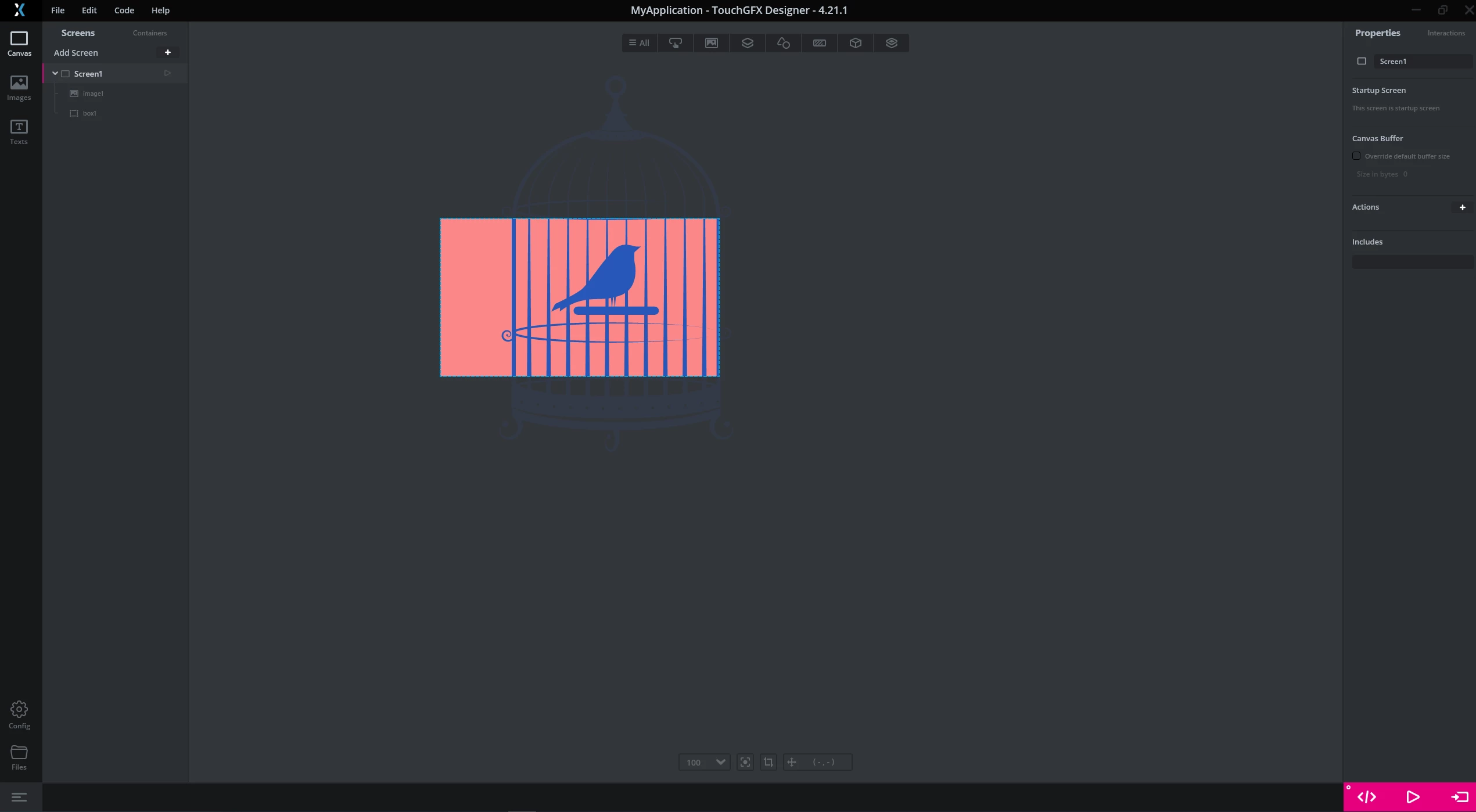
The only way to modify the color of your SVG images in TouchGFXDesigner is to add them inside the "C:\TouchGFX\4.21.1\designer\Themes\icon_theme\images" folder. Then, you can choose in which subfolder your want to put your icon in. Your svg image as to be pretty simple, without much color/fill data. For example, I downloaded this "bird in a cage" image from internet and added it into the "home" subfolder.
Then, when I reopened TouchGFX 4.21.0, I added an image widget to my application and I was able to select this icon in the "Material Icons" theme of TouchGFX Stock, and also to modify the color of it :
I understand your memory issue, but I don't think it is possible to modify the color of an SVG or PNG image on runtime though, for the moment.
Sorry for the inconvenience,
/Yoann