

dibadigital
Associate
October 26, 2022
Question

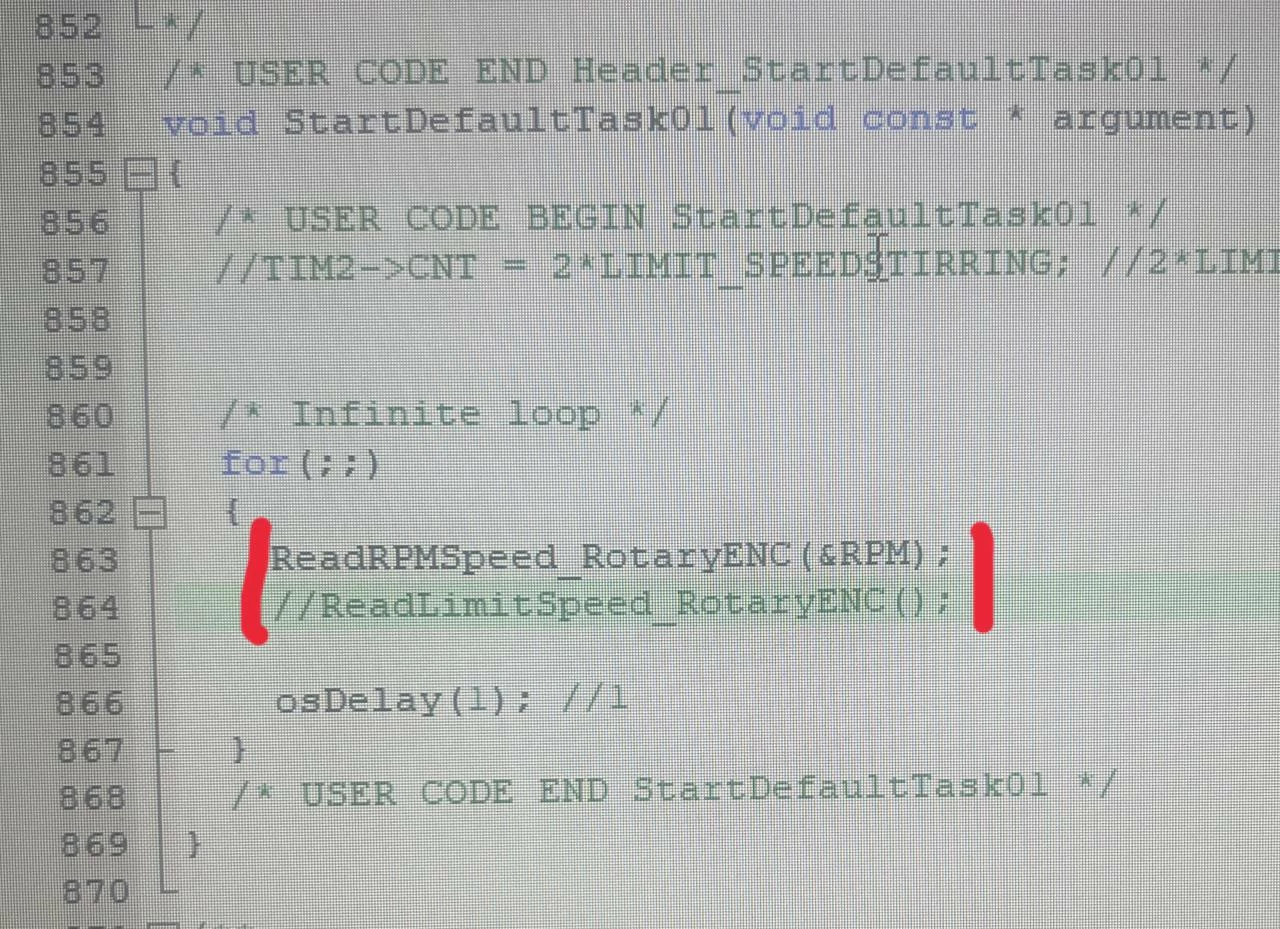
Hi, How can I write here (the image below) that if we were on screen1 in touchgfx, function1 would be executed, and if we were on screen2 in touchgfx, another function would be executed?

  • October 26, 2022
  • 2 replies
  • 1386 views

0693W00000VO9elQAD.jpg

This topic has been closed for replies.

2 replies

MM..1
Super User
October 26, 2022

Simply in screen setups modify some global variable and here place if or switch.

Karl Yamashita
Principal
October 26, 2022

Use screens transition ends for each screen where x is the screen number, or you can use a useful name.

0693W00000VOB3SQAX.pngIn the Model View you would have to pass an argument to your main application letting it know which screen it is on. Then you can call the appropriate function.

If a reply has proven helpful, click on Accept as Solution so that it'll show at top of the post.CAN Jammer an open source CAN bus hacking toolCANableV3 Open Source