

GUI not displaying properly for STM32H753I-EVAL with External SDRAM as Frambuffer.
Touch GFX 4.13.0
STM32CubeMX 5.6.0
STM32H7Cube 1.7.0
Board: STM32H753I-EVAL2 (Screen size for reference is 640X480)
I am developing simple GUI application with 2 screens. each screen has one button with label.
Since the V3 template for this board is not available. I going through the route of creating my own template from CubeMX.
FMC clock = 200MHz
LTDC clock = 25 MHz
I am using external SDRAM with double frambuffer.
location of frambuffer
Frambuffer1 = 0xD0000000
Frambuffer2 = 0xD00E1000
attached is the GUI I am getting on my hardware.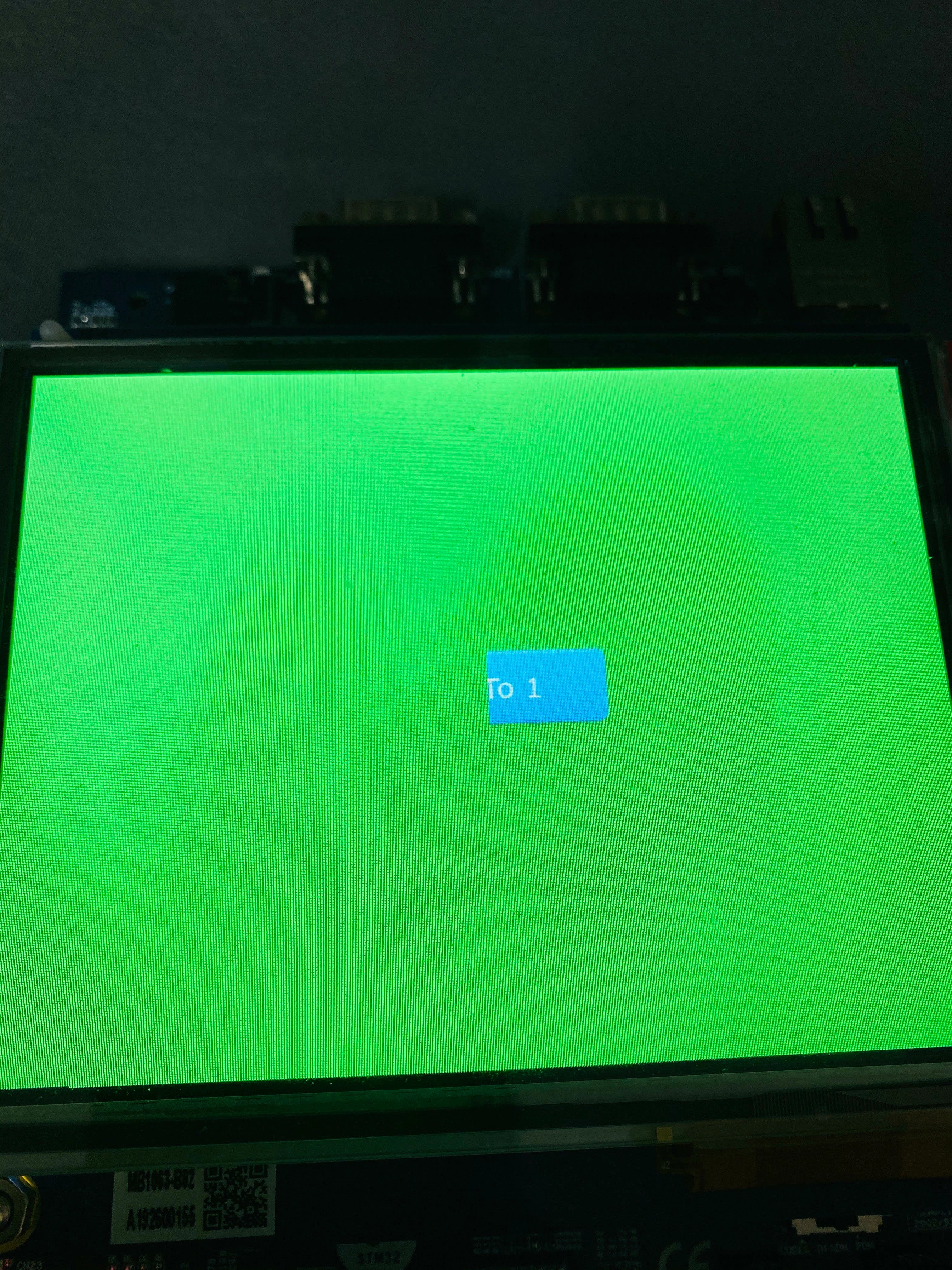
Attached is GUI on my Simulator
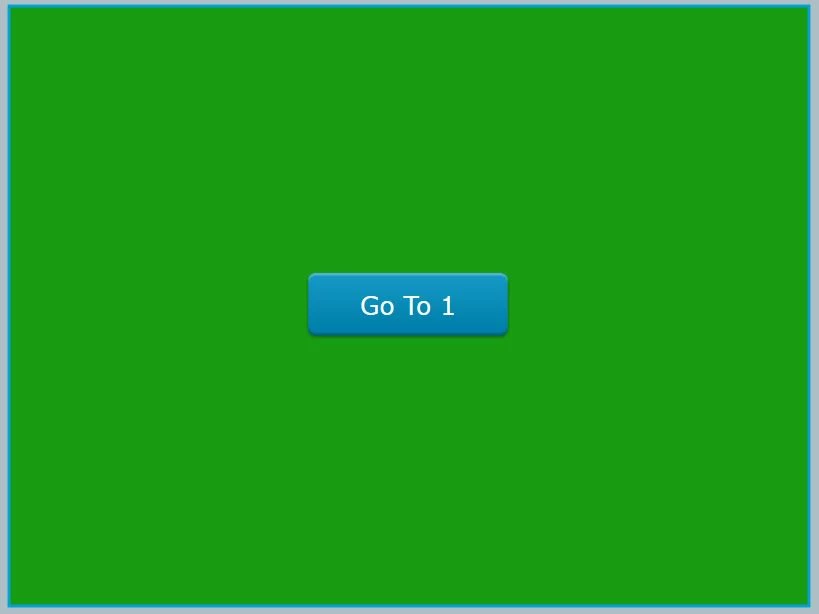
If you notice the Button is only shown Half. I even tried with single buffer but same result.
I am attaching my project for reference.
I am waiting for V3 template available from TouchGFX, hope it gets uploaded very soon.
Thanks
