ferro
Lead
February 14, 2023
Solved

GFX_4.21.1 changing slider vertical/horizontal expected behaviour ?

  • February 14, 2023
  • 2 replies
  • 1663 views

Hi,

when I place a slider on screen i see this - horizontal by default:
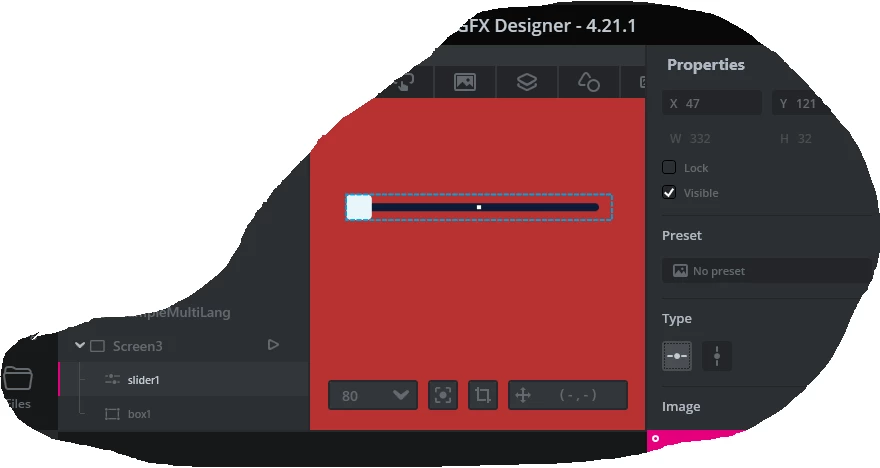
0693W00000YAgzgQAD.png Then I change to vertical and this is shown:
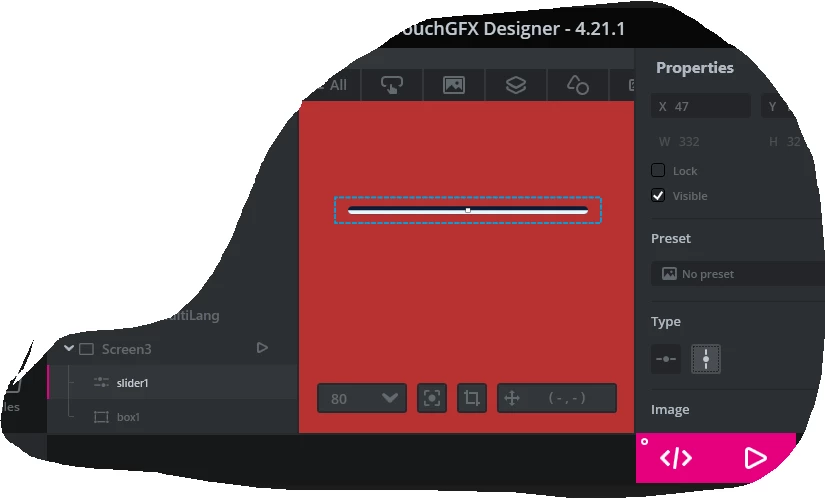
0693W00000YAgzlQAD.png 

 Is this a bug ?

Thanks

This topic has been closed for replies.
Best answer by Yoann KLEIN

Hello @ferro​,

It is not really a bug, but definitely something we should improve in the Designer.

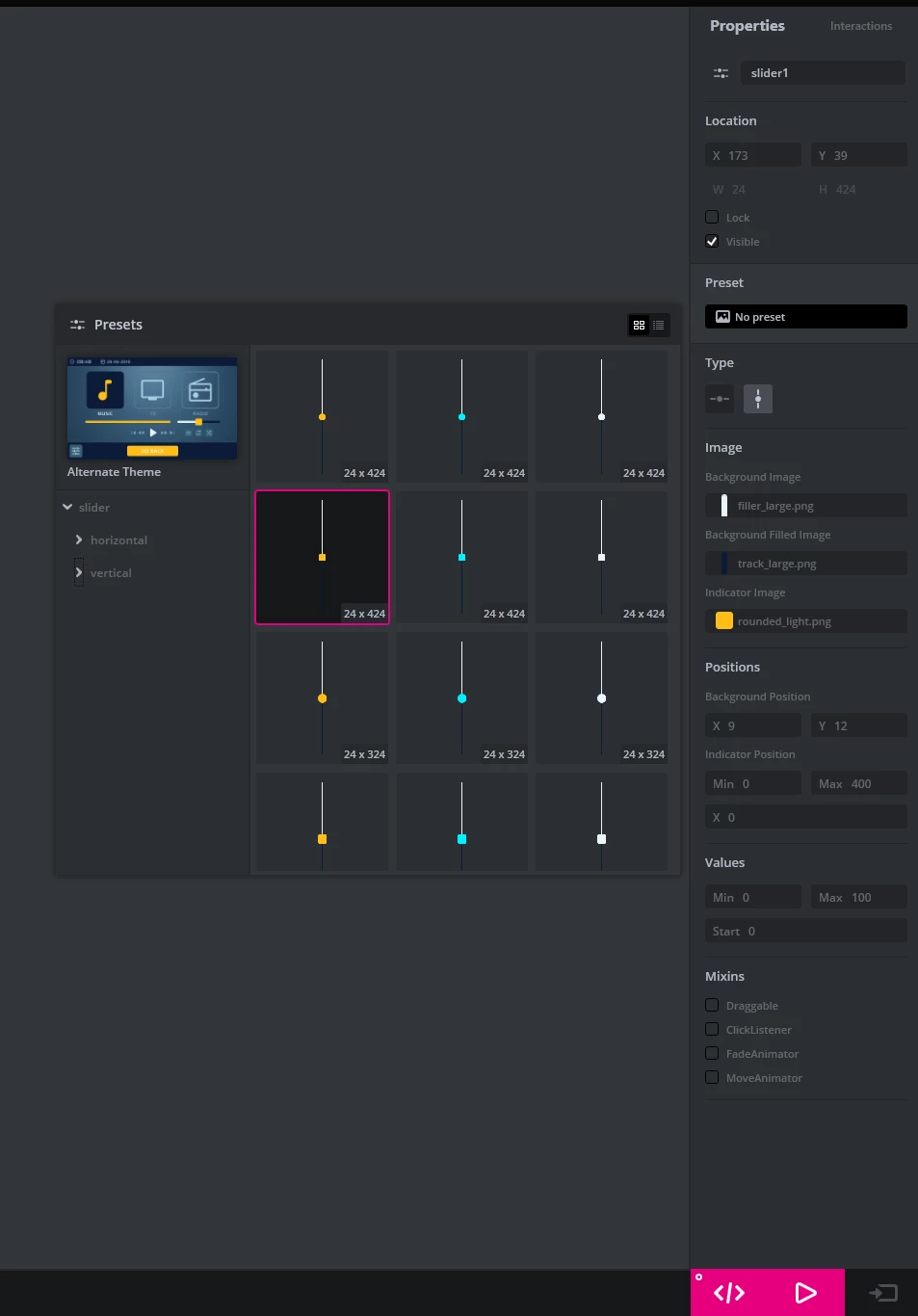
For the moment the image you are using for the slider does not change automatically depending of the orientation you choose for your slider. So, if you want to display a vertical slider, you have to change it manually yourself inside the "Preset" tab, here:

0693W00000YAhlfQAD.png 

I will discuss the possibility to automatically change to the corresponding preset depending on your slider orientation with my colleagues.

Thanks for the report,

/Yoann

2 replies

Yoann KLEIN
Yoann KLEINBest answer
ST Employee
February 14, 2023

Hello @ferro​,

It is not really a bug, but definitely something we should improve in the Designer.

For the moment the image you are using for the slider does not change automatically depending of the orientation you choose for your slider. So, if you want to display a vertical slider, you have to change it manually yourself inside the "Preset" tab, here:

0693W00000YAhlfQAD.png 

I will discuss the possibility to automatically change to the corresponding preset depending on your slider orientation with my colleagues.

Thanks for the report,

/Yoann

Yoann KLEINST Software Developer | TouchGFX
ferro
ferroAuthor
Lead
February 14, 2023

"change it manually yourself inside the "Preset" tab"

The "Preset" tab is good enough. Only now I noticed this tab - after more than a month working with Designer.

Thanks.