


EHay.1
Associate II
October 26, 2020
Question

Garbage in framebuffer

  • October 26, 2020
  • 5 replies
  • 2716 views

Good afternoon to everyone!

I have some problem with flushing or rendering.

My settings:

  • partitial framebuffer, 4 bloks, 16bpp, 32000 block size;
  • internal RAM for framebuffer;
  • use DMA2D and DMA2 for FMC (STM32F469);

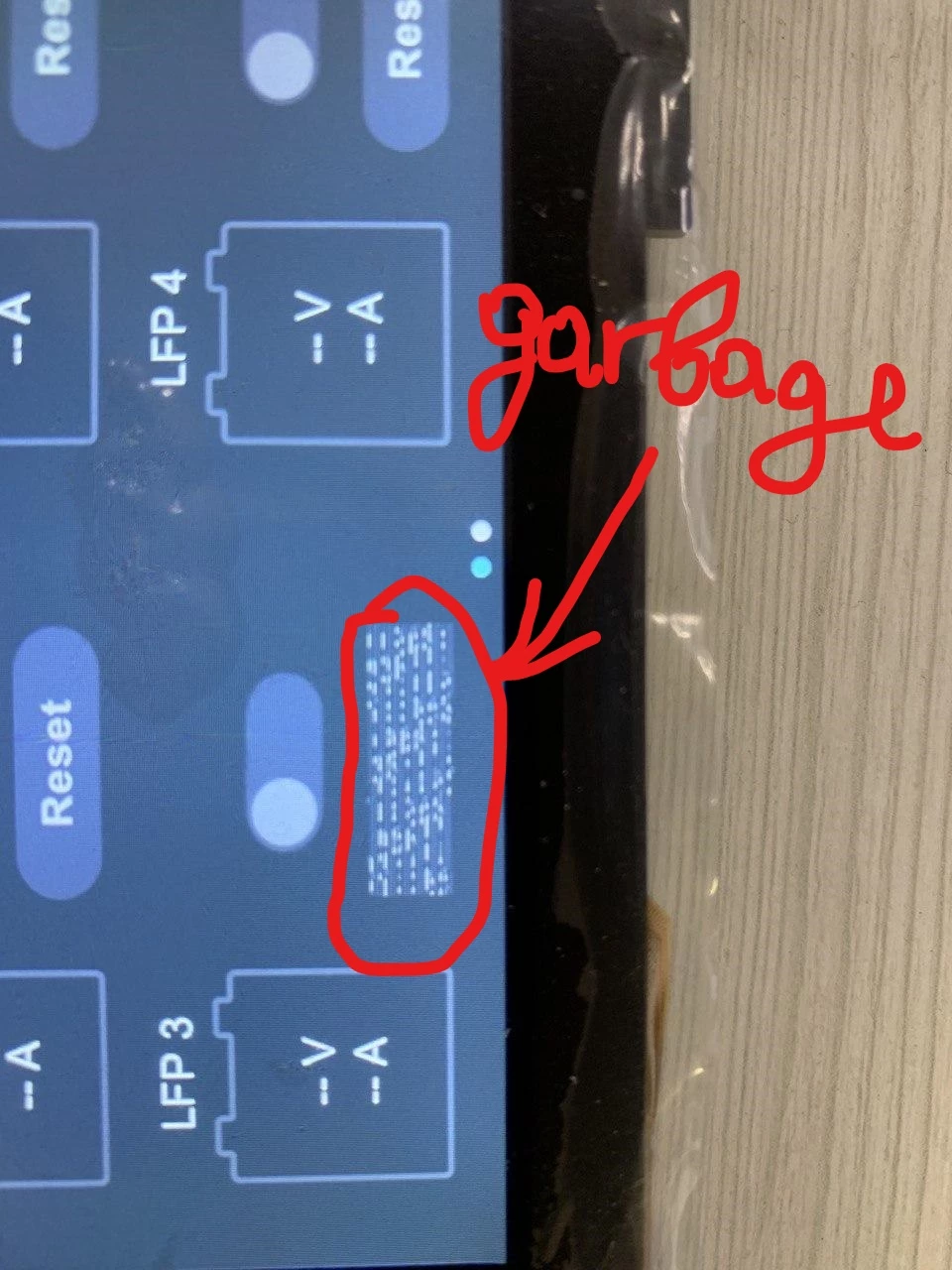
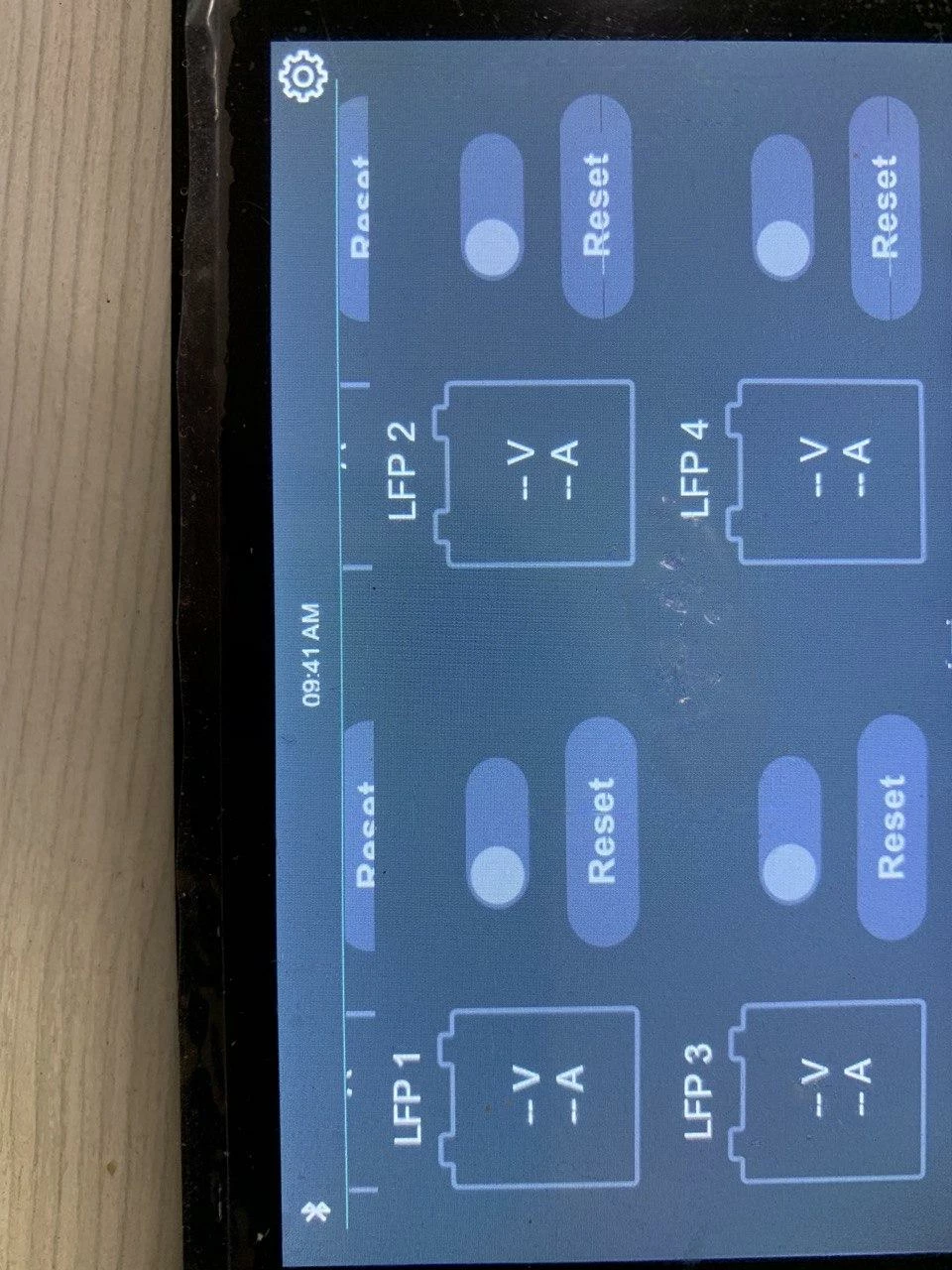
Problem - after start UI if we press "Reset" UI button, release image button is corrupted. I am check bitmap and bitmap in framebuffer - they very difference. Result in pic.

After two click this corruption disappears. But similar problem in swap container(upper text label "LFP1") never disappears.
0693W0000059JZ8QAM.jpg0693W0000059JZ3QAM.jpgThank you in advance!

This topic has been closed for replies.

5 replies

EHay.1
EHay.1Author
Associate II
October 26, 2020

I am add code in function transmitFrameBufferBlock delay before start DMA for FMC:

void transmitFrameBufferBlock(uint8_t* pixels, uint16_t x, uint16_t y, uint16_t w, uint16_t h)
{
 _isTransmittingData = 1;
	uint32_t _data_length = w * h;
 for(uint32_t i = 0; i < 21300; i++)
 {
 asm("nop");
 }
 
 SSD1963_Set_Work_Area(x, y, w, h);
 HAL_DMA_Start_IT(&hdma_memtomem_dma2_stream0, (uint32_t)pixels, FMC_DATA_ADR, _data_length);
}

Garbage is disappear but flushing very slow. This method is wrong.

Alexandre RENOUX
Visitor II
October 27, 2020

Hello,

Do you store your images in an external Flash ? If so, try to put them into internal Flash and see if you have still the problem. If you don't, this probably means your external Flash is incorrectly configured.

/Alexandre

EHay.1
EHay.1Author
Associate II
October 27, 2020
Thank for your answer. I do not use external flash. Image storage placed in internal flash.
EHay.1
EHay.1Author
Associate II
October 29, 2020

Hello everyone!

I find out that framebuffer allocator working with issues. If we use 4 bloks, counter sendingBlock or drawingBlock lags and we draw another blocks. TouchGFX engine marks another block. markBlockReadyForTransfer() we call in flush method. How fix it?

Alexandre RENOUX
Visitor II
October 30, 2020

Hello,

Sorry but could you please add more information ? You are using an F469 MCU right ? Is your board a custom board ? Do you confirm using TouchGFX 4.15 ?

Can you illustrate the issue with images and/or pieces of code to make it clearer ?

Have you tried using 3 blocks ? Have you tried changing the size of the blocks ?

/Alexandre