One People
Associate
February 2, 2023
Question

Frequently loading a Dynamic Graph or Static Graph will freeze TouchGFX's screen and render it inoperable.

  • February 2, 2023
  • 5 replies
  • 2369 views

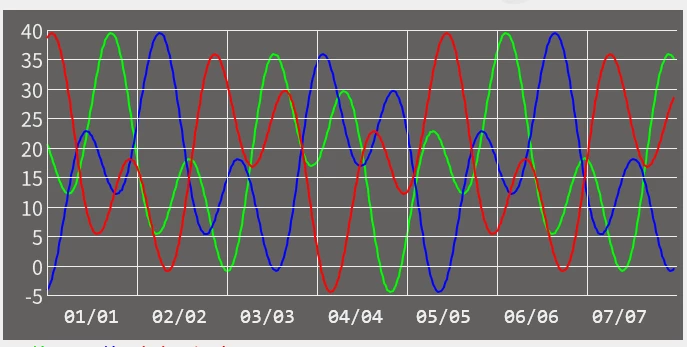
Frequently entering and exiting a screen with Graph in it, touchgfx will end up frozen on image2's screen and not fully loaded into image1's state.

Program run process:

xxxScreenViewbase::xxxScreenViewbase ---> xxxScreenView::xxxScreenView ---> xxxScreenPresenter::activate -x-> handleTickEvent --> Load Data to Graph

After the program runs to xxxScreenPresenter::ctivate no longer have any action.

Chip : STM32F29BI​

DataPoint Number : 420.

FrontendHeap::getInstance()::instance Address : 0x2002a334

FrontendHeap::getInstance()::instance Size : 20724 Byte

FreeRTOS : osThreadDef(touchgfxTask, Task_touchGFX, osPriorityNormal, 0, 0x4000);
0693W00000Y9nyJQAR.png0693W00000Y9nynQAB.png

This topic has been closed for replies.

5 replies

ktrofimo
Senior III
February 2, 2023

How often do you reopen graph screen?

One People
Associate
February 2, 2023

about one second.

Bugs appeared 30 times out of 1200 tests.

There was a BUG that would trigger when the screen was opened on startup.

One People
Associate
February 2, 2023

about one second.

Osman SOYKURT
ST Technical Moderator
February 3, 2023

Hello One People,

Are your values for your graph generated randomly?

Also which version of TouchGFX and which compiler are you using? Have you tried to activate speed optimization?

/Osman

ST Software Developer | TouchGFX
One People
Associate
February 6, 2023

Touchgfx updates the screen with chunking. When rect.y is 347 and 348, it is easy to trigger the screen freeze BUG.