


Solved
Fonts visualization in designer
Hi
Just started to use the TouchGfx, notice an issue with fonts in the designer.
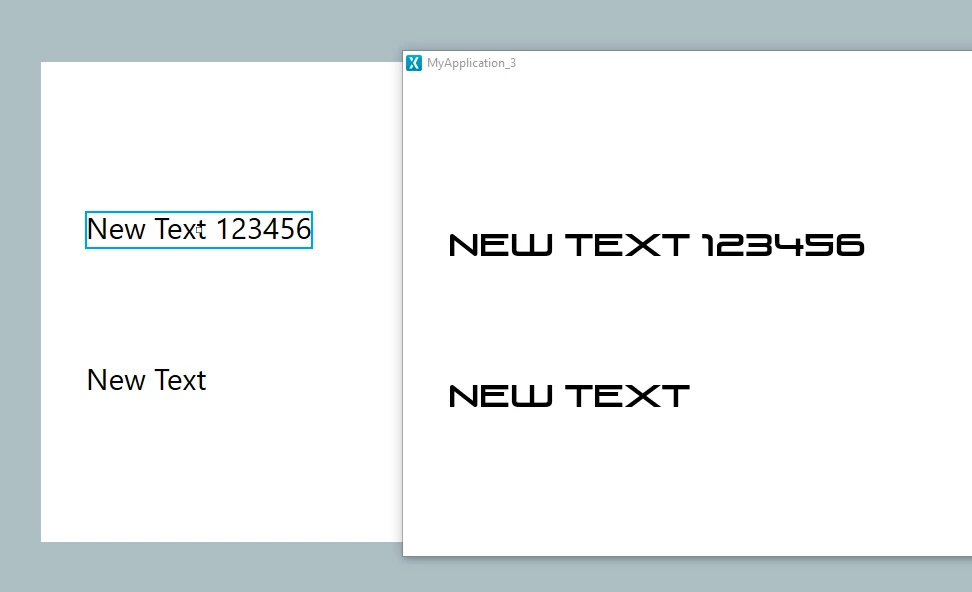
I added a new typographies for a font i want to use in a new project, up to this part no problems. But when introduce a text area in the designer and select the new font, the designer does not render the correct font. The correct font only appears when running the simulator.
Is this behavior expected? In this case (since the real font is larger) it becomes tricky to put / align things in the designer since the real font size is different from the one shown.
I have attached an image to show it (the left panel is the TouchGfx Designer, the right panel is the simulator).
Thank You
