


ferro
Lead
March 31, 2025
Solved

Font not discovered in ./assets/fonts

  • March 31, 2025
  • 3 replies
  • 980 views

Hi,

Using Designer 4.25, I copied a font to ./assets/fonts folder but it is not in the list

"Solido Compressed W00 Bold.ttf"
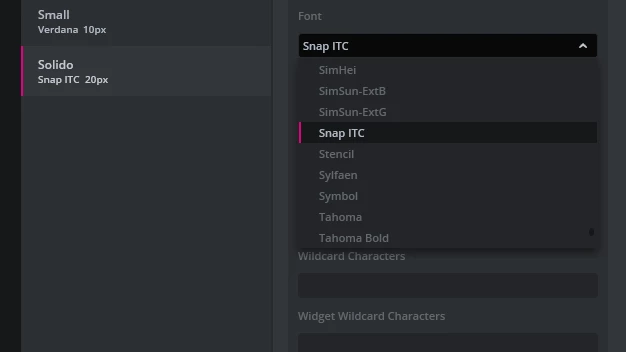
ferro_0-1743415790407.png

Name displayed by OS is "Solido Compressed W00 Bold" when open in FontForge
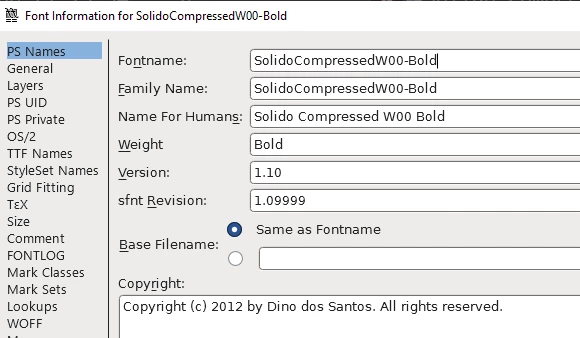
ferro_1-1743415823191.png


Any idea how to make the Designer to recognise the font ?


Thanks


    Best answer by LouisB

    Hello @ferro,

    If you remove the spaces in the font name it works, I informed the team about this issue.

    BR,

    3 replies

    LouisBBest answer
    ST Employee
    April 2, 2025

    Hello @ferro,

    If you remove the spaces in the font name it works, I informed the team about this issue.

    BR,

    Louis BOUDOST Software Engineer | TouchGFX
    awiernie
    Associate III
    December 4, 2025

    It is still not solved in 4.26.0 - Same problem but with HYPHEN, e.g. Figtree-Medium.ttf. 

    I had to remove the "-" and restart TouchGFX Designer.

    ST Technical Moderator
    December 5, 2025

    Hello @awiernie.

    For the spaces, it is not something we will change, at least not in the short term. It is also mentioned in the note here: https://support.touchgfx.com/docs/development/ui-development/touchgfx-engine-features/texts-and-fonts#the-font-converter.

    However, I do not understand why you have problems with the hyphen. I can use e.g. this without issues: Saira_SemiCondensed-SemiBold.ttf.

    Best regards,
    Johan