

Associate III
October 8, 2026
Solved

Feature request: lock/unlock all selected items in Designer

Current TouchGFX version used: 4.26.0

It would save some time if it was possible to lock/unlock all currently selected items in TouchGFX Designer via the right-click context menu:
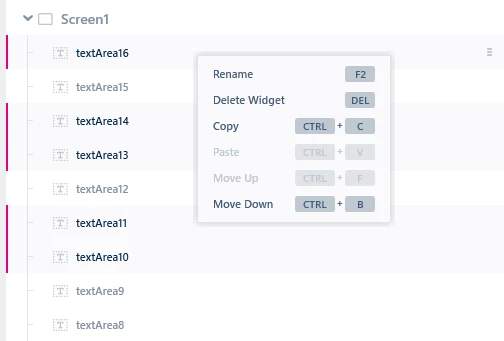
 

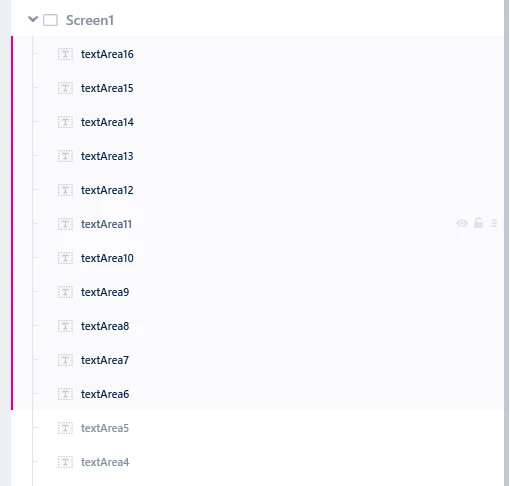
As an additional request it would also be of great use if you could Shift-select a bunch of elements in one go. Currently, you can only use Ctrl+Click to select multiple elements as in the above image. However, it would be useful to also have a Shift+Click for below usecase:


Osman SOYKURT
Osman SOYKURTBest answer
ST Technical Moderator
October 8, 2026

Hello ​@Aron Hoogeveen ,

You’re right I also believe this would save some time, I appreciate the suggestion. I’ll talk about it to the team 👍

ST Software Developer | TouchGFX

1 reply

Osman SOYKURT
Osman SOYKURTBest answer
ST Technical Moderator
October 8, 2026

Hello ​@Aron Hoogeveen ,

You’re right I also believe this would save some time, I appreciate the suggestion. I’ll talk about it to the team 👍

ST Software Developer | TouchGFX
