


Arthur_UW
Associate II
Feb 12, 2025 7:46 PM UTC
Question

Element distorted, but Screen Orientation fixs it

I was trying to build up a stm32g07 GUI project from scratch. But I encountered a distorted button displaying problem. It took me about 3 hours before I gave up, but when I accidentally changed the screen orientation, this problem was solved. I replicated the test, and I'm kind of sure it was a bug in DesignX, even if I changed the orientation back, it still worked. I tried to look for the difference in the generated code before and after I changed the screen orientation but saw nothing.


I hope someone can explain to me how this problem arose and was resolved at the code level. 

Thanks.


____________________

Appendixes

2-It works the same on the simulator and the hardware:
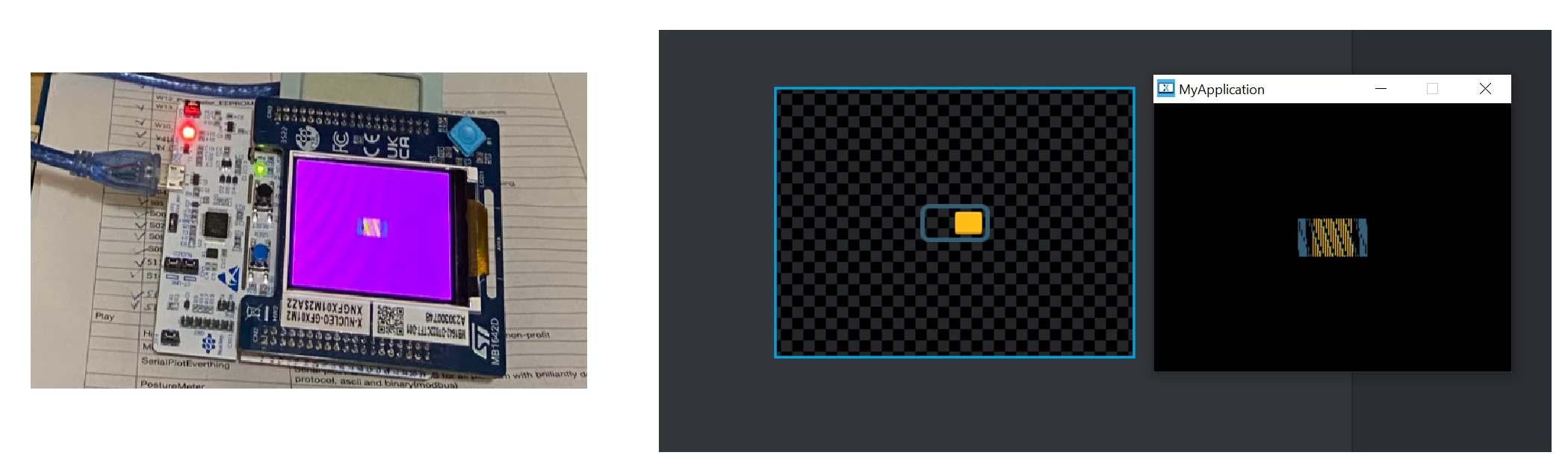
Arthur_UW_1-1739388508445.png


3-I uploaded the project with git so it's easy to track the changes (ignore the typo, 'distorted'='distored')
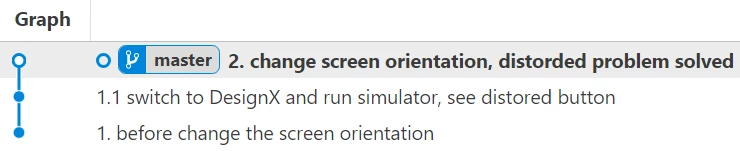
Arthur_UW_2-1739389110602.png


This topic has been closed for replies.

3 replies

ST Employee
Feb 13, 2025 10:33 AM UTC

Hello @Arthur_UW ,
What do you mean by "Design X" ?

Br,

Louis BOUDOST Software Engineer | TouchGFX
Arthur_UW
Arthur_UWAuthor
Associate II
Feb 13, 2025 2:49 PM UTC

Sorry for the confusion. Here I mean 'TouchGFX Designer'.

And I was using these versions:

TouchGFX -- 4.24.0
cubeIDE -- 1.16.0
cubeMX -- 6.13.0


ST Employee
Feb 18, 2025 2:00 PM UTC

Hello @Arthur_UW ,

I tried your project, and in your application.config the layout_rotation is 0 (Landscape), but the way the screen was configured in CubeMx is in Portrait mode dimensions.
So that's why when you run project things were mangled. In that case you should always configure the screen by using the native resolution of the screen it self in CubeMx (you may find it in your screen specs sheet) , as TouchGFX set the orientation by default to Landscape.

Best regards, 

Louis BOUDOST Software Engineer | TouchGFX